TOTP and SMS 2FA are two common two-factor authentication methods. While TOTP offers stronger security through app-generated codes, SMS 2FA remains widely used despite vulnerabilities. Employing best practices tailored to each method ensures optimal protection.
Fundamentals of TOTP and SMS-Based Two-Factor Authentication
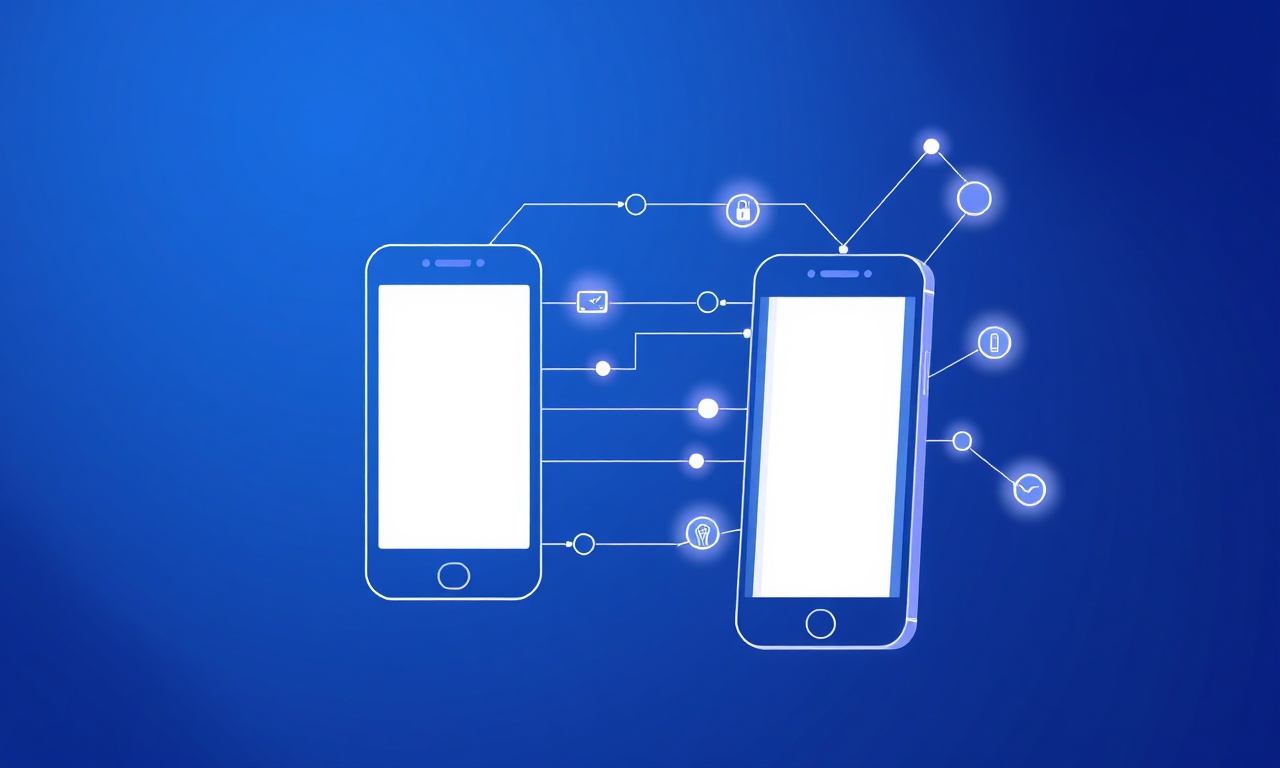
Two-factor authentication (2FA) is a crucial security mechanism that strengthens user account protection by requiring two forms of verification before granting access. Among the most widely adopted 2FA methods are Time-Based One-Time Passwords (TOTP) and SMS-based codes. Understanding how these methods function and their respective advantages can help organizations and users choose the best approach for securing sensitive information.
What is TOTP?
TOTP stands for Time-Based One-Time Password, a type of two-factor authentication that generates a unique, time-sensitive code on a user's device. This method relies on a shared secret key between the server and the user's authentication app, such as Google Authenticator or Authy. The code typically refreshes every 30 seconds, ensuring that even if a code is intercepted, it quickly becomes invalid.
When a user attempts to log in, they enter their password plus the current TOTP code generated by their app. The server independently generates the expected code using the shared secret and current timestamp, and if the codes match, access is granted. This synchronization between client and server is what makes TOTP both secure and convenient.
How SMS-Based 2FA Works
SMS-based two-factor authentication sends a one-time code directly to the user's registered mobile phone via text message. Upon login, the user first submits their password, then receives a unique numeric code on their phone. They input this code into the login interface to complete the authentication process.
Behind the scenes, the authentication server generates a random code and uses an SMS gateway service to deliver it to the user’s phone number. This method leverages the ubiquity of mobile phones and the simplicity of text messaging, making it a popular choice for many services.
Reliable SMS delivery is critical for effective SMS 2FA. Using specialized services like Google SMS OTP or Telegram SMS OTP can improve code delivery speed and coverage worldwide.
Role of TOTP and SMS 2FA in Enhancing Account Security
Both TOTP and SMS 2FA add a vital layer of security beyond just passwords, which are often vulnerable to phishing, reuse, or brute-force attacks. By requiring a second verification factor, they significantly reduce the risk of unauthorized access, even if a password is compromised.
TOTP’s strength lies in its offline generation of codes, eliminating the need for network connectivity and reducing the risk of interception. On the other hand, SMS 2FA benefits from ease of use and broad device compatibility, allowing users without smartphones or authentication apps to still enjoy enhanced security.
For developers integrating 2FA, combining SMS services with TOTP apps via APIs can offer flexible authentication flows. Explore the SMSVerifier API documentation for seamless integration options.
Summary of Key Differences
TOTP
Generates time-sensitive codes on a user’s device without network dependency, providing strong protection against interception.
SMS 2FA
Delivers one-time codes via text messages to a registered phone number, offering convenience and accessibility for users.
Ultimately, both TOTP and SMS-based 2FA contribute significantly to safeguarding user accounts. The choice between them often depends on the specific use case, user base, and security requirements. For businesses seeking to implement SMS 2FA with reliable global coverage, exploring virtual phone number options like USA Virtual Numbers or India Virtual Numbers can enhance message delivery and user experience.
Common Security Vulnerabilities in SMS-Based 2FA
Two-factor authentication (2FA) using SMS messages has been widely adopted due to its convenience and ease of use. However, beneath this simplicity lie several significant security vulnerabilities that can be exploited by attackers. Understanding these weaknesses is crucial for both technical professionals and everyday users to make informed decisions about their authentication methods and implement additional protective measures where possible.
SIM Swapping: A Critical Threat to SMS 2FA
One of the most notorious vulnerabilities in SMS-based 2FA is SIM swapping (or SIM hijacking). This attack involves an adversary convincing a mobile carrier to transfer a victim’s phone number to a new SIM card controlled by the attacker. Once successful, the attacker receives all SMS messages intended for the victim, including 2FA codes.
Technically, SIM swapping exploits weaknesses in carrier identity verification processes. Attackers often use social engineering tactics—posing as the victim or exploiting insider access—to bypass security checks at the carrier level. After the swap, they can reset passwords on various online accounts and gain unauthorized access.
Because SMS 2FA relies on the security of your mobile number, a compromised SIM can completely undermine your account protection. Always monitor for unexpected loss of mobile service or text messages.
Interception and Man-in-the-Middle Attacks
Besides SIM swapping, SMS messages are vulnerable to interception during transmission. Unlike end-to-end encrypted messaging apps, SMS travels over signaling channels that are susceptible to interception by sophisticated attackers using SS7 (Signaling System No. 7) protocol exploits or IMSI catchers (also known as Stingrays).
These attacks allow adversaries to capture or redirect SMS messages without the user or carrier necessarily detecting the breach. This means that even without physical access to your phone or SIM, attackers can intercept 2FA codes and gain unauthorized entry to your accounts.
SS7 vulnerabilities stem from design flaws in telecom networks that allow attackers to track phone locations, intercept calls, and read SMS messages by exploiting trusted signaling protocols.
Social Engineering and Phishing Risks
Social engineering remains a powerful tool for bypassing SMS 2FA. Attackers may trick users into revealing their one-time passcodes through phishing emails, fraudulent websites, or direct messaging. Because SMS codes are often perceived as secure and ephemeral, users might be less cautious about sharing them.
Phishing attacks can also involve deceptive prompts that mimic legitimate login flows, requesting the user to enter or forward the SMS code. Once obtained, attackers can immediately use these codes to access accounts before the codes expire.
Never share your SMS 2FA codes with anyone, even if they claim to be from your bank or service provider. Legitimate entities will never ask for these codes directly.
Practical Limitations and User Experience Challenges
From a practical perspective, SMS-based 2FA depends heavily on mobile network availability and the user’s possession of their phone. Factors such as poor signal, roaming restrictions, or travel abroad can delay or prevent the receipt of SMS codes, causing authentication failures.
Moreover, some users may find SMS 2FA cumbersome compared to app-based authenticators or hardware tokens, which can generate codes offline and are less reliant on external infrastructure.
Mitigating SMS 2FA Vulnerabilities
To reduce the risks associated with SMS-based 2FA, consider the following best practices:
- Use carrier protections: Set up PINs or passwords on your mobile carrier account to prevent unauthorized SIM swaps.
- Enable app-based authenticators: Whenever possible, use authenticator apps or hardware tokens as stronger alternatives.
- Monitor account activity: Regularly review login attempts and alerts from your services to detect suspicious behavior early.
- Leverage secure phone number verification: Services like our Google SMS OTP verification or Telegram SMS OTP verification can add layers of security and fraud detection to SMS 2FA flows.
For developers and businesses integrating SMS 2FA, it is critical to use robust verification APIs and consider fallback or multi-channel authentication approaches documented in our API documentation to enhance security and user experience.
Technical Architecture and Cryptography Behind TOTP Authentication

Time-based One-Time Password (TOTP) authentication is a widely adopted method for enhancing account security by generating temporary, single-use codes that users enter alongside their passwords. At its core, TOTP relies on a combination of cryptographic principles, precise time synchronization, and standardized algorithms to ensure that the codes are both unpredictable and valid only for a limited window of time.
Understanding the technical architecture of TOTP begins with the shared secret key — a unique, randomly generated value known only to the authentication server and the user’s device (commonly a smartphone app like Google Authenticator). This secret acts as the cryptographic seed for generating the one-time codes.
This is a base32-encoded string established during the initial setup, securely exchanged between the server and the user's device. It forms the foundation for all subsequent code generation.
The generation of TOTP codes is based on the HMAC-based One-Time Password (HOTP) algorithm defined in RFC 4226, but with a key modification: instead of using a counter, TOTP uses the current time as a dynamic input. Specifically, the current Unix time (in seconds) is divided by a fixed time step, typically 30 seconds, to produce a time counter value.
This time counter is then combined with the shared secret key in the HMAC-SHA1 hash function. HMAC (Hash-based Message Authentication Code) provides cryptographic integrity by hashing the combination of the secret key and time counter, ensuring that the output is both tamper-proof and deterministic. The resulting hash is truncated and converted into a short numeric code, usually six digits, which the user enters as their one-time password.
Because TOTP codes are time-dependent, accurate synchronization between the authentication server and the client device is critical. Both sides must maintain clocks that are closely aligned, generally within a tolerance window of a few seconds. To accommodate minor discrepancies, servers often accept codes from adjacent time steps (e.g., the previous and next 30-second intervals) to reduce false rejections without compromising security.
Implementing time synchronization protocols like NTP (Network Time Protocol) on servers and encouraging users to keep their device clocks accurate can significantly improve TOTP reliability and user experience.
The cryptographic strength of TOTP depends heavily on the secrecy of the shared key and the robustness of the HMAC function. SHA-1, while older, remains the standard for TOTP due to its balance of security and performance. However, implementations can optionally use stronger hash functions like SHA-256 or SHA-512 for enhanced security, as supported by some authentication apps and servers.
In practical deployments, TOTP is often integrated into multi-factor authentication (MFA) workflows to complement password-based login. For example, when using services such as SMSVerifier’s API, developers can combine TOTP with SMS OTP verification to add layered defense mechanisms. Detailed documentation and playgrounds are available at /api/docs and /api-playground to facilitate this integration.
From a security perspective, TOTP offers several advantages over SMS-based OTPs. Since the secret key never leaves the client device after enrollment and codes are generated locally, TOTP is less vulnerable to interception, SIM swapping, or network attacks common in SMS delivery. However, this also means that secure initial setup and backup strategies (like recovery codes) are vital to prevent lockouts.
In summary, the technical architecture of TOTP hinges on three pillars:
- Shared Secret Key: A securely exchanged cryptographic seed.
- Time Synchronization: Using synchronized clocks and fixed time intervals to generate codes.
- HMAC Algorithm: Applying HMAC (typically with SHA-1) to the secret and time counter to produce a one-time code.
By mastering these foundational elements, developers and security architects can implement TOTP effectively within their authentication systems, strengthening user access controls without sacrificing usability.
Usability and Deployment Considerations for TOTP and SMS 2FA
Two-factor authentication (2FA) methods like TOTP (Time-Based One-Time Password) and SMS-based verification enhance security by adding a second layer of user verification. However, choosing between them requires careful consideration of usability, device compatibility, and deployment challenges in different environments. Understanding these factors helps organizations select the right approach tailored to their users’ needs and operational constraints.
TOTP apps such as Google Authenticator or Authy generate codes locally on the user’s device, allowing for offline verification. This means users can authenticate even without cellular or internet connectivity, enhancing reliability in low-signal areas. In contrast, SMS 2FA requires a mobile network to receive the one-time code, which can introduce delays or failures if the signal is weak or if users are roaming internationally.
From a usability standpoint, SMS 2FA is often seen as more straightforward because it does not require installing an additional app; users receive the code directly via their default messaging app. However, TOTP requires initial setup where users scan a QR code or enter a secret key into an authenticator app, which might be a barrier for less tech-savvy users.
Offering both options during user onboarding can improve adoption rates by letting users choose their preferred method, balancing ease of use with security needs.
Device compatibility is another critical factor. TOTP apps are supported on most smartphones across iOS and Android platforms, and some desktop apps or browser extensions exist as well. This gives users flexibility but may exclude those without smartphones or those unwilling to install additional software. SMS 2FA, on the other hand, works on any mobile phone capable of receiving text messages, including basic feature phones, making it more universally accessible.
SMS delivery can be unreliable due to carrier issues, international regulations, or number portability problems. Organizations relying on SMS 2FA should consider integrating with robust SMS providers that offer virtual numbers and global coverage, such as those found in the USA, UK, or India to ensure consistent message delivery.
From a technical deployment perspective, TOTP 2FA requires backend infrastructure to generate and verify the time-based codes securely. This often involves integrating libraries or using third-party services compatible with the TOTP standard. In contrast, SMS 2FA necessitates an SMS gateway integration, which can add costs and complexity depending on message volume and geographic reach.
Security Considerations
TOTP codes are generated locally and are not transmitted over networks, reducing interception risk. SMS codes travel over telephony networks vulnerable to SIM swapping and interception.
User Accessibility
SMS 2FA supports all mobile devices, including basic phones, while TOTP requires smartphone apps or compatible software.
Implementation Complexity
TOTP demands backend cryptographic support and synchronization; SMS requires partnerships with SMS providers and handling delivery failures.
Organizations should also consider the context in which authentication occurs. For example, enterprise environments with managed devices may favor TOTP due to its enhanced security posture and offline capability. Conversely, consumer-facing applications targeting a broad demographic might prioritize SMS 2FA for its simplicity and accessibility.
Finally, integrating these 2FA methods with existing user verification services can streamline deployment. For instance, leveraging APIs from platforms such as Google SMS OTP verification or Telegram SMS OTP verification can reduce development overhead while improving reliability.
In summary, while TOTP offers stronger security and offline capabilities, SMS 2FA provides broader device compatibility and ease of use. A thoughtful deployment strategy that considers user demographics, device availability, network reliability, and integration complexity will ensure a smoother user experience and robust authentication security.
Step-by-Step Guide to Implementing TOTP Two-Factor Authentication

Implementing Time-based One-Time Password (TOTP) two-factor authentication (2FA) in your application significantly enhances security by requiring users to provide a time-sensitive code generated on their device in addition to their password. This section guides you through the essential steps to integrate TOTP 2FA smoothly, from initial setup to validation.
- Step 1 — Generate a Unique Secret KeyBegin by generating a unique and random secret key for each user. This key acts as the shared secret between your server and the user's authenticator app (e.g., Google Authenticator, Authy). The secret should be securely stored and never exposed publicly. Libraries in most programming languages, such as
otplibfor Node.js orpyotpfor Python, provide utilities to generate and manage these secrets. - Step 2 — Provision the Secret with a QR CodeTo facilitate user onboarding, encode the secret key into a URI format compliant with the TOTP standard (also known as the otpauth URI). Present this URI as a QR code that users can scan with their authenticator app. This process eliminates manual entry errors and improves user experience. Tools like
qrcodelibraries can help generate this QR code dynamically within your app's interface. - Step 3 — User Scans QR Code and Sets Up AuthenticatorThe user scans the QR code with their preferred authenticator app. This app will then generate time-based codes synchronized with your server's secret. Encourage users to backup their secret or recovery codes to prevent lockouts.
- Step 4 — Implement TOTP Code Verification on LoginWhen users log in, prompt them to enter the current TOTP code displayed on their authenticator app. Your server should verify the submitted code by recalculating the expected value using the stored secret and the current time window. Most TOTP libraries handle this verification, including allowance for slight clock skew (usually ±30 seconds).
- Step 5 — Handle Edge Cases and SecurityImplement rate limiting and lockout policies to prevent brute force attacks on the TOTP input. Also, consider prompting for 2FA setup only after successful password authentication to avoid unnecessary exposure. Providing users the option to disable or reset 2FA after identity verification is crucial for account recovery.
- Step 6 — Integrate with Your Authentication FlowIncorporate TOTP verification as a mandatory step after password validation but before granting full access. Ensure your authentication APIs and user interfaces reflect this flow clearly. For example, if you use SMS OTPs or services like Google SMS OTP phone number verification alongside TOTP, coordinate the steps to minimize user friction while maximizing security.
Many modern authentication frameworks and identity providers offer built-in support for TOTP 2FA. However, custom integration allows more control and flexibility tailored to your service's unique requirements.
Keep time synchronization in mind: TOTP relies on accurate clocks on both server and client devices. Use Network Time Protocol (NTP) on your servers and recommend users keep their devices’ time settings automatic to avoid verification failures.
By following these steps, you establish a robust TOTP 2FA mechanism that significantly reduces the risk of account compromise. For enhanced multi-channel security, consider combining TOTP with SMS or app-based OTP services. Explore our services and API documentation to integrate comprehensive phone number verification alongside TOTP for layered authentication strategies.
Step-by-Step Guide to Implementing SMS-Based Two-Factor Authentication
Implementing SMS-based two-factor authentication (2FA) enhances your application's security by requiring users to verify their identity with a one-time passcode sent via SMS. This guide walks you through the essential steps to integrate SMS 2FA seamlessly, covering SMS gateway integration, message formatting, and code validation. Whether you're a developer new to 2FA or looking to optimize your current implementation, these practical instructions will help you build a reliable and user-friendly authentication flow.
- Step 1 — Choose a Reliable SMS GatewayStart by selecting a trusted SMS service provider that offers global coverage, high deliverability, and API support. Services like Google SMS OTP or specialized virtual number providers can simplify integration. Evaluate pricing, latency, and compliance with local regulations to ensure smooth operation.
- Step 2 — User Phone Number Collection and ValidationPrompt users to enter their mobile numbers in international format during registration or login. Validate the format on the client and server sides to minimize errors. Consider sending an initial verification SMS to confirm ownership of the number before enabling 2FA.
- Step 3 — Generate a Secure One-Time Passcode (OTP)Create a random numeric code, typically 6 digits, with sufficient entropy to prevent guessing. Use cryptographically secure random number generators and store the OTP securely with an expiration time (usually 5-10 minutes) to limit usability.
- Step 4 — Format the SMS MessageCraft a clear and concise SMS containing the OTP and instructions. For example: "Your verification code is 123456. It expires in 10 minutes. Do not share this code with anyone." Keep messages short to avoid splitting into multiple SMS segments, which can increase cost and delay.
- Step 5 — Send the OTP via SMS Gateway APIIntegrate your backend with the SMS gateway's API to send the OTP message. Implement error handling for failed deliveries and retries. Monitor delivery reports and logs to ensure high success rates and troubleshoot issues promptly.
- Step 6 — Prompt User for OTP Input and ValidateOnce the OTP is sent, display an input form where users enter the received code. On submission, compare the input against the stored OTP, checking both correctness and expiration. Upon successful verification, grant access or complete the sensitive transaction.
- Step 7 — Implement Security and Usability EnhancementsLimit the number of OTP entry attempts to prevent brute force attacks. Provide clear feedback on errors and allow users to request a new code if needed. Additionally, log authentication attempts for audit and anomaly detection.
To improve user experience and security, consider integrating SMS 2FA with complementary verification methods such as WhatsApp or Telegram OTP services. These alternatives can be explored via our WhatsApp SMS OTP and Telegram SMS OTP offerings, which often provide richer messaging features and better delivery guarantees.
By following these steps, you can build a robust SMS-based two-factor authentication system that balances security and convenience. For developers looking to streamline the process, our API documentation and API playground provide ready-to-use endpoints and code samples to accelerate integration.
Remember that SMS 2FA, while significantly more secure than password-only authentication, is vulnerable to certain attacks such as SIM swapping and interception. Always consider layering your security strategy with additional factors or fallback options to protect your users comprehensively.
Cost Analysis and Resource Requirements for TOTP vs SMS 2FA

When selecting a two-factor authentication (2FA) method, understanding the financial and resource implications of Time-based One-Time Password (TOTP) versus SMS-based 2FA is crucial. Both approaches enhance security but differ significantly in deployment costs, infrastructure demands, and ongoing maintenance. This section breaks down these factors to help organizations make informed decisions on integrating either method into their authentication workflows.
Initial Setup and Integration Costs
TOTP: Implementing TOTP involves generating and validating tokens locally or via backend services. Since TOTP algorithms are standardized and open-source (e.g., RFC 6238), there are no licensing fees. However, development time and expertise are required to integrate TOTP libraries into applications or identity platforms. Additionally, user onboarding necessitates provisioning secret keys securely, often via QR codes or manual entry.
SMS 2FA: SMS-based authentication requires integration with a reliable SMS gateway or service provider, such as those found in the SMS verification services ecosystem. Initial costs often include setup fees and API integration efforts. Unlike TOTP, SMS 2FA depends on third-party providers for message delivery, which may introduce contractual commitments and minimum usage requirements.
TOTP typically has lower upfront costs due to open standards and self-hosting possibilities, while SMS 2FA demands investment in third-party SMS infrastructure and contracts.
Ongoing Operational Expenses
TOTP: After deployment, TOTP incurs minimal recurring costs. The primary expenses are server resources for token validation and support for users facing authentication issues. Because tokens are generated client-side (e.g., on authenticator apps), no network or messaging charges apply. Maintenance involves periodic software updates and security reviews.
SMS 2FA: Operational costs are dominated by per-message fees charged by SMS providers. These fees vary by destination country and volume, making international user bases more expensive to serve. Additional costs may include phone number rentals (e.g., USA virtual numbers or India virtual numbers) for sender IDs or two-way messaging. Monitoring delivery rates and handling message failures also require operational overhead.
To optimize SMS 2FA costs, leverage providers with transparent pricing and consider regional virtual numbers to reduce international messaging fees.
Infrastructure and Scalability Considerations
TOTP: Since token generation occurs on users’ devices using authenticator apps, the backend infrastructure mainly supports validation and user management. This architecture scales efficiently because it does not rely on external networks for token delivery. However, scaling user support and secret key provisioning securely remains essential.
SMS 2FA: SMS 2FA depends heavily on telecommunications infrastructure and third-party gateways. High volumes require scalable API endpoints and robust retry mechanisms to handle message delays or failures. Additionally, geographic coverage disparities and carrier restrictions can impact reliability and user experience. Ensuring consistent delivery worldwide may require multiple provider integrations and monitoring tools.
Security and Compliance Resource Impact
Both methods have different implications for security management and compliance efforts. TOTP’s decentralized token generation reduces attack surfaces but requires secure secret key distribution and storage. SMS 2FA’s reliance on mobile networks introduces vulnerabilities such as SIM swapping, which can elevate risk and necessitate additional monitoring and user education.
Compliance with regulations like GDPR or PCI DSS may influence resource allocation, especially for SMS 2FA, where user phone numbers and message content are processed and stored by third-party providers. Organizations may need to conduct vendor risk assessments and implement data protection controls accordingly.
Evaluate compliance requirements early in the decision process, as SMS 2FA often demands more extensive vendor management and audit capabilities than TOTP.
Summary Comparison
| Aspect | TOTP | SMS 2FA |
|---|---|---|
| Initial Cost | Low (open-source, self-hosted) | Moderate to High (third-party fees) |
| Ongoing Cost | Minimal (server & support) | Variable (per SMS fees, phone numbers) |
| Infrastructure | Backend validation servers | Telecom gateways, multiple providers |
| Scalability | Predictable, app-based | Dependent on SMS network capacity |
| Security Management | Secret key distribution and storage | Vulnerability to SIM swap and interception |
| Compliance Effort | Moderate | Higher due to third-party data handling |
In conclusion, TOTP offers a cost-effective and resource-light solution for organizations prioritizing control and scalability without ongoing messaging expenses. SMS 2FA provides a familiar user experience but requires careful budgeting for message delivery and infrastructure management, especially for global user bases. For enterprises seeking to balance these factors, hybrid approaches or leveraging specialized providers with transparent pricing and robust APIs (see our API documentation) can optimize both costs and user convenience.
Best Practices to Maximize Security When Using TOTP Authentication
Time-based One-Time Password (TOTP) authentication is widely regarded as a robust second factor for securing user accounts. However, the strength of TOTP depends heavily on how it is implemented and managed by both users and service providers. To maximize security and usability, it’s essential to follow a set of best practices that cover secure provisioning, backup mechanisms, app hardening, and user education.
Secure Provisioning
Provisioning TOTP secrets securely is critical. When a user first enables TOTP, the shared secret (seed) must be transmitted over a secure channel such as HTTPS and displayed only once. Avoid storing the secret in plaintext on servers or exposing it in URLs. Use QR codes to simplify manual entry while preventing shoulder surfing or screenshots. Additionally, enforce strong user authentication before allowing TOTP setup to prevent unauthorized enrollment.
Backup and Recovery Codes
Users should be provided with one-time backup codes during TOTP setup. These codes act as a safety net in case the user loses access to their authenticator app or device. Encourage users to securely store these codes offline, such as in a password manager or printed copy. Providers should allow users to regenerate backup codes after invalidation to maintain continuous account access without compromising security.
Authenticator App Hardening
Users should choose authenticator apps that implement app hardening techniques such as biometric protection, encrypted storage, and tamper detection. Providers and developers can prioritize compatibility with apps like Google Authenticator, Authy, or Microsoft Authenticator, which offer enhanced security features. Additionally, educating users on enabling device-level security (PIN, fingerprint, face recognition) further protects TOTP secrets stored on their devices.
Beyond these core areas, it is equally important to maintain a secure infrastructure for TOTP validation. Rate limiting authentication attempts protects against brute-force attacks, while monitoring suspicious login patterns can help detect compromised accounts early. Integrating TOTP with other verification services, such as Google SMS OTP or Telegram SMS OTP, can provide layered verification options tailored to user preferences and threat models.
Encourage users to register multiple devices or authenticator apps if supported. This redundancy ensures they can still authenticate if one device is lost or inaccessible, minimizing lockouts while maintaining strong security.
Providers should also consider implementing periodic re-provisioning of TOTP secrets or supporting migration paths for users upgrading devices. This process must be carefully designed to prevent exposure of secrets during transfer and to authenticate the user rigorously before allowing changes.
Never transmit TOTP secrets via insecure channels such as email or SMS, as interception can lead to complete account compromise. Additionally, avoid storing TOTP seeds or backup codes in plaintext databases without encryption and access controls.
From a practical standpoint, educating users about the importance of TOTP security is vital. Clear instructions on setting up TOTP, securing backup codes, and recognizing phishing attempts can dramatically reduce risks. Service providers can embed these guidelines within onboarding flows or help centers to foster security-conscious user behavior.
For developers and businesses integrating TOTP into their authentication stack, consulting detailed resources like API documentation and exploring sandbox environments such as the API playground can accelerate secure implementation. Combining TOTP with other phone number verification services from SMSVerifier’s comprehensive suite offers a multi-layered defense against account takeover attacks.
In summary, maximizing security with TOTP requires a holistic approach: secure provisioning, reliable backup options, hardened authenticator apps, vigilant infrastructure security, and continuous user education. Following these best practices helps maintain the integrity of TOTP as a trustworthy second factor in modern authentication systems.
Best Practices to Maximize Security When Using SMS-Based 2FA

SMS-based two-factor authentication (2FA) remains a widely adopted security layer due to its convenience and broad compatibility. However, it is not without vulnerabilities, such as SIM swapping, interception, and social engineering. To maximize security when using SMS 2FA, organizations and users must adopt a set of best practices that address technical, operational, and user-awareness aspects.
Combine SMS 2FA with other authentication factors or services like those offered in Google SMS OTP or Telegram SMS OTP verification to enhance security and reduce risk.
1. Strengthen Carrier and Network Security
Since SMS 2FA relies on mobile carriers to deliver one-time passcodes (OTPs), the security of the carrier network is critical. Encourage users to work with carriers that have robust fraud detection and SIM swap prevention measures. Additionally, businesses can:
- Monitor for unusual SIM swap requests or number porting activities linked to their users.
- Implement carrier-level alerts to notify users immediately of any SIM-related changes.
- Consider using virtual numbers from trusted providers (e.g., USA virtual number, UK virtual number, or Germany virtual number) to isolate authentication traffic from personal devices.
2. Educate Users About SMS 2FA Risks and Safe Practices
User education is a fundamental layer of defense. Users should be aware of common attack vectors targeting SMS 2FA, including phishing attempts and social engineering tactics that could trick them into revealing OTPs or personal information.
Advise users never to share OTP codes with anyone and to verify any unsolicited requests for authentication codes through official channels.
Encourage users to:
- Enable account recovery options that require multiple verification steps.
- Regularly review account activity and immediately report suspicious notifications.
- Use secure mobile devices with updated operating systems and security patches.
3. Implement Secure Fallback and Recovery Mechanisms
SMS 2FA can fail if users lose access to their phone number or device. Establishing secure fallback options is essential to prevent unauthorized account access during recovery.
- Use alternative authentication methods such as email-based OTPs or authenticator apps as secondary options.
- Require multi-step identity verification during recovery, including knowledge-based authentication or biometric verification.
- Limit the number of recovery attempts and notify users when recovery workflows are initiated.
Weak fallback mechanisms can become attack vectors themselves. Avoid relying solely on easily compromised information like security questions or email addresses without additional safeguards.
4. Leverage Advanced Verification APIs and Monitoring
Integrate SMS 2FA with robust verification APIs that provide enhanced fraud detection and analytics. SMSVerifier’s API documentation and API playground offer tools to customize OTP delivery, monitor verification status, and detect anomalous activity in real time.
Real-time analytics can help identify suspicious login attempts and trigger adaptive authentication policies, such as requiring additional verification for high-risk scenarios.
5. Enforce Best Practices in OTP Design and Delivery
Secure OTP generation and delivery reduce the risk of interception or replay attacks. Follow these practical guidelines:
- Use time-limited, single-use OTPs with short expiration windows (e.g., 5 minutes).
- Avoid sending OTPs in plain text SMS when possible; consider encrypted messaging channels or app-based codes.
- Throttle OTP requests to prevent abuse and detect brute-force attempts.
Summary
While SMS-based 2FA has inherent limitations, applying these best practices significantly strengthens its security posture. By securing carrier interactions, educating users, implementing secure recovery workflows, leveraging advanced APIs, and designing robust OTP mechanisms, organizations can confidently incorporate SMS 2FA into their authentication strategies. For comprehensive service options and pricing, visit our services page and pricing details.
Advanced Features and Enhancements in TOTP Authentication
Time-based One-Time Password (TOTP) authentication has long been a cornerstone of secure two-factor authentication (2FA), offering a dynamic layer beyond traditional passwords. However, as security demands grow and user convenience becomes paramount, advanced TOTP implementations have evolved significantly. This section delves into some of the most impactful enhancements—multi-device synchronization, push-based TOTP, and hardware security module (HSM) integration—providing a comprehensive understanding from foundational concepts to practical applications.
Multi-Device Synchronization
Traditional TOTP apps generate codes on a single device, which can be limiting for users who switch between smartphones, tablets, or desktops. Multi-device synchronization enables seamless sharing of TOTP secrets across devices, maintaining consistent code generation without manual reconfiguration. This is typically achieved through secure cloud syncing with end-to-end encryption, ensuring that secrets remain protected during transfer and storage.
Push-Based TOTP Authentication
Push-based TOTP enhances user experience by replacing manual code entry with real-time push notifications. When a login attempt occurs, the server sends a challenge to the user’s device, prompting an approval or denial. This method retains the cryptographic strength of TOTP while reducing friction, especially on mobile platforms. It also mitigates risks of phishing and code interception since no code needs to be typed or transmitted over less secure channels.
Integration with Hardware Security Modules (HSMs)
For enterprises requiring the highest assurance levels, integrating TOTP generation with Hardware Security Modules offers robust key protection. HSMs securely generate and store cryptographic secrets in tamper-resistant hardware, preventing extraction even if the host system is compromised. This is particularly critical for backend services issuing TOTP secrets or verifying tokens, as it significantly reduces the attack surface.
From a technical perspective, multi-device synchronization relies on secure protocols such as OAuth 2.0 combined with encrypted storage mechanisms. Developers often leverage cloud providers’ secure vaults or encrypted databases to maintain TOTP secrets, ensuring compliance with privacy standards and regulatory requirements. On the user side, synchronization improves convenience without sacrificing security, enabling seamless access across devices without repeated setup.
When implementing multi-device TOTP synchronization, always enforce strong encryption both at rest and in transit, and consider user consent flows to maintain transparency and trust.
Push-based TOTP authentication typically integrates with mobile operating system notification services and can be combined with biometric verification for an added layer of security. This approach is gaining traction as it aligns with modern user expectations for frictionless authentication. Services like Google SMS OTP and Telegram SMS OTP increasingly support push interactions, illustrating the trend toward hybrid TOTP and push mechanisms.
While push-based TOTP improves usability, it requires a persistent internet connection and device availability, which may not be suitable for all environments or users.
Integrating HSMs for TOTP secret management is a sophisticated strategy mostly adopted by organizations with stringent security policies, such as financial institutions or government agencies. HSMs provide cryptographic key lifecycle management, including generation, storage, rotation, and destruction, all within a hardened environment. When paired with TOTP, this ensures that even if backend servers are breached, the secrets used to generate or validate tokens remain inaccessible to attackers.
Practically, implementing HSM-backed TOTP requires coordination with your infrastructure team and potentially leveraging cloud HSM services from major providers. This integration often involves APIs that abstract the cryptographic operations, allowing developers to focus on authentication logic rather than low-level security details. For businesses exploring scalable solutions, consulting the SMSVerifier services can provide tailored assistance in deploying advanced TOTP architectures.
In summary, these enhancements—multi-device synchronization, push-based TOTP, and HSM integration—transform traditional TOTP from a simple code generator into a sophisticated, flexible, and highly secure authentication solution. Organizations looking to strengthen their 2FA implementations should evaluate these features in light of their user base, threat model, and operational requirements to select the optimal approach.
Fallback and Recovery Strategies for Both TOTP and SMS 2FA

Two-Factor Authentication (2FA) significantly enhances account security by requiring an additional verification step beyond passwords. However, users inevitably encounter situations where their primary 2FA method—whether TOTP (Time-based One-Time Password) apps or SMS codes—is unavailable or fails. Effective fallback and recovery strategies are essential to maintain security without sacrificing accessibility.
Challenges Necessitating Fallback and Recovery
- Lost or reset devices: Users may lose smartphones or reset them, erasing TOTP secrets or disrupting SMS reception.
- Failed SMS delivery: Network issues, carrier blocks, or phone number changes can interrupt SMS-based code delivery.
- Account lockouts: Users unable to provide 2FA codes risk being locked out, potentially losing access permanently.
Addressing these challenges requires a blend of user-friendly design and robust security controls.
Fallback Options for TOTP 2FA
TOTP apps like Google Authenticator generate codes locally, so device loss means the secret key is lost unless previously backed up. Common recovery approaches include:
- Backup codes: When enabling TOTP, users should be provided with a set of one-time-use backup codes to store securely offline. These codes allow login if the authenticator app is inaccessible.
- Secondary device registration: Allowing users to register multiple devices with the same TOTP secret can provide seamless fallback if one device is lost.
- Account recovery via identity verification: Implementing a secure recovery flow that may involve verifying government-issued ID, answering security questions, or contacting support with multi-step verification.
Encourage users to securely store backup codes during setup and consider integrating a recovery key escrow system that encrypts and stores TOTP secrets for emergency recovery without exposing them to administrators.
Fallback Options for SMS 2FA
SMS-based 2FA relies on the user’s phone number and carrier network, which can be disrupted by phone loss, number changes, or SMS filtering. Effective fallback strategies include:
- Alternate communication channels: Allow users to receive codes via alternative phone numbers or through authenticated messaging apps such as WhatsApp or Telegram. Services like WhatsApp SMS OTP verification or Telegram SMS OTP verification can provide more reliable delivery.
- Voice call verification: Offering voice call delivery of codes as a fallback can mitigate SMS delivery failures.
- Re-verification of phone number: Allow users to update or verify a new phone number after a secure identity validation process.
SMS 2FA is vulnerable to SIM swapping attacks and interception. Recovery flows must include stringent identity verification to prevent unauthorized access when users request number changes or recovery.
Account Recovery Best Practices
Recovery processes must strike a balance between usability and security. Common best practices include:
- Multi-factor identity verification: Combine multiple verification methods — email verification, knowledge-based authentication, biometric checks, or support interactions — to confirm user identity.
- Temporary access tokens: Issue limited-time, single-use tokens for account recovery, which expire quickly to reduce risk.
- Audit and alerting: Notify users immediately when recovery or fallback actions are performed, enabling rapid response to suspicious activity.
- Progressive trust models: Reduce friction by trusting previously verified devices or networks, but require stronger verification for unfamiliar contexts.
For businesses integrating SMS 2FA, leveraging virtual number services such as USA virtual numbers or India virtual numbers can improve SMS deliverability and support fallback strategies.
Implementing Robust Fallback with SMSVerifier
Platforms like SMSVerifier provide APIs that support multiple fallback channels, including SMS, voice, and messaging app OTP delivery, enhancing reliability. Their API documentation outlines how to implement fallback logic programmatically, while the API playground allows developers to test recovery flows interactively.
Combining TOTP and SMS 2FA with well-planned fallback and recovery mechanisms ensures users maintain access without compromising security. Educating users about backup codes and recovery options, along with designing secure verification flows, creates resilient authentication systems that can withstand common disruptions.
Comparative Summary of TOTP vs SMS 2FA and Security Recommendations
Security
TOTP (Time-based One-Time Password) apps generate codes locally, making them resistant to interception, SIM swapping, and network attacks. SMS 2FA relies on the mobile carrier network, exposing it to vulnerabilities like SIM hijacking and SMS interception.
Usability & Convenience
SMS 2FA requires no additional apps—users receive codes directly on their phone via text, making it simple for a broad audience. TOTP apps require initial setup with authenticator apps like Google Authenticator, but once configured, they work offline and do not depend on cellular service.
Reliability & Accessibility
TOTP works without network connectivity, ideal for users in areas with poor or no cellular coverage. SMS 2FA depends on timely SMS delivery, which can be delayed or blocked due to carrier issues or network outages.
While TOTP offers superior security by minimizing attack vectors, SMS 2FA remains a practical fallback for users without smartphones or those unfamiliar with authenticator apps.
- Step 1 — Assess Your User BaseEvaluate whether your users are comfortable installing and using authenticator apps or if SMS 2FA’s simplicity better suits their needs.
- Step 2 — Prioritize Security for Sensitive AccountsImplement TOTP for high-risk or privileged accounts to reduce risks from SIM swap and phishing attacks.
- Step 3 — Provide SMS 2FA as a BackupOffer SMS-based verification as a secondary option to ensure accessibility and ease of use, especially for account recovery scenarios.
Integrate SMS OTP services from trusted providers to enhance delivery reliability and coverage. Explore options like Google SMS OTP or Telegram SMS OTP for seamless user verification.
Relying solely on SMS 2FA exposes your system to risks from SIM swap attacks and SS7 protocol vulnerabilities. Always combine SMS 2FA with additional security measures and monitor for suspicious activity.
Use TOTP as your primary 2FA method supported by a robust SMS fallback. For developer-friendly integration, consult the API documentation and leverage virtual number options like US or UK virtual numbers to optimize SMS delivery.
Frequently asked questions
Which is more secure, TOTP or SMS 2FA?
Can SMS 2FA be intercepted by attackers?
How does TOTP ensure the code is valid only for a short time?
Is it possible to use both TOTP and SMS 2FA together?
What happens if I lose access to my TOTP app?
Are there costs associated with using SMS 2FA?
Can TOTP be used without internet access?
How do I implement TOTP in my application?
What are common fallback options if SMS 2FA fails?
Is SMS 2FA still widely used despite its vulnerabilities?
How can I educate users about 2FA security best practices?
What advanced TOTP features improve security?
Get started with SMSVerifier
Buy your first virtual phone number in under 60 seconds — pay as you go from $0.20 per SMS.
Create free account