SMS verification is a method of authenticating users by sending one-time codes via text messages, enhancing security and user trust. This guide covers its mechanisms, benefits, types, implementation steps, costs, and troubleshooting.
What Is SMS Verification and Why It Matters for Online Security

SMS verification is a widely adopted security mechanism that uses text messages to confirm a user’s identity during online sign-ups, logins, or transactions. Typically, after entering a phone number, the user receives a one-time password (OTP) via SMS, which they must input to complete the authentication process. This extra step adds a critical layer of security beyond just a username and password, helping to ensure that the person accessing an account is indeed the legitimate owner of the registered phone number.
At a basic level, SMS verification leverages something you have (your mobile phone) in addition to something you know (your password). This two-factor authentication (2FA) approach significantly reduces the risk of unauthorized access caused by stolen or weak credentials. By tying access to a physical device capable of receiving SMS messages, it becomes much harder for attackers to breach accounts remotely.
1. User enters their phone number during registration or login.
2. The system sends a time-sensitive OTP via SMS.
3. User inputs the OTP to verify possession of the phone.
4. Access is granted only if the OTP matches and is valid.
Technically, SMS verification involves integration with SMS gateway providers or APIs that facilitate the reliable and timely delivery of OTP messages worldwide. This requires handling message formatting, retries for undelivered texts, and security considerations such as preventing interception or replay attacks. For example, services like Google SMS OTP verification or Telegram SMS OTP verification offer robust APIs designed to streamline this process for developers and businesses.
When implementing SMS verification, always ensure OTPs are short-lived and single-use to minimize the window of vulnerability. Combining SMS verification with other authentication factors can further enhance security.
From a practical standpoint, SMS verification helps combat several common online threats. It mitigates risks such as credential stuffing, where attackers use stolen usernames and passwords from data breaches to gain unauthorized access. It also prevents fraudulent account creation by verifying that each user has a unique, valid phone number linked to their identity. This is especially important for platforms handling sensitive data, financial transactions, or user-generated content.
Moreover, SMS verification plays a vital role in regulatory compliance and trust-building. Many industries require strong authentication to comply with data protection laws or financial regulations. By integrating SMS verification, businesses can demonstrate due diligence in safeguarding user accounts, thereby enhancing customer confidence.
While SMS verification is not immune to certain vulnerabilities such as SIM swapping or interception via malware, it remains one of the most accessible and user-friendly authentication methods globally. Providers continue to improve security measures and offer complementary services like virtual numbers for verification, which can be explored in our services section.
How SMS Verification Works: Technical Process Explained
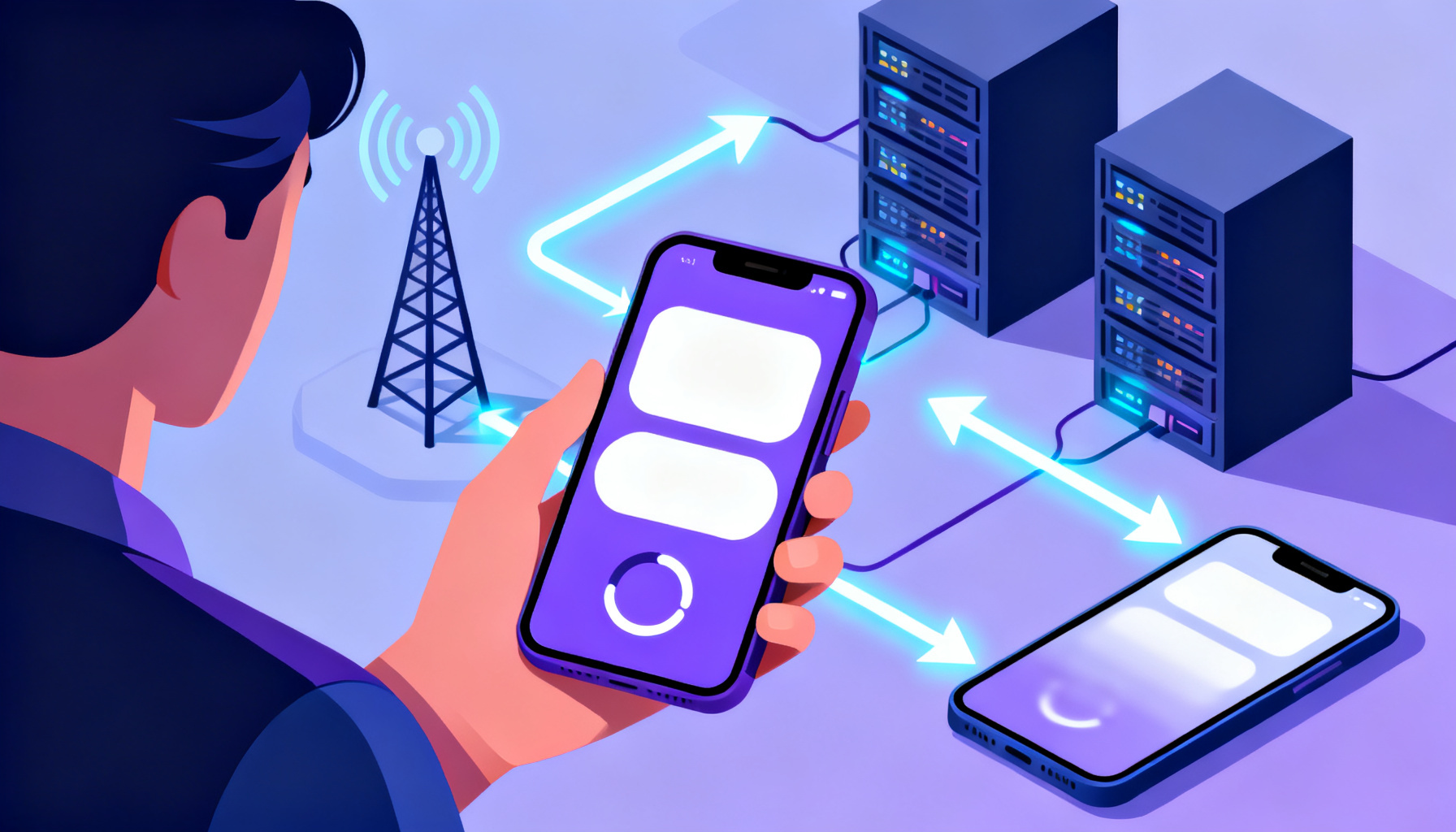
SMS verification is a widely adopted security mechanism used to confirm a user's identity by sending a one-time password (OTP) or verification code directly to their mobile device. This process ensures that the person attempting to access a service or complete a transaction is in possession of the registered phone number, adding an extra layer of protection against fraud and unauthorized access.
At its core, SMS verification involves a seamless interaction between the client application, the backend server, the SMS gateway, and the mobile network. Understanding the technical flow behind this interaction can help developers and businesses implement robust verification systems efficiently.
- Step 1 — User Initiates VerificationThe user provides their phone number through a website or mobile app interface. This triggers a verification request sent to the backend server.
- Step 2 — Server Generates OTPThe server generates a unique one-time password, typically a random numeric code, often 4 to 6 digits long. This OTP is linked to the user's session or account for later validation.
- Step 3 — Sending OTP via SMS GatewayThe backend server communicates with an SMS gateway provider through APIs. The gateway acts as an intermediary, routing the OTP message to the mobile network operator for delivery to the user’s phone.
- Step 4 — OTP Delivery to UserThe mobile network delivers the SMS to the user’s device. The user receives the OTP in their messaging app, ready to be entered back into the verification interface.
- Step 5 — User Enters OTP for VerificationThe user inputs the received OTP into the application, which sends this code back to the server for validation.
- Step 6 — Server Validates OTPThe server compares the input OTP against the stored code. If they match and the code is still valid (not expired), the user is successfully verified.
Most SMS verification systems implement expiration times for OTPs, typically between 3 to 10 minutes, to reduce the risk of code reuse or interception.
Behind the scenes, this process relies heavily on secure API communication between your backend and the SMS gateway. To optimize delivery speed and reliability, SMS gateways use direct connections with multiple mobile operators worldwide. This is why choosing a reputable SMS verification service with a global network is critical for seamless user experience.
Security considerations are paramount during this flow. For example, the server should store OTPs using secure, encrypted methods and limit the number of verification attempts to prevent brute-force attacks. Additionally, implementing rate limiting and monitoring suspicious activities enhances protection against abuse.
Integrating SMS verification with additional services like Google SMS OTP or Telegram SMS OTP can provide multi-channel verification options to improve reliability and user convenience.
For developers interested in implementing SMS verification, many providers offer comprehensive APIs and SDKs, complete with detailed documentation and playgrounds for testing. For example, you can explore the API documentation and experiment with the API playground to understand how to send OTPs programmatically and handle verification callbacks.
In addition to the core verification flow, some advanced implementations include automatic OTP retrieval on mobile devices, which improves usability by detecting incoming SMS messages and populating the verification field without user input. This is often supported via platform-specific APIs on Android and iOS.
Finally, businesses operating in different regions may require virtual phone numbers to send and receive SMS verification codes locally. Providers offer virtual numbers in countries like the  United States,
  United Kingdom,
  Germany, and
  India, facilitating local SMS delivery and compliance with regional regulations.
Types of SMS Verification Codes and Methods Used

SMS verification plays a pivotal role in securing online accounts and transactions by confirming user identity through codes sent directly to their mobile devices. Understanding the different types of SMS verification codes and methods is essential for both developers implementing these systems and users seeking secure authentication experiences. Below, we explore the most common types of SMS verification codes and alternative methods used in the industry.
One-Time Passwords (OTPs)
One-Time Passwords, commonly abbreviated as OTPs, are the most widely used SMS verification codes. These are randomly generated numeric or alphanumeric strings sent via SMS to a user’s registered phone number. OTPs are typically valid for a short window—often between 30 seconds to 10 minutes—to enhance security.
What makes OTPs effective is their ephemeral nature. Since each code can only be used once and expires quickly, they mitigate risks such as phishing and replay attacks. For example, when logging into a service, the user receives an OTP, enters it, and gains access only if the code matches the backend verification.
OTPs are often generated using algorithms like HMAC-based One-Time Password (HOTP) or Time-based One-Time Password (TOTP), but SMS delivery uses server-side generation combined with secure transmission over cellular networks.
Services such as Google SMS OTP verification utilize OTPs to provide an additional layer of security beyond passwords.
Personal Identification Numbers (PINs)
PINs differ slightly from OTPs in that they may be either static or semi-static codes assigned to users for authentication. While OTPs are generated dynamically and expire quickly, PINs can sometimes be longer-lived and reused until changed. However, in SMS verification contexts, PINs are often temporary and sent as a code to confirm identity during sensitive operations like password resets or transaction approvals.
PINs typically consist of 4 to 6 digits, designed for ease of input on mobile devices. They provide a straightforward method for verifying users without requiring complex passwords.
For enhanced security, combine PINs with device or behavioral analytics to detect unusual login patterns and prevent unauthorized access.
Alternative SMS-Based Verification Methods
Beyond OTPs and PINs, several alternative SMS verification methods have been developed to improve user experience and security:
- Magic Links via SMS: Instead of sending a code, the system sends a clickable link that automatically verifies the user when accessed. This method reduces input errors but requires a secure link generation and expiration mechanism.
- SMS Challenge-Response: Users reply to an SMS with a specific keyword or code to verify their identity. This method is less common but useful in scenarios where inbound SMS interaction is feasible.
- Silent SMS Verification: A silent SMS is sent without user notification, used primarily for background verification by telecom providers or advanced security systems. While not widespread in consumer apps, it offers frictionless verification in specialized contexts.
Comparing SMS Verification Code Types
Each SMS verification code type has advantages and trade-offs. OTPs are highly secure and time-sensitive but require users to manually enter codes. PINs offer simplicity but may be less secure if reused frequently. Alternative methods like magic links enhance usability but demand robust backend safeguards.
When integrating SMS verification into your application, consider your user base, threat model, and regulatory requirements. Leveraging services with flexible API support, such as those detailed in our API documentation and API playground, can simplify implementation and allow you to experiment with different verification methods.
Practical Applications and Best Practices
Most modern authentication systems employ multi-factor authentication (MFA) where SMS verification codes act as the second factor after passwords. It's important to ensure that SMS messages are delivered reliably and securely, using trusted SMS gateway providers and virtual numbers when necessary. For instance, virtual numbers tailored for regions like USA or India can help optimize delivery rates and comply with local regulations.
Always set expiration times for SMS codes and limit the number of verification attempts to reduce susceptibility to brute force attacks.
Additionally, informing users about the expected format and validity period of the code within the SMS improves usability and reduces support requests.
Summary
Understanding the various types of SMS verification codes—including OTPs, PINs, and alternative methods—enables businesses and developers to implement secure and user-friendly authentication flows. By selecting the appropriate method based on security needs and user context, organizations can significantly reduce fraud and unauthorized access while maintaining seamless user experiences.
Step-by-Step Guide to Implementing SMS Verification in Mobile and Web Apps

Integrating SMS verification into your mobile or web app is a powerful way to enhance security and user trust by confirming phone numbers during registration or sensitive actions. This guide provides a straightforward, technical walkthrough of the implementation process, from initial setup to handling verification responses efficiently.
- Step 1 — Choose an SMS Verification ServiceSelect a reliable SMS verification provider with global coverage and robust API documentation. Consider services like SMSVerifier’s API documentation or explore options tailored to your target markets, such as the India virtual number or USA virtual number services for regional optimization.
- Step 2 — Register and Get API CredentialsCreate an account on the chosen platform and obtain your API keys. These credentials authenticate your app’s requests to the SMS provider securely.
- Step 3 — Integrate SMS Verification API into Your AppUse your preferred programming language to call the SMS verification API. This typically involves sending a request to generate and send a one-time password (OTP) to the user’s phone number. For example, using a RESTful API, you will POST the phone number along with your API key to initiate the OTP dispatch.
- Step 4 — Prompt User for OTP InputAfter the OTP is sent, prompt the user within your app interface to enter the received code. Ensure the UI is clear and provides guidance on what to expect and how to proceed.
- Step 5 — Verify the OTPSubmit the user-entered OTP back to the SMS verification service through the API to confirm its validity. The service will respond indicating success or failure, allowing you to proceed accordingly.
- Step 6 — Handle Verification OutcomesIf verification succeeds, grant user access or complete the transaction. If it fails, offer options to retry or request a new OTP, while monitoring for suspicious activity to prevent abuse.
Leverage the API playground provided by SMSVerifier to test your integration interactively before deploying it in production. This helps you understand request-response cycles and error handling.
Beyond the basic flow, consider implementing additional best practices to improve user experience and security:
Secure API Calls
Always use HTTPS and keep your API credentials confidential. Implement rate limiting on your backend to protect against brute-force OTP attacks.
Automatic Code Resend
Allow users to request a new OTP after a timeout, typically 30 to 60 seconds, to handle cases of delayed SMS delivery.
International Number Support
Validate phone numbers using libraries like libphonenumber to ensure proper format and country code before sending OTPs, minimizing failed deliveries.
For apps targeting multiple platforms, abstract the SMS verification logic into a backend microservice. This centralizes API calls and simplifies maintenance, while also improving security by not exposing API keys in client apps.
For developers looking to expand beyond SMS, consider integrating complementary verification channels such as WhatsApp or Telegram for OTP delivery. SMSVerifier offers specialized services for these platforms as well, which can be explored on the WhatsApp SMS OTP verification and Telegram SMS OTP verification pages.
By following these steps and best practices, you can successfully integrate SMS verification into your mobile or web app, ensuring a smooth user journey and robust authentication layer. For full API details and advanced features such as custom message templates or webhook callbacks, refer to our comprehensive API documentation.
Benefits of SMS Verification for Users and Businesses

SMS verification has become an essential component for both users and businesses in today’s digital landscape. By requiring users to verify their identity through a one-time passcode (OTP) sent via SMS, platforms add a robust layer of security that protects accounts and sensitive information. This section explores the multifaceted benefits of SMS verification, covering its impact on security, user experience, fraud prevention, and regulatory compliance.
Enhanced Security
SMS verification significantly reduces the risk of unauthorized access by confirming that the user has physical possession of the registered phone number. This two-factor authentication method helps prevent account takeovers, phishing attacks, and credential stuffing, making it harder for hackers to breach accounts even if passwords are compromised.
Increased User Trust
Users feel more confident using services that prioritize their security. SMS verification signals a commitment to protecting personal data and account integrity, which enhances brand reputation. Verified users are less likely to encounter fraudulent activities, contributing to better overall satisfaction and loyalty.
Fraud Reduction
For businesses, SMS verification acts as a frontline defense against fake accounts, spam registrations, and fraudulent transactions. By validating phone numbers, companies can filter out bots and malicious actors, reducing chargebacks and protecting revenue streams.
Regulatory Compliance
Many industries face strict regulations regarding user identity verification and data protection. SMS verification helps businesses comply with laws such as GDPR, CCPA, and financial regulations by providing auditable proof of user consent and identity confirmation.
At a practical level, implementing SMS verification is straightforward with services like SMSVerifier, which offer APIs and integrations to quickly enable OTP-based authentication. Whether you’re building a new app or enhancing an existing platform, adding SMS verification can be done seamlessly to improve security and user experience.
Combine SMS verification with other methods such as app-based authentication or biometrics for a multi-layered security approach. For example, integrating SMS OTP alongside Google’s authentication services can provide both convenience and enhanced protection.
For businesses looking to scale internationally, SMS verification supports virtual phone numbers from multiple countries including the United States, United Kingdom, Germany, and India. This global reach ensures verification messages are delivered reliably wherever your users are located.
To explore how SMS verification can fit into your existing infrastructure, check out our detailed API documentation or experiment with the API playground for hands-on testing. Getting started is easy—visit our registration page to create an account and secure your user base today.
Common Challenges and Troubleshooting SMS Verification Issues
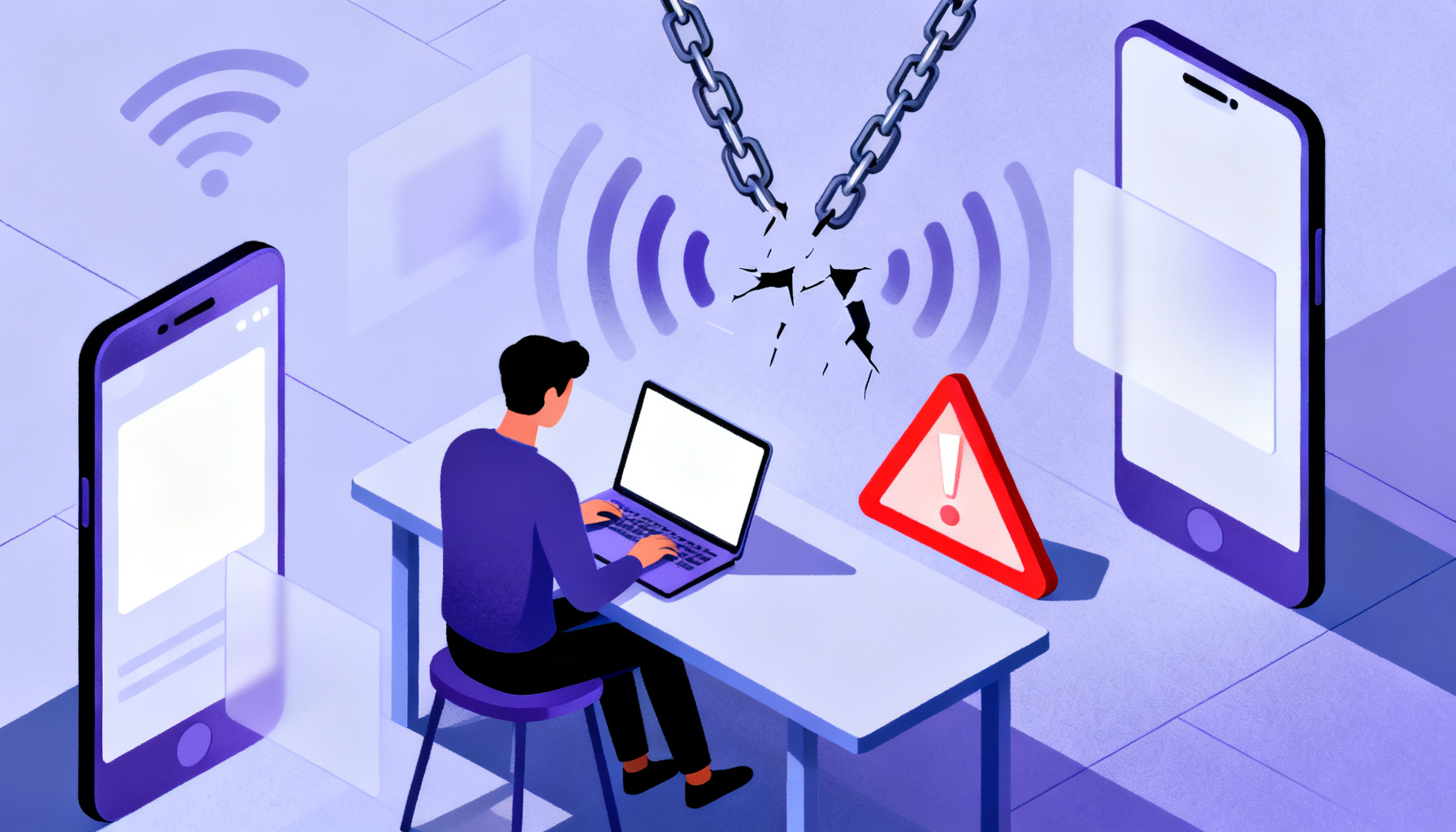
SMS verification is a powerful tool for user authentication and security, but it is not without challenges. Understanding the common issues that arise during SMS verification and knowing how to troubleshoot them can dramatically improve user experience and reduce friction in your verification flow.
1. SMS Delivery Failures
One of the most frequent problems in SMS verification is message delivery failure. This can happen due to several reasons:
- Carrier filtering: Some mobile carriers block or filter SMS traffic from unknown or bulk senders to prevent spam. This can result in verification codes never reaching the user.
- Incorrect phone numbers: Users may enter invalid or mistyped phone numbers, which naturally leads to failed deliveries.
- Network issues: Temporary outages, poor signal strength, or roaming restrictions can delay or block SMS delivery.
- Sender ID restrictions: Some countries restrict or modify the sender ID, causing messages to be flagged or dropped.
Implement real-time phone number validation during input to catch formatting errors early and reduce delivery failures.
2. Delays in Receiving Verification Codes
Even when SMS messages are delivered, users may experience delays that cause frustration or timeout errors. Delays can be caused by:
- Carrier congestion: High traffic volumes on mobile networks can slow message delivery.
- International routing: Sending SMS across borders often adds latency due to multiple hops and regulatory checks.
- System throttling: Sending too many messages in a short time can trigger throttling limits from SMS providers.
Timeouts set too aggressively on your verification form may reject valid codes simply because the SMS arrives a few minutes late.
To mitigate delays, consider extending code expiration times and informing users about possible wait times. Additionally, using a reliable SMS gateway optimized for your target regions can improve delivery speed.
3. User Errors During Verification
User mistakes are common during the verification process. Typical errors include:
- Entering the wrong verification code due to typos.
- Using an expired code after multiple attempts or waiting too long.
- Confusing SMS verification with other messaging platforms like WhatsApp or Telegram.
Clear UI/UX design helps reduce these errors. For example, providing a visible countdown timer, easy-to-use input fields that auto-advance, and clear instructions can improve accuracy and speed.
If you are integrating SMS verification alongside other messaging channels, check our WhatsApp SMS OTP verification service guide for best practices on multi-channel authentication.
4. Handling SMS Verification in Different Countries
International SMS verification introduces unique challenges due to country-specific regulations, varying carrier policies, and differing user behaviors. For example, some countries require pre-registration of sender IDs or prohibit alphanumeric sender names.
Using virtual numbers tailored to your audience’s region, such as USA virtual numbers or India virtual numbers, can improve deliverability and compliance. Always verify local SMS regulations to avoid message blocking or legal issues.
5. Troubleshooting Steps for Developers
- Step 1 — Verify Phone Number FormatEnsure the phone number is in E.164 format and validate it before sending the SMS.
- Step 2 — Check SMS Provider LogsReview delivery reports and error codes from your SMS gateway to identify carrier or routing issues.
- Step 3 — Monitor Delivery StatusImplement callbacks or webhooks to track message status and react accordingly.
- Step 4 — Provide User FeedbackInform users about delays or errors and offer options to resend codes or contact support.
Integrate your SMS verification system with an API that supports comprehensive error reporting and fallback options. Our API documentation details how to implement these features for robust verification flows.
Summary
While SMS verification is highly effective, challenges like delivery failures, delays, user mistakes, and international complexities require proactive handling. By validating inputs, monitoring delivery statuses, adapting to regional requirements, and designing user-friendly verification interfaces, you can minimize disruptions and ensure a smooth authentication experience.
Cost Structure and Pricing Models for SMS Verification Services

Understanding the cost structure behind SMS verification services is crucial for businesses aiming to implement secure and user-friendly authentication. Pricing models vary widely depending on the provider, region, volume of messages, and additional features such as delivery speed or phone number intelligence.
At its core, SMS verification pricing typically involves a per-message fee. This fee covers sending a single one-time password (OTP) or verification code to a user’s phone number. The per-message cost can fluctuate based on the destination country and the mobile carrier agreements the service provider has in place.
Most SMS verification services charge per OTP sent, with prices ranging from a few cents to higher rates for countries with expensive telecom infrastructure or stricter regulations.
While per-message fees form the foundation, many providers offer subscription plans or monthly packages designed to lower the average cost per message. These plans often include a fixed number of SMS messages for a set fee, making budgeting predictable for businesses with steady verification volumes.
Volume discounts are another common component. As companies scale their user base and send more verification SMS, providers typically reduce the per-message price to reflect the higher volume. This tiered pricing approach incentivizes larger customers and supports growth.
Tiered Pricing
Prices decrease as monthly SMS volume increases, often organized in tiers such as 0–10,000, 10,001–50,000, and 50,000+ messages.
Subscription Models
Flat monthly fees with bundled SMS credits for businesses that require consistent, predictable costs.
Geographic Pricing
Costs vary by country and carrier, reflecting local telecom charges and regulatory environments.
In addition to these basic structures, some providers include additional pricing tiers for premium features such as real-time delivery reports, phone number intelligence (to detect virtual or landline numbers), or multi-channel verification options combining SMS with WhatsApp or Telegram OTPs. For example, integrating WhatsApp-based verification may have a different cost profile than traditional SMS.
Evaluate your expected monthly SMS volume and geographic distribution before selecting a pricing plan. Many providers allow you to test their service through an API playground to estimate actual costs.
From a technical perspective, the cost per SMS is influenced not only by volume and destination but also by message routing quality and provider relationships with mobile operators. Higher-quality routes typically yield better delivery success and speed but at a premium price. Conversely, low-cost routes may experience delays or message failures, potentially impacting user experience.
For businesses integrating SMS verification into their applications, understanding these pricing nuances is essential for optimizing both security and budget. Leveraging the provider’s API documentation—such as the SMSVerifier API docs—can help developers implement efficient verification workflows that minimize unnecessary message sends and thus reduce costs.
Finally, many companies consider virtual phone numbers from specific countries to optimize pricing and compliance. For example, using a USA virtual number or India virtual number might be more cost-effective depending on the target user base and regulatory conditions.
Security Considerations and Limitations of SMS Verification

SMS verification is a widely adopted method for user authentication and account security. While it provides a convenient and familiar way to confirm identity, it also carries inherent security risks and limitations that every developer and organization should understand. This section explores the primary vulnerabilities of SMS-based verification systems and offers practical advice on mitigating these risks effectively.
SMS verification relies on sending a one-time passcode (OTP) to a user’s phone number, which the user then inputs to prove their identity. This method is popular because it leverages the ubiquity of mobile phones without requiring additional apps or hardware.
Key Security Risks of SMS Verification
- SIM Swapping Attacks: Attackers impersonate the victim to mobile carriers and transfer the victim’s phone number to a new SIM card under their control. This allows interception of verification codes sent via SMS, enabling unauthorized access to accounts.
- SMS Interception: SMS messages can be intercepted through vulnerabilities in the mobile network infrastructure, SS7 protocol attacks, or malware on the user’s device, risking exposure of OTPs.
- Phone Number Recycling: Mobile carriers may recycle phone numbers, so a new user may receive SMS messages intended for a previous owner, causing potential account takeover or information leakage.
- Social Engineering: Attackers may trick mobile carrier employees or users themselves into revealing verification codes or transferring phone numbers.
SMS verification should not be considered a standalone security solution for highly sensitive applications. Its vulnerabilities mean it is best used as part of a multi-factor authentication (MFA) strategy.
Mitigation Strategies and Best Practices
Despite these vulnerabilities, SMS verification remains useful when implemented thoughtfully. Here are practical ways to enhance its security:
- Use SMS Verification as One Factor Among Many: Combine SMS OTP with additional authentication factors such as passwords, authenticator apps, or hardware tokens to increase overall security.
- Implement Risk-Based Authentication: Trigger SMS verification only for high-risk actions or suspicious login attempts rather than every login, reducing attack surface.
- Monitor for SIM Swap Indicators: Integrate services that detect SIM swap events or sudden changes in phone number ownership to block or flag suspicious activity promptly.
- Short Lifespan and Rate Limiting of OTPs: Limit the validity period of OTPs (e.g., 5 minutes) and restrict the number of attempts to prevent brute force or replay attacks.
- Educate Users: Inform users about the risks of sharing OTPs and encourage them to secure their mobile accounts with carrier-level PINs or passwords.
Consider integrating SMS verification with other secure messaging platforms such as WhatsApp or Telegram for OTP delivery, which can offer enhanced encryption and reduce interception risk. Explore these options in our WhatsApp SMS OTP and Telegram SMS OTP verification services.
Technical Considerations for Developers
When integrating SMS verification, developers should be aware of these technical challenges:
- Carrier and Regional Differences: SMS delivery reliability and latency can vary by region and carrier, affecting user experience and security.
- API Security: Secure the SMS gateway API with encryption and authentication to prevent unauthorized access or abuse.
- Logging and Auditing: Implement comprehensive logging of verification attempts and failures to detect anomalies and support incident response.
- Fallback Mechanisms: Provide alternative verification methods (email, authenticator apps) in case SMS delivery fails or is compromised.
In conclusion, while SMS verification offers a user-friendly and accessible authentication method, it is not without significant security limitations. Organizations should carefully weigh these risks and adopt a layered security approach that includes monitoring, user education, and alternative verification channels. For integration details and secure API usage, refer to our API documentation and API playground. For cost-effective SMS verification solutions, see our pricing plans and register to get started with robust phone number verification at register.
Comparing SMS Verification with Other Authentication Methods
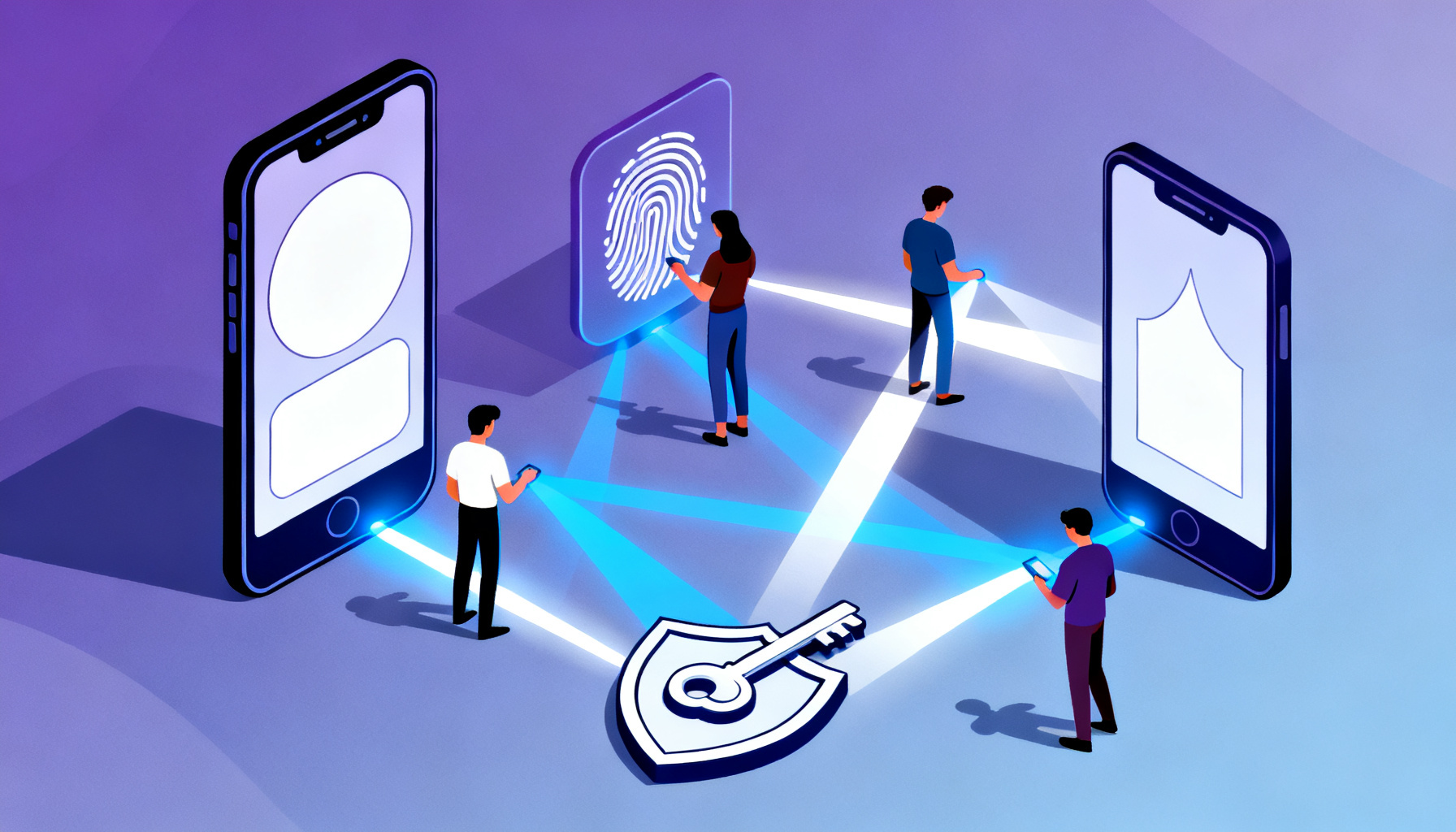
When securing user accounts, choosing the right authentication method is crucial. SMS verification remains one of the most popular options, but it’s important to understand how it stacks up against other authentication methods such as email verification, authenticator apps, biometrics, and hardware tokens. Each has unique strengths and limitations in terms of security, usability, and implementation complexity.
SMS Verification
SMS verification involves sending a one-time password (OTP) or code to a user’s mobile phone number. It is widely used due to its convenience and broad device compatibility. Users simply enter the received code to verify their identity.
Email Verification
Email verification sends a confirmation link or code to the user’s registered email address. It is commonly used for account sign-ups and password resets but can be slower than SMS due to email delivery delays.
Authenticator Apps
Authenticator apps generate time-based OTPs locally on the user’s device, independent of network connectivity. Apps like Google Authenticator or Microsoft Authenticator provide strong security against interception or SIM swapping attacks.
Biometric Authentication
Biometrics use unique physical characteristics such as fingerprints, facial recognition, or iris scans to verify identity. They offer high security and ease of use but require compatible hardware and raise privacy considerations.
Hardware Tokens
Hardware tokens are physical devices that generate OTPs or use cryptographic protocols to authenticate users. They provide very strong security but can be costly and less convenient for everyday users.
Security Considerations
From a security standpoint, SMS verification offers moderate protection. While it is generally effective against casual fraud, it is vulnerable to attacks such as SIM swapping, interception of messages, and phone number porting scams. In contrast, authenticator apps and hardware tokens provide higher resistance to these threats since OTPs are generated locally or through secure cryptographic processes.
Biometric authentication can offer strong security as well, especially when combined with device-level protections like secure enclaves. However, biometric data is sensitive and, if compromised, cannot be changed like a password or phone number.
Relying solely on SMS verification may expose users to risks from telecom-based attacks. It is advisable to implement multi-factor authentication (MFA) by combining SMS with more secure methods like authenticator apps or biometrics for sensitive accounts.
Usability and Accessibility
SMS verification scores high on usability due to its simplicity and ubiquity—almost every mobile phone supports SMS, and users are familiar with receiving and entering codes. Email verification is similarly accessible but can be slower and dependent on internet connectivity.
Authenticator apps require initial setup and user familiarity with scanning QR codes or entering secret keys, which can be a barrier for some demographics. Biometrics offer seamless and fast authentication but depend on device capabilities and user consent.
Hardware tokens, while very secure, may be inconvenient to carry and can be lost or damaged, affecting accessibility.
Implementation and Integration
Implementing SMS verification is straightforward and can be quickly integrated through APIs provided by services like SMSVerifier. For example, if you are interested in integrating SMS OTP services for platforms like WhatsApp or Telegram, specialized APIs are available that streamline the process while ensuring compliance and deliverability.
Authenticator apps require generating and managing shared secrets and supporting standard protocols like TOTP (Time-based One-Time Password). Biometrics and hardware tokens need specialized hardware interfaces and often require additional software layers or SDKs.
For enhanced security and user experience, consider combining SMS verification with authenticator apps or biometric factors. This layered approach balances convenience and protection effectively.
Summary Table of Authentication Methods
| Method | Security Level | Ease of Use | Cost | Implementation Complexity |
|---|---|---|---|---|
| SMS Verification | Moderate | High | Low to Moderate | Low |
| Email Verification | Low to Moderate | Moderate | Low | Low |
| Authenticator Apps | High | Moderate | Low | Moderate |
| Biometric Authentication | High | High | Varies (hardware dependent) | High |
| Hardware Tokens | Very High | Low to Moderate | High | High |
Choosing the best authentication method depends on your specific needs, user base, and risk tolerance. SMS verification remains a practical and widely supported choice, especially when paired with other factors. For detailed guidance on integrating SMS verification with popular platforms, explore our services or check out the API documentation for seamless implementation.
Best Practices to Optimize SMS Verification User Experience

SMS verification is a critical step in securing user accounts and validating identities, but it must be executed thoughtfully to ensure a smooth and user-friendly experience. Optimizing this process involves balancing security with usability, minimizing user frustration, and providing clear guidance at every stage. Below are key best practices that can help you enhance the SMS verification flow for your users.
Set Appropriate Code Expiry Times
The verification code sent via SMS should have a limited validity period to reduce security risks, but it should also allow enough time for users to receive and enter the code. Typically, a code expiry window of 3 to 5 minutes strikes a good balance. Setting the expiry too short may frustrate users due to network delays or distractions, while too long can increase exposure to unauthorized use.
To further improve user experience, display a visible countdown timer within the verification interface. This visual cue helps users understand how much time they have left to enter the code, reducing uncertainty and encouraging timely action.
Implement dynamic expiry messaging that updates in real-time so users know exactly when the code will expire, enhancing transparency and trust.
Limit Retry Attempts and Provide Clear Feedback
To prevent abuse or brute force attacks, it’s important to limit the number of verification attempts allowed. A typical approach is to permit 3 to 5 retries before temporarily locking the verification process or requiring a cooldown period. However, the retry limit should be communicated clearly to users so they understand the restrictions.
When users make an incorrect entry, provide immediate, specific feedback such as “Incorrect code, please try again.” Avoid generic error messages that may confuse users. Additionally, if the retry limit is reached, explain next steps clearly—whether it’s waiting for a cooldown, requesting a new code, or contacting support.
Offer Clear and Concise User Instructions
Clarity is paramount in SMS verification. Users should know exactly what to expect and what to do. Instructions should include:
- Informing users that a code will be sent via SMS shortly.
- Specifying the code length and format (e.g., 6-digit numeric code).
- Guidance on entering the code — for instance, whether spaces or dashes are allowed.
- What to do if they don’t receive the code within a certain timeframe.
Using simple language and avoiding technical jargon improves comprehension across diverse audiences. Also, consider localizing instructions for different regions or languages to enhance accessibility.
Implement Fallback and Alternative Verification Options
Sometimes SMS delivery can be delayed or fail due to carrier issues, network problems, or device restrictions. To avoid user frustration, provide fallback options such as:
- Resend Code: Allow users to request the SMS code again after a short cooldown (e.g., 30 seconds).
- Voice Call Verification: Offer an automated voice call that reads the verification code aloud.
- Alternative Channels: Integrate with other verification services like WhatsApp or Telegram SMS OTP verification to deliver codes through these popular messaging platforms. You can explore these options under our WhatsApp SMS OTP service or Telegram SMS OTP service.
If you implement fallback options, ensure the UI clearly explains these alternatives and guides users to switch methods easily if needed.
Design a User-Friendly and Accessible Interface
The interface where users enter the verification code should be intuitive and responsive. Consider the following design tips:
- Auto-focus and Auto-advance: Automatically focus on the input field when the page loads and move the cursor forward as users type each digit.
- Paste Support: Allow users to paste the SMS code directly if they copy it from their messages.
- Clear Error States: Visually highlight errors with contrasting colors and descriptive messages.
- Accessible Design: Ensure screen reader compatibility and keyboard navigation to accommodate all users.
Monitor and Analyze Verification Metrics
Optimization is an ongoing process. Track important metrics such as:
- Delivery success rates
- Average time to code entry
- Retry and failure rates
- User drop-off points during verification
Analyzing these data points helps identify bottlenecks and areas for improvement. For example, if many users fail to receive codes, consider integrating with multiple SMS providers or virtual number options such as US virtual numbers or India virtual numbers to boost delivery reliability.
Use APIs that offer detailed delivery and engagement analytics to fine-tune your SMS verification workflow and improve user satisfaction.
By implementing these best practices, you can create an SMS verification process that is secure, efficient, and user-centric—ultimately enhancing both security and user retention.
Advanced SMS Verification Techniques and Future Trends

As the digital landscape evolves, so do the methods for securing user identities and preventing fraud through SMS verification. Traditional OTP-based SMS verification has been the backbone of authentication for years, but emerging technologies and sophisticated threats are driving the development of more advanced techniques. This section explores some of the most promising innovations, including AI-powered fraud detection, number masking, and the integration of SMS verification with other cutting-edge platforms.
AI-Powered Fraud Detection in SMS Verification
Artificial intelligence (AI) is revolutionizing SMS verification by enhancing the ability to detect fraudulent activities in real time. AI algorithms analyze patterns such as unusual request frequency, geographic inconsistencies, device fingerprinting, and behavioral biometrics to flag suspicious verification attempts before they compromise an account.
At a basic level, AI can automatically block or challenge verification requests that deviate from normal user behavior, reducing false positives and improving user experience. Technically, these systems rely on machine learning models trained on vast datasets of legitimate and fraudulent verification attempts. This continuous learning enables dynamic adaptation to new fraud tactics.
Practically, businesses integrating AI-driven SMS verification can significantly reduce account takeovers and fake registrations. For developers, platforms offering APIs with built-in AI analytics—such as the SMSVerifier API—allow seamless implementation of these advanced protections with minimal coding effort.
Number Masking and Privacy Enhancements
Number masking is an emerging technique that improves privacy and security by hiding users’ real phone numbers during the verification process. Instead of sending verification messages directly to a user’s personal number, a temporary or virtual number is used as an intermediary. This approach reduces the risk of phone number exposure in data breaches or social engineering attacks.
From a technical standpoint, number masking involves routing SMS messages through virtual numbers or proxy services. These can be dynamically assigned and recycled to maintain anonymity and limit traceability. Businesses can leverage virtual numbers specific to regions, such as US virtual numbers or India virtual numbers, to optimize delivery and comply with local regulations.
On a practical level, number masking benefits both users and businesses by enhancing trust and reducing the attack surface. It also facilitates compliance with privacy laws like GDPR by minimizing the storage of sensitive user data.
Integration with Emerging Technologies
SMS verification is increasingly integrated with other modern authentication and communication technologies to create multi-layered security frameworks. For example, combining SMS OTPs with WhatsApp or Telegram verification adds redundancy and user convenience. Services like WhatsApp SMS OTP verification and Telegram SMS OTP verification illustrate this trend by leveraging popular messaging platforms for secure OTP delivery.
Blockchain technology is another frontier with potential to enhance SMS verification, especially in decentralized identity management. While still nascent, blockchain can provide immutable audit trails for verification events, increasing transparency and reducing fraud.
Voice biometrics and behavioral analytics are also being explored to complement SMS verification. By analyzing voice patterns or user interactions during the verification process, systems can add an additional layer of authentication without extra user burden.
For developers seeking to experiment with these advanced SMS verification techniques, the API playground offers a hands-on environment to test AI-driven fraud detection and number masking features before full integration.
Combining AI-based fraud detection with number masking significantly reduces the risk of SIM swap attacks and phishing attempts, making your verification system more resilient against evolving threats.
Looking ahead, the future of SMS verification lies in fully adaptive systems that intelligently select the most secure and user-friendly verification method for each scenario. Whether it’s leveraging AI for contextual risk assessment, using virtual numbers to protect privacy, or integrating seamlessly with multiple communication channels, these innovations promise to make SMS verification smarter, faster, and more secure.
FAQ on SMS Verification: Common Questions Answered

What is SMS verification and why is it important?
How does SMS verification work technically?
Is SMS verification secure enough for sensitive applications?
Can SMS verification be used internationally?
What are the limitations of SMS verification?
How quickly are SMS verification codes delivered?
Can SMS verification be integrated with messaging apps like WhatsApp or Telegram?
What should I consider when choosing an SMS verification provider?
Always implement rate limiting and expiry periods for OTP codes to prevent brute force attacks and reduce fraud risks. Additionally, monitor verification attempts to detect suspicious activity early.
Frequently asked questions
What is SMS verification used for?
Is SMS verification secure?
How long does an SMS verification code stay valid?
Can SMS verification codes be reused?
What happens if I don't receive the SMS code?
Are there alternatives to SMS verification?
How much does SMS verification cost?
Can SMS verification be used internationally?
What is SIM swapping and how does it affect SMS verification?
How do I implement SMS verification in my app?
Can SMS verification be bypassed?
What are the best practices for SMS verification?
Does SMS verification comply with privacy regulations?
Can SMS verification be used for two-factor authentication (2FA)?
Get started with SMSVerifier
Buy your first virtual phone number in under 60 seconds — pay as you go from $0.20 per SMS.
Create free account