Passkeys offer a more secure and phishing-resistant alternative to SMS verification, which remains widely used but vulnerable to interception. This playbook compares both methods and outlines best practices for implementing strong authentication.
Understanding Passkeys Technology and How It Enhances Security
In the evolving landscape of digital security, passkeys have emerged as a groundbreaking alternative to traditional passwords and even SMS-based verification methods. At its core, a passkey is a cryptographic key pair that enables secure, passwordless authentication. Unlike conventional passwords, passkeys are resistant to phishing, replay attacks, and credential stuffing, making them a robust solution for both users and service providers.
Passkeys leverage principles from public-key cryptography, where two mathematically linked keys are generated: a private key stored securely on the user’s device, and a public key registered with the online service. When a user attempts to authenticate, the service issues a challenge that the device signs using the private key. This signature is then verified by the service using the public key, confirming the user's identity without transmitting any secret that could be intercepted or reused by attackers.
SMS verification relies on sending a one-time code to a user's phone number, which can be intercepted or spoofed through SIM swapping or network attacks. Passkeys eliminate these vulnerabilities by never transmitting secrets over the network and binding authentication to the device itself.
From a technical standpoint, passkeys are typically implemented using standards such as FIDO2 and WebAuthn. These frameworks define how devices and browsers interact securely to create and use passkeys. The private keys are stored in secure hardware enclaves or operating system-protected areas, ensuring they cannot be extracted or duplicated. This hardware-backed security significantly raises the bar against unauthorized access.
For developers integrating passkeys into their applications, leveraging the WebAuthn API is essential. It simplifies the onboarding and authentication flows while providing strong cryptographic guarantees under the hood.
Practically, passkeys offer a seamless user experience. Users no longer need to remember or type complex passwords or wait for SMS codes. Authentication can be completed with biometric methods like fingerprint or facial recognition, or with device PINs, making the process fast and intuitive. This convenience encourages better security hygiene and reduces support costs related to password resets or SMS delivery issues.
Organizations looking to transition from SMS OTP verification to passkeys can do so gradually, as many platforms support both methods in parallel. For example, services that currently use Google SMS OTP verification can adopt passkeys to enhance security while maintaining fallback options. This layered approach helps mitigate risks during the migration phase.
As passkeys gain adoption, they also address privacy concerns inherent in phone number-based verification. Since passkeys do not require sharing or verifying a phone number, users benefit from reduced exposure to tracking or unsolicited communications. This aligns well with modern privacy standards and regulations.
Phishing Resistance
Passkeys cannot be tricked into revealing secrets because authentication is bound to the legitimate domain and device.
Hardware Security
Private keys are secured in hardware modules, preventing extraction even if the device is compromised.
User Convenience
Fast, passwordless login using biometrics or PINs improves user experience and reduces friction.
In summary, passkeys represent a significant leap forward in authentication technology by combining cryptographic rigor with practical usability. They address many of the weaknesses found in SMS verification and traditional passwords, providing a secure and user-friendly way to protect digital identities. For businesses and developers, adopting passkeys alongside services like SMS verification can create a layered security strategy that meets both current needs and future challenges.
Principles of SMS Verification and Its Common Security Vulnerabilities

SMS verification is a widely adopted method for authenticating users by sending a one-time password (OTP) to their mobile phone via text message. This process acts as a second factor of authentication, supplementing traditional username-password combinations with a verification code that only the rightful phone owner should receive. The primary principle is straightforward: after entering their phone number on a platform, the user receives an SMS containing a time-sensitive code, which they must input to complete registration, login, or transaction confirmation.
At a technical level, SMS verification leverages the global telecommunications infrastructure, relying on the Short Message Service Center (SMSC) to route messages from the service provider to the user’s mobile device. This approach is favored for its simplicity and ubiquity—almost every mobile phone supports SMS, and users are familiar with receiving codes this way. However, despite its convenience, SMS verification has inherent vulnerabilities that can be exploited by attackers aiming to bypass this security layer.
How SMS Verification Works: A Step-by-Step Overview
- Step 1 — User Initiates VerificationThe user provides their phone number on the website or app, triggering the verification process.
- Step 2 — Server Generates OTPThe backend system generates a random, time-limited OTP and stores it temporarily for validation.
- Step 3 — SMS Sent via ProviderThe OTP is sent through an SMS gateway or API, such as those documented in our API docs, to the user’s phone number.
- Step 4 — User Enters OTPThe user receives the SMS and inputs the OTP into the platform to complete verification.
- Step 5 — Server Validates OTPThe server checks the entered code against the stored OTP and confirms or denies access accordingly.
Common Security Vulnerabilities in SMS Verification
While SMS verification adds a layer of security beyond passwords, it is susceptible to several well-documented attack vectors. Understanding these vulnerabilities is essential for evaluating when and how to rely on SMS for authentication.
Attackers impersonate victims by convincing mobile carriers to transfer the victim’s phone number to a SIM card they control. Once successful, they receive all SMS messages, including verification codes, enabling unauthorized account access.
Techniques such as SS7 protocol exploitation allow attackers to intercept SMS messages en route. Spoofing enables sending fake SMS messages that trick users or systems into revealing sensitive information or granting access.
Malicious apps or malware on a user’s phone can read incoming SMS messages and forward OTPs to attackers without user knowledge, bypassing the security SMS verification aims to provide.
Limitations of SMS Verification for Security
Despite its widespread use, SMS verification has intrinsic limitations that organizations and users should recognize:
Dependence on Mobile Network Security
SMS messages travel over networks that can be vulnerable to interception, especially in older signaling systems.
Phone Number Portability Risks
Phone numbers can be ported or hijacked, making possession of the number insufficient proof of identity.
Inability to Protect Against Phishing
Attackers can trick users into revealing OTPs via social engineering, bypassing the technical protections of SMS verification.
For enhanced protection, consider supplementing SMS verification with app-based authenticators or passkey solutions. For example, integrating SMS with services like Google SMS OTP or combining it with other channels such as Telegram SMS OTP can improve resilience.
Regularly monitor for SIM swap alerts via your mobile carrier and educate users about phishing risks associated with SMS OTPs to reduce account takeover incidents.
Comparing Authentication Security Levels of Passkeys and SMS Verification

When evaluating authentication methods, understanding the security strengths and vulnerabilities of passkeys and SMS verification is crucial for making informed decisions. Both approaches serve to verify user identity but operate on fundamentally different principles and offer distinct security guarantees.
Passkeys: Cryptographic Security
Passkeys leverage public-key cryptography, storing private keys securely on devices while sharing only public keys with services. This eliminates risks like credential interception or server-side breaches compromising authentication secrets.
SMS Verification: Code-Based Authentication
SMS verification sends a one-time password (OTP) to the user's phone number. While convenient, it relies on the security of the mobile network and device, making it vulnerable to interception or social engineering attacks such as SIM swapping.
At a basic level, passkeys provide a seamless, passwordless experience that is inherently resistant to phishing, replay, and man-in-the-middle attacks due to cryptographic proof of possession. In contrast, SMS verification depends on the confidentiality of the OTP delivered over potentially insecure channels, which attackers may exploit.
For organizations using SMS verification, integrating with reliable phone number verification services—such as Google SMS OTP or Telegram SMS OTP—can help reduce risks associated with message delivery and fraud.
Technically, passkeys utilize standards like FIDO2 and WebAuthn, which require user devices to perform cryptographic operations locally. This ensures that private keys never leave the device, making credential theft exceedingly difficult. Moreover, passkeys are resistant to phishing because authentication requests are cryptographically bound to the legitimate website or app origin.
On the other hand, SMS verification suffers from several well-documented vulnerabilities:
- SIM Swap Attacks: Attackers impersonate users to transfer phone numbers to new SIM cards, intercepting OTPs.
- SS7 Network Exploits: Signaling System 7 vulnerabilities allow interception or redirection of SMS messages.
- Malware on Devices: Malicious apps can read SMS messages, compromising OTP confidentiality.
Relying solely on SMS verification for sensitive authentication can expose users and services to account takeover risks. Combining SMS with additional factors or migrating to passkeys is advisable for enhanced protection.
From a practical perspective, passkeys require compatible hardware and software ecosystems, such as modern smartphones or computers supporting biometric or PIN-based secure enclaves. Adoption is growing rapidly, but SMS verification remains widespread due to its simplicity and universal reach—even on basic mobile devices.
Organizations considering upgrading authentication flows should evaluate user demographics, device capabilities, and threat models. Implementing passkeys can significantly reduce phishing and credential theft incidents, while SMS verification can still play a role in multi-factor authentication or account recovery scenarios.
For developers and businesses interested in integrating advanced verification methods, SMSVerifier offers comprehensive APIs and services to facilitate secure SMS OTP delivery, alongside guidance for implementing passkey authentication. Explore our API documentation and register to begin enhancing your authentication security posture.
Step-by-Step Guide to Implementing Passkeys in Digital Systems
Passkeys are rapidly becoming the preferred authentication method, offering a secure alternative to traditional passwords and SMS-based verification. They rely on public key cryptography and strong device-bound credentials to provide seamless and phishing-resistant user authentication. This guide walks you through the technical and practical steps for integrating passkeys into your digital systems, leveraging standards like WebAuthn and FIDO2.
- Step 1 — Understand the Passkey Concept and StandardsPasskeys are based on public-private key pairs. Your server stores only the public key, while the private key remains securely on the user's device. The WebAuthn API enables browsers and platforms to communicate securely with authenticators (hardware or software). Familiarize yourself with the WebAuthn specification and FIDO2 protocols to ensure compliance and interoperability.
- Step 2 — Prepare Your Server Backend for Passkey Registration and AuthenticationImplement endpoints for registration and authentication ceremonies. During registration, the server generates a challenge and sends it to the client to create a new credential. The server must verify the attestation object returned by the client to validate the authenticator's authenticity. For authentication, the server issues a challenge, and upon receiving the signed assertion, verifies it against stored public keys.
- Step 3 — Integrate WebAuthn Client-Side APIsUse the
navigator.credentials.create()method to initiate passkey creation andnavigator.credentials.get()for authentication. These APIs handle interactions with authenticators such as platform biometrics or security keys. Ensure your front-end captures and sends the necessary data (including the challenge and user info) securely to your backend. - Step 4 — Handle User Experience and Fallback MechanismsDesign your interface to guide users through passkey setup smoothly. Provide clear instructions when biometric or security key hardware is required. For broader accessibility, maintain fallback options like SMS OTP verification, possibly using services such as our Google SMS OTP Phone Number Verification Service or WhatsApp SMS OTP Service. This ensures users without compatible devices can still authenticate securely.
- Step 5 — Test and Monitor Security and PerformanceThoroughly test credential creation, authentication, and error handling across various devices and browsers. Monitor for anomalies such as repeated failed authentications or unusual device registrations. Regularly update your backend libraries and dependencies to stay current with security patches and protocol updates.
Implementing passkeys requires coordination between client-side applications, servers, and authenticators following FIDO2/WebAuthn standards. Leveraging existing libraries and frameworks can simplify integration and improve security.
Use open-source FIDO2 server implementations or SDKs to accelerate development. Additionally, combine passkey authentication with your existing multi-factor strategies for enhanced security without compromising user convenience.
By adopting passkeys, you move towards a passwordless future that significantly reduces phishing risks and improves user experience. For developers interested in supplementing passkey authentication with secure SMS verification fallback, exploring our API documentation can provide flexible integration options tailored to your application's needs.
Best Practices for Secure SMS Verification Implementation

Implementing SMS verification securely requires a multi-layered approach that addresses inherent vulnerabilities while maintaining user convenience. While SMS OTP (One-Time Password) verification remains popular due to its simplicity and wide device compatibility, it is crucial to follow best practices that mitigate risks such as SIM swapping, interception, and message delays. This section outlines practical and technical recommendations to enhance the security and reliability of your SMS verification system.
Integrate carrier cooperation protocols to detect and prevent SIM swap frauds early, enhancing your SMS verification security.
1. Collaborate Closely with Mobile Carriers
Carrier cooperation is essential for improving the security of SMS verification. By establishing partnerships or using APIs provided by mobile operators, you can gain access to real-time data about SIM status changes or suspicious activities on phone numbers. This helps in preemptively blocking verification attempts on compromised numbers.
For example, some carriers offer network-level fraud detection services that alert your system if a SIM swap or port-out request is initiated. Incorporating such alerts into your verification flow reduces the risk of unauthorized access.
2. Optimize Message Timing and Delivery
One key to user trust in SMS verification is timely delivery of OTP messages. Delays or repeated messages can frustrate users and increase the risk of interception if messages linger on networks. To optimize timing:
- Use delivery status callbacks: Employ APIs that provide delivery receipts to confirm that the OTP reached the user’s device promptly.
- Set short expiration windows: Limit OTP validity to a brief period (e.g., 3-5 minutes) to minimize the window for attackers.
- Throttle resend attempts: Prevent abuse by limiting how often users can request a new OTP within a set timeframe.
These measures improve both security and user experience by reducing confusion and potential vulnerabilities.
3. Implement Robust Fallback Mechanisms
SMS delivery can sometimes fail due to network issues or carrier restrictions. Implementing fallback verification methods ensures users are not locked out while maintaining security. Common fallback strategies include:
- Voice call OTP: Automatically trigger a voice call delivering the OTP if SMS delivery fails after a preset timeout.
- Authenticator apps: Offer Time-based One-Time Password (TOTP) apps as an alternative for users seeking stronger security.
- Backup codes: Provide users with single-use backup codes for emergency access.
Combining SMS with alternative verification methods balances convenience with security, especially for high-risk accounts.
For developers interested in integrating SMS OTP with other channels like WhatsApp or Telegram, explore our specialized services at WhatsApp SMS OTP and Telegram SMS OTP verification.
4. Encrypt and Secure Your Backend Systems
While SMS messages themselves cannot be encrypted end-to-end, securing your backend infrastructure is critical. This includes:
- Encrypting OTP secrets and tokens at rest and in transit.
- Limiting access to verification APIs and monitoring for suspicious usage patterns.
- Implementing rate limiting and IP reputation checks to prevent automated attacks.
Using secure API gateways and following OWASP security guidelines reduces the attack surface around your SMS verification system. Our API documentation provides detailed security recommendations for developers.
5. Educate Users and Provide Clear Instructions
User behavior plays a crucial role in the effectiveness of SMS verification. Educate users about:
- Recognizing official verification messages and avoiding phishing attempts.
- Not sharing OTP codes with anyone, including support staff.
- Reporting suspicious activity promptly.
Clear, concise messaging during the verification process builds trust and reduces social engineering risks.
Summary
To implement SMS verification securely and effectively, integrate carrier fraud detection, optimize message timing, and build fallback options. Protect your backend infrastructure rigorously and maintain clear communication with users. These best practices help you leverage the ubiquity of SMS while minimizing its security challenges. For comprehensive solutions, consider exploring our services and virtual number options like USA virtual numbers or India virtual numbers to enhance global reach and reliability.
User Experience Considerations When Choosing Passkeys or SMS Verification

When deciding between passkeys and SMS verification for user authentication, understanding the end-user experience is paramount. Both methods aim to secure access, but they differ significantly in usability, accessibility, and adoption hurdles. This section explores these differences to help you select the best fit for your audience and application context.
Passkeys offer a streamlined, passwordless login experience by leveraging device biometrics or PINs, eliminating the need to remember or type passwords. SMS verification, on the other hand, involves receiving a one-time passcode via text message, which users must manually enter. While SMS is straightforward, it can interrupt the user flow and be prone to errors such as mistyping codes.
Passkeys integrate natively with modern platforms (iOS, Android, Windows, macOS), enabling users to authenticate quickly with biometric confirmation or device PINs. This reduces friction especially on mobile devices where typing complex passwords can be cumbersome. Conversely, SMS verification requires users to switch between apps or notifications to retrieve the code, which might disrupt the seamlessness of the experience.
For applications aiming at frequent logins, passkeys enhance retention by reducing authentication friction, while SMS verification suits occasional or fallback scenarios.
Accessibility is another critical factor. SMS verification relies on cellular network availability and assumes users have a phone number capable of receiving texts. This excludes users with limited or no mobile service, international travelers, or those using devices without SIM cards. Additionally, users with hearing impairments or in noisy environments may find SMS codes inconvenient.
Passkeys, by contrast, depend on device capabilities and biometric hardware, which might not be available on older devices or certain assistive technologies. However, they can be paired with screen readers and accessibility settings to support users with disabilities more effectively than SMS codes.
Neither method is universally accessible; consider providing alternative authentication options or fallback mechanisms to accommodate diverse user needs and devices.
Adoption challenges also shape user experience. SMS verification benefits from widespread familiarity; nearly all users understand receiving and entering codes. This familiarity lowers the learning curve but comes with security trade-offs and potential delays due to SMS delivery issues or carrier restrictions.
Passkeys are relatively new and may require user education or onboarding to build trust and understanding. Early adopters of passkeys appreciate the security and convenience, but less tech-savvy users might hesitate initially. Integrating clear prompts and helpful guidance within your app can ease this transition.
From a developer perspective, integrating SMS verification can be straightforward by leveraging services like Google SMS OTP or Telegram SMS OTP APIs, which handle message delivery and code generation. However, this approach requires managing phone number verification and dealing with challenges like number recycling or SIM swapping.
Passkeys rely on platform APIs and standards such as WebAuthn and FIDO2, which may involve a steeper integration curve but offer enhanced security and user experience benefits in the long term. For developers interested in exploring these options, consulting the API documentation and experimenting with the API playground can accelerate adoption.
- Step 1 — Assess User BaseAnalyze device distribution, network access, and technical literacy of your users to determine feasibility.
- Step 2 — Prioritize AccessibilityEnsure fallback options and support for assistive technologies to accommodate all users.
- Step 3 — Educate & OnboardCreate intuitive flows and informative prompts to guide users through new authentication methods.
Ultimately, the choice between passkeys and SMS verification hinges on your audience’s preferences, device ecosystem, and security requirements. Combining both methods or offering SMS as a fallback to passkeys can strike a balance between innovation and familiarity, improving overall user satisfaction and reducing drop-off during login.
Cost Analysis of Adopting Passkeys Versus SMS Verification
When evaluating authentication methods, understanding the full spectrum of costs—both upfront and ongoing—is essential for making an informed decision. Passkeys and SMS verification each introduce distinct financial and operational considerations that influence their suitability for different business models and scales.
Initial Implementation Costs
Passkeys represent a relatively new technology built on public key cryptography and platform-level support, such as Apple's iCloud Keychain or Google's Android integration. Deploying passkey authentication generally requires integration with specific platform APIs and potentially updating backend systems to handle FIDO2/WebAuthn protocols. While many modern frameworks offer libraries to facilitate this, initial development may demand specialized expertise and time, especially for legacy systems.
On the other hand, SMS verification solutions typically involve integrating with an SMS gateway or a verification service provider. This integration is often straightforward, with many providers offering RESTful APIs and SDKs for rapid deployment. However, depending on the provider, there may be setup fees, contractual commitments, or minimum usage requirements.
Ongoing Operational Costs
Operational expenses for passkeys are comparatively lower because authentication is performed cryptographically on the user’s device without recurring third-party transaction fees. Maintenance costs primarily include monitoring, updating cryptographic libraries, and customer support for onboarding issues.
Conversely, SMS verification incurs per-message costs that vary by region and carrier. For example, sending SMS OTPs internationally can substantially increase expenses, especially if your user base spans multiple countries. Additionally, there are costs related to managing phone number databases, handling failed deliveries, and mitigating SIM swap or interception risks.
For businesses targeting markets with high SMS costs or unreliable networks, leveraging virtual numbers—such as USA virtual numbers or India virtual numbers—can optimize expenses and delivery success rates.
Scalability and Infrastructure Considerations
From a scalability perspective, passkeys offload much of the security processing to client devices, reducing server load and infrastructure costs as the user base grows. There is no need to provision or scale SMS gateways or manage message queues, which can become complex at high volumes.
SMS verification systems must ensure robust infrastructure to handle peak loads, retries, and delivery tracking. Costs can escalate as message volume increases, requiring negotiation with carriers or SMS aggregators to secure volume discounts and maintain service quality.
Security-Driven Cost Implications
Security incidents carry financial risks beyond direct authentication costs. Passkeys offer strong phishing resistance and reduce account takeover risks, potentially lowering fraud-related expenses and customer support overhead.
SMS verification, while commonly used, is vulnerable to SIM swapping and interception attacks. Organizations must invest in fraud detection, user education, and alternative verification fallback methods, adding to operational costs.
Integrating passkeys can future-proof your authentication strategy and reduce long-term costs, but pairing SMS verification with services like Google SMS OTP can provide a cost-effective layered approach during transition phases.
Summary Table: Cost Factors Comparison
| Cost Factor | Passkeys | SMS Verification |
|---|---|---|
| Initial Development | Moderate; requires cryptography expertise and platform API integration | Low to Moderate; simple API integration with SMS providers |
| Per-Authentication Cost | Minimal; no recurring fees per login | Variable; based on SMS volume and regional rates |
| Infrastructure & Scaling | Low; client-device processing reduces server load | Higher; requires scalable SMS gateway and carrier management |
| Security Overhead | Low; strong phishing resistance reduces fraud costs | Higher; requires fraud mitigation and fallback mechanisms |
| Maintenance & Support | Moderate; occasional updates and user onboarding support | Moderate to High; ongoing management of phone numbers and delivery issues |
Ultimately, choosing between passkeys and SMS verification depends on your organization's priorities, budget, and user demographics. For detailed pricing of SMS services, explore our pricing page and consider testing with our API playground to estimate costs based on your expected volume and regions.
Advanced Security Features Enabled by Passkeys
Passkeys represent a paradigm shift in digital authentication, introducing advanced security features that address many of the vulnerabilities inherent in traditional methods such as SMS verification. By leveraging cryptographic protocols, biometric integration, and hardware-backed security, passkeys provide a robust defense against phishing, credential theft, and replay attacks.
At a fundamental level, passkeys replace passwords with cryptographic key pairs stored securely on your device. When authenticating, the service challenges the user’s device to prove possession of the private key without transmitting it. This mechanism inherently resists interception and phishing attempts because the private key never leaves the user's device, unlike SMS codes or passwords that can be intercepted or socially engineered.
Phishing attacks typically trick users into entering credentials on fraudulent sites. Passkeys prevent this by cryptographically binding authentication to the legitimate website or app domain, making it impossible for attackers to replay credentials on fake platforms.
One of the most compelling features of passkeys is their seamless integration with biometric authentication methods such as fingerprint scans, facial recognition, or PINs. This biometric layer not only enhances user convenience but also adds a strong second factor that is unique and difficult to replicate. Unlike SMS OTPs, which rely on the security of the cellular network and can be intercepted or SIM-swapped, biometrics combined with passkeys ensure that only the legitimate user on a registered device can authenticate.
For organizations aiming to upgrade their authentication methods, combining passkeys with biometric verification offers a frictionless yet highly secure user experience that reduces reliance on less secure SMS OTP services.
Hardware-backed security is another cornerstone of passkey technology. Many modern devices utilize secure enclaves or trusted platform modules (TPMs) that store cryptographic keys isolated from the operating system and potential malware. This hardware isolation ensures that private keys are not extractable even if the device is compromised at the software level. In contrast, SMS verification depends on external networks and devices outside the user’s control, exposing it to interception or number porting attacks.
From a practical standpoint, implementing passkeys can also reduce operational overhead and improve user retention. Since users no longer need to remember passwords or wait for SMS codes, authentication becomes faster and less prone to failure. This can be particularly beneficial for services with a global user base where SMS delivery can be unreliable or costly. For example, platforms offering phone number verification services, such as those found in WhatsApp SMS OTP verification or Telegram SMS OTP verification, can enhance security by adopting passkey technology alongside or instead of traditional SMS methods.
Phishing Resistance
Passkeys cryptographically bind authentication to specific domains, preventing credential theft through fake websites.
Biometric Integration
Combining passkeys with biometrics ensures that only the legitimate user can authenticate, enhancing both security and usability.
Hardware-Backed Security
Private keys are stored in secure hardware enclaves, protecting them from malware and extraction attempts.
For developers and businesses interested in exploring passkey implementation, resources such as the API documentation and API playground provide practical guidance and testing tools. These resources help integrate passkey authentication seamlessly, complementing or replacing existing SMS-based verification workflows. Additionally, combining passkeys with virtual number services (e.g., USA virtual numbers or India virtual numbers) can offer hybrid security models during the transition period.
In summary, passkeys enable a new era of advanced security features that significantly outperform SMS verification in protecting user identities. Their cryptographic foundation, biometric synergy, and hardware isolation collectively create a resilient authentication ecosystem that addresses both current and emerging threats in digital security.
Common Troubleshooting Challenges for Passkeys and SMS Verification

Both passkeys and SMS verification methods offer robust security mechanisms, but they also come with their own set of troubleshooting challenges. Understanding these common issues can help users and developers implement smoother, more reliable authentication experiences.
Device Compatibility and Platform Support
One of the primary challenges with passkeys is device and platform compatibility. Passkeys rely on biometric sensors or secure hardware elements like Trusted Platform Modules (TPMs) or Secure Enclaves, which are not universally available across all devices. For example, older smartphones or computers may lack the necessary hardware or software support, leading to failed authentication attempts or inability to register a passkey.
On the other hand, SMS verification depends on the user having access to a cellular network and a device capable of receiving text messages. This generally covers a wider range of devices but introduces other challenges such as delayed or undelivered messages depending on carrier networks or regional restrictions.
Ensuring your authentication system gracefully handles unsupported devices—by falling back to alternative verification methods or guiding users through setup—is critical for maintaining user trust and reducing friction.
Network Delays and Message Delivery Issues
SMS verification is often vulnerable to network latency and message delivery failures. Users in areas with poor cellular coverage, international roaming, or carrier filtering may experience significant delays or never receive the one-time passcode (OTP). Such delays can frustrate users and increase the chance of abandonment during login or registration.
Passkeys, while mostly operating locally on the device, can also face network-related issues when syncing credentials across devices through cloud services. Interruptions in internet connectivity or cloud service outages can prevent passkey synchronization, leading to authentication failures on secondary devices.
To mitigate SMS delays, consider integrating multiple SMS gateways or alternative verification channels like WhatsApp or Telegram. Services like WhatsApp SMS OTP verification or Telegram SMS OTP verification offer enhanced delivery reliability and user convenience.
Recovery and Backup Options
Recovery mechanisms are essential for both passkeys and SMS verification, but they differ significantly. SMS verification typically allows users to receive a new OTP if they lose access to their phone number, assuming they can update their contact information. However, SIM swapping attacks and number recycling can compromise this method’s security and reliability.
Passkeys provide a more secure but sometimes less intuitive recovery path. If a user loses their device without having set up cloud backup or device-to-device migration, recovering access can be challenging. Some platforms offer recovery via trusted devices or account credentials, but this requires careful setup and user education.
Encourage users to enable cloud-based passkey synchronization or register multiple authenticators. Additionally, providing clear guidance on recovery options during onboarding can reduce support tickets and improve user satisfaction.
Usability and User Education
Both methods require user understanding to avoid errors. For SMS verification, users must enter the OTP correctly and promptly. For passkeys, users need to understand biometric prompts, security keys, or device PINs. Misunderstandings can lead to failed logins or account lockouts.
Implementing clear, concise user interface prompts and helpful error messages can bridge this gap. Offering fallback options such as SMS verification alongside passkeys or vice versa ensures users can access their accounts even if one method encounters issues.
Combining passkeys with SMS as a secondary verification method can enhance security and availability. Explore integration options and pricing details on our pricing page to tailor your approach.
Summary of Common Troubleshooting Areas
Device Support
Passkeys require modern hardware; SMS needs cellular access.
Network Reliability
SMS faces delivery delays; passkey sync depends on cloud connectivity.
Recovery Options
SMS recovery risks SIM swaps; passkeys depend on backups and trusted devices.
By proactively addressing these challenges through thoughtful design, fallback options, and user education, developers and businesses can create robust authentication flows that leverage the strengths of both passkeys and SMS verification. For API integration details and troubleshooting guidance, visit our API documentation and API playground.
Future Trends in Authentication Beyond Passkeys and SMS Verification
As digital security continues to evolve, authentication methods are advancing well beyond traditional SMS verification and the emerging passkey standards. Organizations and users alike seek authentication solutions that not only enhance security but also improve convenience and interoperability across devices and platforms. Understanding the future trends in authentication helps businesses prepare for a landscape that is more resistant to fraud, phishing, and identity theft.
At the core of these advancements is the shift towards passwordless and multi-factor authentication (MFA) models that leverage biometric data, decentralized identity, and cryptographic innovations. While passkeys represent a significant step forward by replacing passwords with cryptographically secured credentials, the future points to even more sophisticated mechanisms that blend security with seamless user experience.
Biometric Authentication Advances
Biometrics such as fingerprint scanning, facial recognition, and voice authentication are becoming more accurate and harder to spoof thanks to AI and machine learning. Future systems will combine multiple biometric factors, known as multimodal biometrics, to create stronger identity proofs that adapt dynamically to risk levels.
Decentralized Identity (DID)
DID frameworks empower users to control their identity data without relying on centralized authorities. Built on blockchain and distributed ledger technologies, these solutions enable verifiable credentials that can be selectively disclosed, reducing data exposure and improving privacy compliance.
Context-Aware and Adaptive Authentication
Future authentication systems will increasingly incorporate contextual information such as device health, geolocation, network environment, and user behavior patterns. This adaptive approach allows for dynamic authentication challenges, minimizing friction while maximizing security.
These emerging technologies complement, rather than replace, existing methods like SMS OTP and passkeys. For instance, SMS verification remains relevant in scenarios where biometric hardware is unavailable or as a secondary verification channel. Services offering virtual numbers, such as our USA virtual number or India virtual number options, continue to provide flexible SMS-based verification for international audiences.
From a technical perspective, the integration of these new authentication paradigms requires robust APIs and developer-friendly platforms that facilitate seamless onboarding and management. Our API documentation and interactive API playground are designed to help developers experiment with and implement cutting-edge authentication flows incorporating biometric and decentralized identity components alongside traditional methods.
When planning to adopt future-proof authentication, consider a hybrid approach that layers passkeys, biometrics, and adaptive risk assessments. This combination balances security with user experience and ensures resilience against evolving attack vectors.
Regulatory and industry standards are also evolving to support these new authentication methods. Protocols such as FIDO2 and WebAuthn have laid the groundwork for passkeys, and upcoming frameworks will likely standardize decentralized identity and biometric authentication. Businesses should stay informed on compliance requirements to avoid disruptions and leverage emerging trust frameworks effectively.
Practical implementation of these trends requires consideration of accessibility and inclusivity. Not all users have access to biometric devices or reliable internet connectivity, so fallback mechanisms like SMS OTP or email verification still play a role. Our platform supports a wide range of verification channels—including WhatsApp SMS OTP and Telegram SMS OTP services—to ensure broad user coverage.
In conclusion, the future of authentication lies in a layered, adaptive approach that combines the strengths of passkeys, biometrics, decentralized identity, and contextual analysis. By embracing these innovations today, organizations can build secure, user-friendly authentication ecosystems ready for the challenges of tomorrow’s digital world.
Integrating Passkeys and SMS Verification for Multi-Layered Security
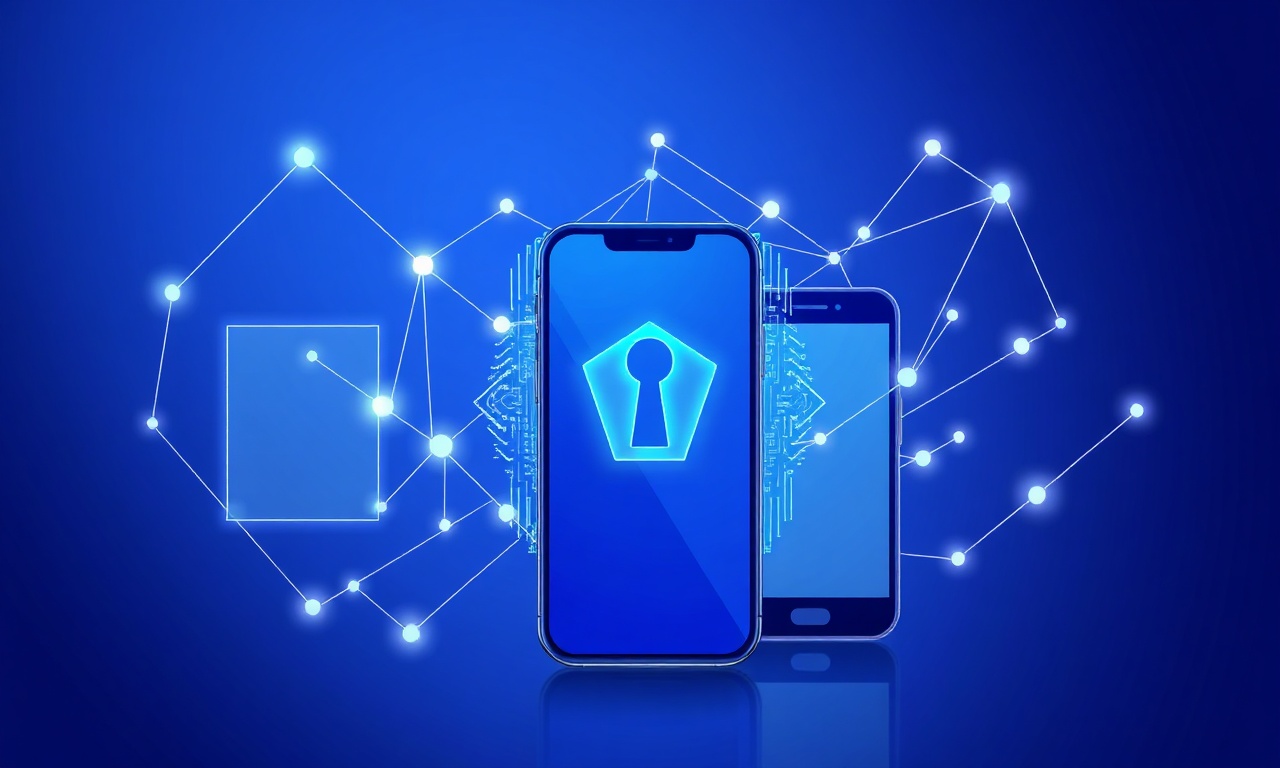
In today’s digital landscape, security threats continue to evolve, making it crucial to adopt multi-layered authentication strategies. Integrating passkeys and SMS verification provides a powerful combination that balances robust security with user convenience. While passkeys leverage cryptographic protocols to eliminate password vulnerabilities, SMS verification adds a dynamic, possession-based layer that can further thwart unauthorized access.
At a basic level, passkeys replace traditional passwords with cryptographic key pairs stored securely on user devices, enabling passwordless authentication that resists phishing and credential stuffing. SMS verification, on the other hand, confirms user identity by sending a one-time code to a registered phone number, ensuring that access attempts involve possession of the user’s mobile device. When combined, these methods create a layered defense that addresses different attack vectors.
From a technical perspective, integrating passkeys and SMS verification involves coordinating authentication workflows to maximize security without overwhelming users. A common approach is to use passkeys as the primary authentication method for seamless login and then require SMS verification for sensitive actions such as changing account settings, initiating high-value transactions, or recovering accounts. This approach leverages the strengths of each method without compromising the user experience.
For developers and service providers, implementing this integration means utilizing standards like WebAuthn for passkeys and reliable SMS OTP services for verification codes. SMSVerifier’s API documentation offers straightforward endpoints to send and verify OTPs globally, supporting integration with passkey-based authentication flows. This modular design allows you to tailor authentication policies based on risk levels and user behavior.
- Step 1 — User RegistrationDuring onboarding, register the user’s passkey device and verify their phone number with an SMS OTP to bind both factors securely.
- Step 2 — AuthenticationAllow passwordless login via passkeys for frictionless access, enhancing security by eliminating passwords.
- Step 3 — Transaction VerificationFor critical operations, trigger SMS OTP verification to confirm user intent and device possession.
- Step 4 — Account RecoveryLeverage SMS OTP as an additional verification step for user identity confirmation during recovery processes.
Passkeys provide phishing-resistant authentication, but device loss or compromise can still pose risks. SMS verification adds a second channel to validate user identity, especially useful for transaction confirmations and account recovery, where additional assurance is critical.
Practically, this integration demands thoughtful user experience design. Users should understand when and why additional verification is needed without feeling burdened by excessive security steps. Clear messaging, fallback options, and seamless transitions between authentication factors improve adoption and reduce friction.
Use adaptive authentication: trigger SMS verification selectively based on risk signals such as unusual device, location, or transaction size to maintain security without sacrificing convenience.
Moreover, SMS verification services can be optimized for global reach by selecting virtual numbers from regions where your users are located, such as United States, United Kingdom, or India. This reduces latency and improves delivery rates, enhancing the overall reliability of the multi-factor system.
In summary, combining passkeys and SMS verification creates a layered security framework that mitigates diverse attack vectors while preserving a smooth user journey. By leveraging passkeys for daily authentication and SMS verification for elevated trust scenarios, organizations can significantly strengthen their defenses against account takeover and fraud.
Frequently asked questions
What are the main security risks associated with SMS verification?
How do passkeys prevent phishing attacks?
Can SMS verification be used as a standalone authentication method securely?
Are passkeys compatible with all devices and platforms?
What is the typical cost difference between implementing passkeys and SMS verification?
How can organizations transition users from SMS verification to passkeys?
Is SMS verification still widely used despite its vulnerabilities?
What are the user experience differences between passkeys and SMS verification?
Can passkeys be combined with SMS verification for enhanced security?
What troubleshooting steps are common for passkey authentication failures?
How do regulatory standards impact the choice between passkeys and SMS verification?
Are there privacy concerns with using SMS verification?
What role do hardware security modules play in passkey authentication?
Get started with SMSVerifier
Buy your first virtual phone number in under 60 seconds — pay as you go from $0.20 per SMS.
Create free account