Two-factor authentication (2FA) adds an extra security layer by requiring two different verification factors. This article explains the technical workings, types, implementation methods, and best practices of 2FA.
Fundamentals of Two-Factor Authentication and Its Importance
Two-Factor Authentication (2FA) is a critical security mechanism designed to enhance the protection of user accounts and sensitive data by requiring two separate forms of identification before granting access. Unlike traditional single-factor authentication, which relies solely on a password or PIN, 2FA combines something the user knows with something they have or are, drastically reducing the risk of unauthorized access.
At its core, two-factor authentication uses two distinct categories of credentials:
- Knowledge factor: Something the user knows, such as a password, PIN, or answer to a security question.
- Possession factor: Something the user has, such as a smartphone app generating a time-based one-time password (TOTP), a hardware token, or an SMS verification code sent to a registered phone number.
- Inherence factor: Something the user is, referring to biometric data like fingerprints, facial recognition, or voice patterns.
The practical application of 2FA means that even if an attacker steals a user’s password, they cannot gain access without the second factor — for example, the one-time code sent via SMS or generated by an authentication app. This layered defense is especially important given the increasing number of data breaches and phishing attacks targeting passwords.
Because it significantly reduces the attack surface by requiring two independent proofs of identity, 2FA protects against common threats such as credential stuffing, phishing, and brute force attacks. It is an essential safeguard for personal accounts, corporate systems, and online services handling sensitive information.
From a technical standpoint, 2FA implementations often integrate with existing authentication workflows. For example, after a user enters their username and password, the system triggers a secondary verification step. This could be sending an SMS OTP (one-time password) via a service like SMSVerifier’s Google SMS OTP phone number verification service, or prompting the user to approve a push notification on a trusted device.
In contrast, single-factor authentication depends entirely on a single credential, which creates a single point of failure. If that credential is compromised, the attacker can immediately access the account. 2FA mitigates this risk by requiring two independent pieces of evidence, which must both be compromised to succeed — an exponentially more difficult challenge.
When implementing 2FA, consider user experience alongside security. SMS-based codes offer convenience and broad compatibility, but hardware tokens or authenticator apps provide stronger protection against SIM swapping and interception.
Understanding the fundamentals of two-factor authentication also means recognizing its adaptability. Different services and industries may prioritize different factors depending on their security needs. For instance, financial institutions might mandate biometric verification combined with a hardware token, while social media platforms often rely on SMS codes or authenticator apps for ease of use.
Because 2FA relies on multiple independent factors, it is important to ensure the delivery and verification mechanisms are secure and reliable. Leveraging trusted third-party verification services with robust APIs and global coverage, such as those provided by SMSVerifier, can simplify the integration of SMS OTP verification across diverse user bases worldwide.
In summary, two-factor authentication represents a foundational security strategy combining something a user knows with something they have or are, to create a much stronger barrier against unauthorized access. It is a practical, widely supported security enhancement that every online service should consider adopting to protect users and data alike.
The Three Authentication Factors: Knowledge, Possession, and Inherence

Authentication is the cornerstone of digital security, and understanding its fundamental building blocks is essential for grasping how two-factor authentication (2FA) enhances protection. At its core, authentication relies on verifying one or more of three distinct factors: knowledge, possession, and inherence. Each factor represents a different method of proving identity, and combining two of them significantly raises the security bar by addressing vulnerabilities inherent in single-factor systems.
1. Knowledge Factor: Something You Know
The knowledge factor is the most traditional and widely recognized form of authentication. It involves something the user knows, such as a password, PIN, or answer to a security question. This method is straightforward and easy to implement, but it has notable weaknesses. Passwords can be forgotten, guessed, or stolen through phishing attacks or data breaches.
The knowledge factor relies on secret data stored either on the server or locally, which must be kept confidential. Hashing algorithms and salting techniques are used to protect stored passwords, but if compromised, the knowledge factor alone offers no further defense.
Despite its limitations, knowledge factors remain a critical component of authentication systems and are often paired with other factors to form multi-factor authentication (MFA) schemes. For example, when used alongside a possession factor like a one-time password (OTP) sent via SMS, it dramatically reduces the risk of unauthorized access.
2. Possession Factor: Something You Have
The possession factor authenticates a user based on something they physically possess. This could be a hardware token, a smartphone app generating OTPs, or a mobile device receiving SMS-based verification codes. This factor is the backbone of many 2FA implementations, including services like Google SMS OTP and Telegram SMS OTP.
Using virtual phone numbers from services such as USA Virtual Number or UK Virtual Number can enhance possession-based authentication by enabling OTP delivery without exposing a user's personal phone number.
Possession factors are effective because even if a password is compromised, an attacker would still need physical access to the device or token to complete the authentication process. However, this factor is not without risks—devices can be lost, stolen, or cloned, which is why possession factors are rarely used alone in high-security environments.
3. Inherence Factor: Something You Are
The inherence factor confirms identity based on inherent biometric characteristics. This includes fingerprint scans, facial recognition, voice verification, or iris scans. Biometric authentication is gaining widespread adoption due to its convenience and difficulty to replicate.
Biometric systems integrate with 2FA workflows by serving either as a primary factor or combined with possession or knowledge factors. For example, unlocking a smartphone with a fingerprint before receiving an OTP adds a robust layer of security.
While biometrics offer strong security, they require specialized hardware and raise privacy concerns. Additionally, biometric data, once compromised, cannot be changed like passwords or tokens, which necessitates careful handling and secure storage.
How Two-Factor Authentication Combines These Factors
Two-factor authentication improves security by requiring users to present two different types of authentication factors from these categories. This dual-layer approach mitigates the weaknesses of relying on a single factor. Common 2FA combinations include:
- Knowledge + Possession: Entering a password plus a code sent via SMS or generated by an authenticator app.
- Possession + Inherence: Using a fingerprint scan together with a hardware security key.
- Knowledge + Inherence: Providing a password along with facial recognition.
By mixing factors from different categories, 2FA makes unauthorized access significantly more difficult, as an attacker would need to compromise multiple independent authentication elements.
For developers and businesses looking to implement 2FA, integrating secure possession factors like SMS OTP services via APIs is a practical step to enhance user authentication. Resources such as our API documentation and API playground help streamline this integration process.
Technical Implementation of Two-Factor Authentication Systems

Two-factor authentication (2FA) enhances security by requiring two distinct verification factors before granting access. Technically, this involves a combination of something the user knows (typically a password) and something the user has (a dynamically generated token or code). Understanding the backend processes and token generation mechanisms is crucial for implementing a robust 2FA system.
At its core, 2FA implementation requires tight integration between the client interface, the authentication server, and often an out-of-band verification channel such as SMS, email, or an authenticator app. The process begins when a user inputs their primary credentials. Once these credentials are validated, the system triggers the generation of a second factor token.
The token generation step is typically handled by one of two main methods: time-based one-time passwords (TOTP) or server-generated random codes sent over an out-of-band channel such as SMS. TOTP relies on synchronized clocks between the client device and the authentication server, using cryptographic algorithms like HMAC to generate a token that changes every 30 seconds. This method is popular in authenticator apps like Google Authenticator or Microsoft Authenticator.
Alternatively, many services send a random numeric code via SMS or messaging platforms such as WhatsApp or Telegram. These codes are generated server-side using secure pseudo-random number generators and are valid only for a short time window, adding an extra layer of security. This is where SMS verification services come into play, providing reliable and scalable delivery of OTP (one-time-password) messages worldwide. For instance, developers can integrate APIs from providers that support WhatsApp SMS OTP or Telegram SMS OTP to streamline token delivery.
Once the user submits the second factor token, the authentication server verifies it by comparing it against the expected value. For TOTP, this involves recalculating the token based on the shared secret and current time. For SMS-based tokens, the server checks the submitted code against the one stored temporarily in its database, ensuring it hasn’t expired or been used before.
Security best practices recommend implementing rate limiting and token expiration policies to prevent brute force attacks and token reuse. The server must also securely store shared secrets and tokens using encryption and access controls.
From a practical perspective, developers must consider integration complexity, user experience, and fallback mechanisms. For example, offering multiple second factor options (SMS, authenticator apps, hardware tokens) increases accessibility and resilience. Using a centralized API platform for OTP generation and verification can save development time and improve reliability. SMSVerifier’s API documentation and playground offer valuable resources for implementing such systems efficiently.
In summary, implementing 2FA requires orchestrating secure credential verification, token generation, and delivery mechanisms with robust backend validation. Leveraging proven protocols like TOTP and integrating reliable SMS or messaging delivery services ensures a seamless and secure authentication experience for users.
How Time-Based One-Time Passwords (TOTP) Work in 2FA

Time-Based One-Time Passwords (TOTP) form a cornerstone of modern two-factor authentication (2FA) by generating short-lived, unique numeric codes that users enter alongside their regular passwords. This method enhances security by requiring not only something you know (your password) but also something you have—a time-synchronized code generated on a separate device or app.
At its core, the TOTP algorithm is defined by the IETF in RFC 6238 and builds upon the HMAC-based One-Time Password (HOTP) algorithm. The key distinguishing factor of TOTP is the use of the current time as a moving factor to generate a new code every defined interval, typically 30 seconds. This means that the one-time password changes regularly, making it extremely difficult for attackers to reuse or predict codes.
The process starts with both the user’s device (such as a smartphone running an authenticator app) and the authentication server sharing a secret key. This key is established during the initial setup of 2FA, often by scanning a QR code or manually entering a base32-encoded string. Importantly, this secret key remains constant and is never transmitted during authentication requests, reducing exposure to interception.
Next, both devices calculate the current time interval by dividing the current Unix timestamp (number of seconds since January 1, 1970) by the time step, usually 30 seconds. This calculation produces a moving counter value synchronized between both parties.
The default 30-second interval balances security and usability, giving users enough time to enter the code while limiting exposure to attackers.
The shared secret and the current time interval counter are combined as inputs to an HMAC-SHA1 hashing function, which produces a cryptographic hash. This hash is then truncated and converted into a 6- or 8-digit numerical code displayed to the user. Because both the server and the client perform the same calculation, the codes match as long as their clocks are closely synchronized.
Clock skew between devices can cause authentication failures. Most authentication servers allow a small window of tolerance (e.g., accepting codes from adjacent time intervals) to accommodate slight time differences.
From a practical standpoint, this time synchronization makes TOTP a highly secure and user-friendly 2FA method. Unlike SMS-based OTPs, which rely on phone network delivery and can be intercepted or delayed, TOTPs are generated locally on the user’s device and do not require network connectivity. This independence increases reliability and reduces attack vectors such as SIM swapping or interception.
Implementing TOTP in your authentication flow can be streamlined by integrating with existing services that support this protocol. For example, many platforms allow linking with popular authenticator apps or provide APIs for generating and validating TOTP codes. If you are interested in SMS OTP integration alongside TOTP for multi-channel verification, explore our Google SMS OTP Phone Number Verification Service or check out the API documentation to see how to combine these methods effectively.
In summary, TOTP’s security lies in its time-dependent code generation using a shared secret and synchronized clocks. This mechanism ensures that only someone with access to the secret key and a correctly synchronized device can produce the valid one-time password, significantly boosting the security of user authentication.
SMS and Email-Based Two-Factor Authentication: Workflow and Limitations

Two-factor authentication (2FA) using SMS and email is one of the most widely adopted security measures for user verification. At its core, these mechanisms add an additional layer of security beyond the traditional password by requiring a one-time code sent to the user's registered mobile phone or email address. While conceptually straightforward, the underlying technical workflow and inherent limitations are important to understand for both users and developers deploying these systems.
Here’s a detailed breakdown of the SMS and email 2FA workflow:
- Step 1: User Initiates Authentication. After entering their username and password, the system triggers the 2FA process.
- Step 2: One-Time Password (OTP) Generation. The authentication server generates a time-sensitive OTP, typically a 6-digit numeric code.
- Step 3: Message Routing. For SMS, the OTP is forwarded to an SMS gateway provider, which interfaces with telecom carriers to deliver the message to the user’s mobile device. For email, the OTP is sent through SMTP servers to the user’s email provider, traversing multiple mail relays.
- Step 4: User Inputs Received OTP. The user receives the code on their device and inputs it into the authentication prompt.
- Step 5: Verification and Access Grant. The server verifies the OTP against its record and time validity before granting access.
SMS message delivery depends on the cooperation of multiple telecom nodes and can be subject to delays or routing issues, while email delivery relies on SMTP protocols and spam filtering measures that may impact timely receipt of OTPs.
Despite their popularity, SMS and email-based 2FA mechanisms come with several limitations and security challenges:
Susceptibility to Interception
SMS messages can be intercepted via SS7 protocol exploits or SIM swap attacks, allowing attackers to receive OTPs intended for the legitimate user.
Delivery Delays
Network congestion, carrier routing inefficiencies, or email spam filters can cause significant delays in OTP delivery, impacting user experience.
Dependence on Network Availability
Users in areas with poor cellular or internet connectivity may not receive OTPs promptly, potentially locking them out of their accounts.
Because SMS and email are transmitted over relatively insecure channels, relying solely on these methods for 2FA can leave users vulnerable to sophisticated attacks. Consider complementing with app-based authenticators or hardware tokens for higher security.
For developers implementing SMS 2FA, integrating with reliable SMS gateway services is crucial. Providers such as Google SMS OTP or Telegram SMS OTP offer APIs that streamline OTP delivery and improve message reliability. Likewise, email-based 2FA solutions benefit from using transactional email services that offer enhanced deliverability monitoring and spam compliance.
Implement fallback mechanisms such as backup codes or alternative 2FA methods to mitigate issues arising from SMS or email delivery failures.
In summary, SMS and email-based 2FA remain valuable tools for improving account security due to their ease of use and broad accessibility. However, understanding the technical message routing processes and acknowledging their limitations is essential for designing robust authentication systems that balance security and user convenience.
Hardware Tokens and Authenticator Apps: Under-the-Hood Technical Insights
Two-factor authentication (2FA) has evolved significantly, with hardware tokens and authenticator apps becoming staples for securing digital identities. Both methods generate time-sensitive codes to verify user identity, but the underlying technical mechanisms differ in design and communication with authentication servers. This section dives into how these devices and applications function under the hood, balancing security, usability, and interoperability.
Hardware Tokens: Dedicated Devices for Code Generation
Hardware tokens are physical devices designed to produce one-time passwords (OTPs) independently of any network connection. Typically, they look like small key fobs or USB sticks. The core technology behind these tokens is either a time-based or event-based algorithm standardized by the Initiative for Open Authentication (OATH), such as Time-based One-Time Password (TOTP) or HMAC-based One-Time Password (HOTP).
At their core, hardware tokens contain a secure element chip that stores a secret cryptographic key unique to each device. This secret is never transmitted or exposed externally. When the token generates a code, it uses this key along with the current time (for TOTP) or a counter value (for HOTP) as inputs to a cryptographic hash function, usually HMAC-SHA1. The output is then truncated to a short numeric code, commonly 6 digits, which the user enters during login.
Since hardware tokens do not rely on network connectivity and keep secrets isolated within the device, they are highly resistant to remote hacking or interception. Their isolation also prevents malware on the user’s computer from extracting secret credentials.
When a user inputs the token-generated code into the login interface, the authentication server uses the same secret key and algorithm to verify the code. The server’s clock must be synchronized within a reasonable window (typically 30 seconds) to validate TOTP codes. This time synchronization is crucial; otherwise, legitimate codes could be rejected.
Authenticator Apps: Software-Based Code Generators on Mobile Devices
Authenticator apps, such as Google Authenticator, Microsoft Authenticator, or free open-source alternatives, bring similar cryptographic principles to smartphones. Instead of a separate hardware device, the app stores the secret key securely on the phone and uses the same TOTP or HOTP algorithms to generate codes. The user scans a QR code during setup, which encodes the secret key and configuration parameters.
Because these apps run on general-purpose mobile operating systems, their security depends on the device’s security model and OS protections. Modern smartphones offer secure storage areas (like Android’s Keystore or Apple’s Secure Enclave) to store cryptographic secrets safely, but this depends on the app’s implementation and device configuration.
For enhanced security, use authenticator apps that leverage hardware-backed secure elements on your phone. This minimizes the risk of secret key extraction even if the phone is compromised.
Authenticator apps generate codes locally without requiring network access, which improves privacy and reliability. When the user submits a code, the authentication server performs the same verification as with hardware tokens. Because the same standards apply, many services support both hardware tokens and authenticator apps interchangeably.
Communication and Verification Process
Neither hardware tokens nor authenticator apps communicate directly with authentication servers to generate codes. Instead, they operate independently and rely on synchronized secrets and clocks. The only communication is when the user manually inputs the generated code into the login portal or mobile app, which then sends it to the server for validation.
This architecture eliminates the risk of interception during code generation but requires careful management of initial secret provisioning. For example, when setting up a new device or app, the server generates a unique secret key and shares it securely with the client, often encoded in a QR code. This step must be protected against eavesdropping or phishing to prevent cloning or unauthorized access.
Many online services integrate with authenticator apps or hardware tokens using standard protocols like OATH and RFC 6238. For developers building custom 2FA flows, libraries and APIs are available to facilitate code generation and verification, such as those documented in our API docs.
Practical Considerations and User Experience
Hardware tokens offer unmatched isolation but require users to carry a physical device, which can be lost or damaged. Authenticator apps provide convenience by leveraging devices users already have, but rely on the security of the smartphone environment. Both methods avoid the vulnerabilities associated with SMS-based 2FA, such as SIM swapping or interception.
For organizations requiring robust multi-factor authentication, combining hardware tokens or authenticator apps with phone number verification services can add another layer of identity assurance. Our Google SMS OTP and Telegram SMS OTP services integrate smoothly with 2FA workflows, providing flexible options depending on user preference and security requirements.
Incorporating Biometric Authentication as a Second Factor
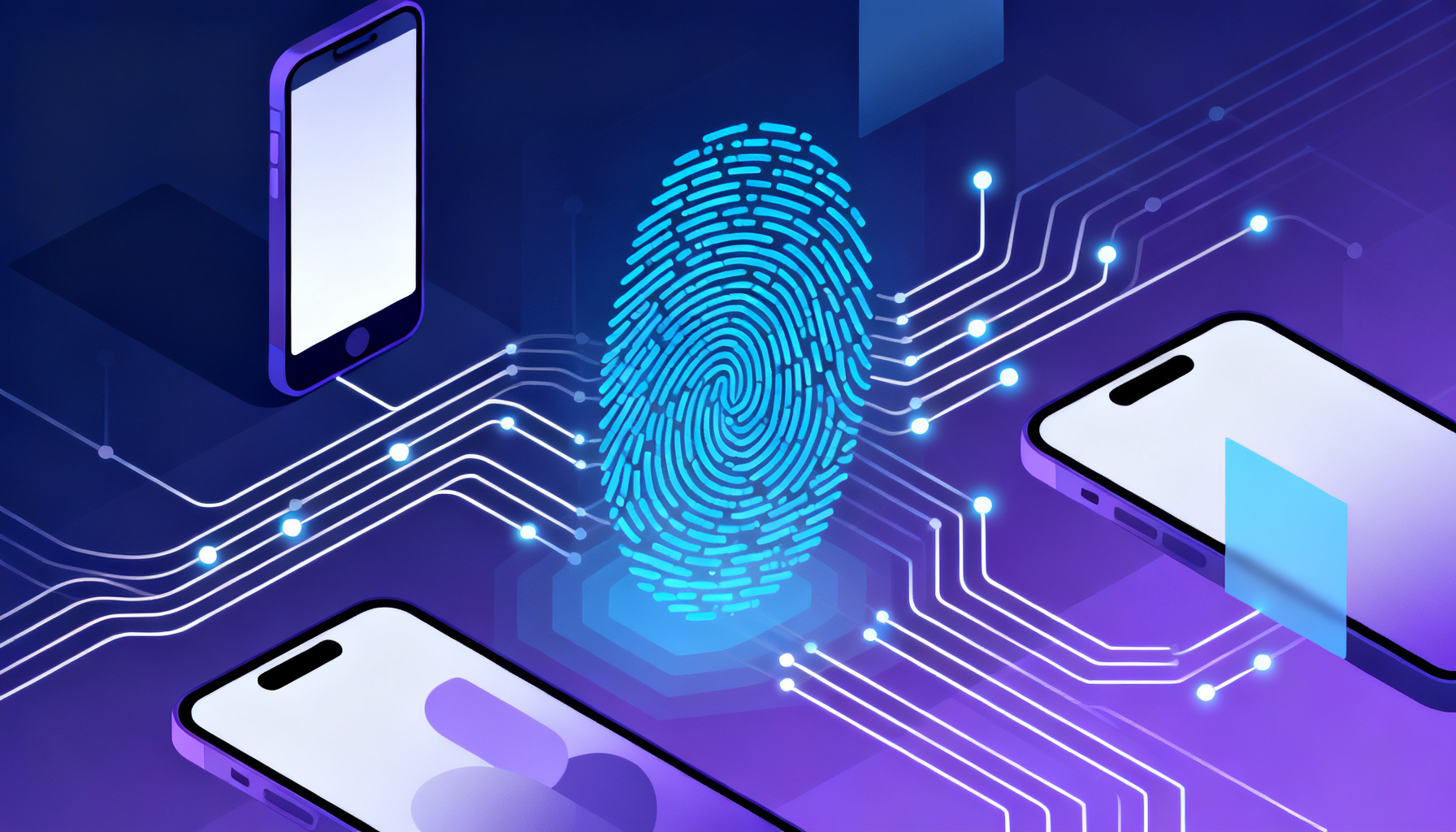
Two-factor authentication (2FA) traditionally relies on something you know (a password) combined with something you have (a token or phone). However, incorporating biometric authentication as the second factor introduces a robust layer of security that leverages unique physiological or behavioral traits, such as fingerprints, facial recognition, or iris scans. This section explores how biometric factors technically integrate into 2FA systems, enhancing identity verification while maintaining user convenience.
At the core, biometric 2FA replaces or supplements the typical possession factor—like an SMS OTP or hardware token—with a biometric sample that is difficult to replicate or steal. The biometric data is captured via sensors embedded in devices (smartphones, laptops, dedicated readers) and then matched against securely stored biometric templates. The process involves three key technical components:
- Biometric Data Capture: Sensors collect raw data—such as fingerprint ridges or facial geometry. This raw data is processed through feature extraction algorithms that identify unique markers.
- Template Storage and Matching: Extracted features are converted into encrypted biometric templates stored securely, often on-device or in a trusted hardware enclave. During authentication, a live scan is matched against the stored template using pattern recognition techniques.
- Integration with 2FA Workflow: After successful biometric verification, the system grants the second factor approval, complementing the password or primary authentication.
To protect user privacy and security, biometric templates are typically stored as hashed or encrypted data rather than raw images. Modern 2FA implementations use secure enclaves or Trusted Execution Environments (TEEs) to perform biometric matching locally, minimizing exposure to network interception or server-side breaches.
Implementing biometric 2FA within a service requires seamless integration between the biometric subsystem and the authentication backend. For example, a mobile app may leverage platform APIs such as Apple’s Face ID or Android’s BiometricPrompt to handle biometric capture and verification. Once confirmed, the app signals the backend server that the biometric factor has been validated, completing the 2FA process.
On the server side, the authentication system must support multi-factor policies that accept biometric confirmation as a valid second factor. This often involves configuring identity providers or custom authentication servers to accept biometric validation tokens or assertions.
When designing biometric 2FA, consider fallback mechanisms like SMS OTP or authenticator apps for cases where biometric sensors fail or are unavailable. This ensures users are not locked out while maintaining strong security.
The practical benefits of incorporating biometrics into 2FA include:
- Enhanced Security: Biometrics are inherently linked to the individual and cannot be easily lost, forgotten, or shared.
- Improved User Experience: Quick and intuitive authentication without needing to input codes or carry additional devices.
- Reduced Fraud Risk: Biometric spoofing is difficult; advanced liveness detection techniques further mitigate impersonation.
However, challenges remain, particularly in ensuring biometric data privacy and complying with regulations like GDPR. Biometric data breaches can have lasting consequences since biometric traits are immutable. Therefore, services must implement strict encryption, limited data retention, and transparent user consent policies.
For developers interested in integrating biometric 2FA with existing SMS or app-based verification, platforms like SMSVerifier offer flexible APIs that can be combined with biometric checks to create multi-factor authentication flows tailored to specific security needs. Explore API documentation for guidance on combining biometric factors with SMS OTP or push-based verification.
In summary, incorporating biometric authentication as a second factor in 2FA systems marries convenience with heightened security. By utilizing device-native biometric sensors and secure template matching, organizations can provide users with a seamless yet highly secure authentication experience. As biometric technology continues to advance, its role in multi-factor authentication will only grow more prominent, complementing traditional methods like SMS and authenticator apps.
Step-by-Step User Experience in Two-Factor Authentication Processes

Two-factor authentication (2FA) enhances security by requiring users to verify their identity through two distinct methods. While it appears seamless from a user perspective, multiple technical steps occur behind the scenes during the login process. Understanding this journey helps clarify how 2FA balances robust protection with user convenience.
- Step 1 — User Initiates LoginThe user enters their primary credentials, typically a username and password, on the login interface of the application or service.
- Step 2 — Primary Credential VerificationThe backend server validates the credentials against its database. If successful, the system triggers the second authentication factor.
- Step 3 — Second Factor PromptThe user is prompted to provide the second authentication factor. This is often a time-sensitive One-Time Password (OTP) delivered via SMS, authenticator app, or push notification.
- Step 4 — OTP Generation and DeliveryThe authentication server generates a unique OTP and sends it to the user’s registered device. SMS-based OTPs utilize services like Google SMS OTP or WhatsApp SMS OTP to deliver codes securely and promptly.
- Step 5 — User Enters OTPThe user receives the OTP and inputs it into the authentication interface within the allotted time window, usually a few minutes.
- Step 6 — OTP ValidationThe system verifies the OTP by comparing it against the generated code stored or computed on the server side. This step involves cryptographic checks or database lookups, ensuring the code is valid, unexpired, and unused.
- Step 7 — Access Granted or DeniedIf the OTP matches and all checks pass, the user is granted access to the requested service. Otherwise, the system denies access and may prompt for re-authentication or alert on suspicious activity.
The OTP generation typically uses algorithms like Time-based One-Time Password (TOTP) or HMAC-based One-Time Password (HOTP), which ensure that codes are both unique and time-sensitive. SMS delivery integrates with virtual number services such as US, UK, or India virtual numbers to enable global reach and reliability.
From a practical standpoint, the entire 2FA process usually completes within seconds, minimizing user wait times. However, network delays or device issues can affect SMS delivery speed. To mitigate this, many platforms offer alternative second-factor methods, including authenticator apps or hardware tokens, allowing users flexibility and improved reliability.
For developers integrating 2FA, leveraging APIs with detailed documentation and API playgrounds can streamline implementation. Check out our API documentation and interactive tools to test OTP verification workflows before deploying them live.
Security and usability must coexist for 2FA to be effective. Clear prompts, fallback options for failed OTP delivery, and informative error messages help users navigate the process smoothly. Additionally, backend monitoring for repeated failed attempts or unusual patterns strengthens security by detecting potential fraud or attacks.
In summary, the user journey through 2FA involves a series of coordinated steps — from entering credentials, receiving and inputting an OTP, to backend validations — all designed to ensure that only legitimate users gain access. By understanding these steps, both users and developers can appreciate the sophisticated mechanisms that protect sensitive data daily.
Common Security Vulnerabilities in Two-Factor Authentication and How to Mitigate Them

Two-factor authentication (2FA) significantly strengthens account security by requiring users to provide two separate forms of verification. However, despite its effectiveness, 2FA is not immune to certain vulnerabilities that attackers can exploit. Understanding these common weaknesses and implementing robust mitigation strategies is essential for maintaining the integrity of authentication systems.
While 2FA adds a critical security layer, attackers have developed sophisticated techniques such as SIM swapping, phishing, and man-in-the-middle attacks to bypass it. Recognizing these threats is the first step toward building more resilient authentication frameworks.
SIM Swapping Attacks
SIM swapping is one of the most prevalent threats to SMS-based 2FA. In this attack, fraudsters convince mobile carriers to transfer a victim’s phone number to a SIM card they control. Once the attacker has control of the phone number, they can intercept SMS-based one-time passwords (OTPs) and gain unauthorized access to accounts.
To combat SIM swapping, consider using authenticator apps or hardware tokens instead of SMS OTPs. Services offering virtual numbers with advanced verification layers can also reduce risks associated with traditional SIM cards; explore options like our USA virtual number or India virtual number services for added control.
Phishing and Social Engineering
Phishing attacks remain a significant threat, even with 2FA in place. Attackers craft convincing fake login pages to capture both the user’s password and the 2FA code. In some cases, they use real-time man-in-the-middle proxies to relay authentication data, effectively bypassing 2FA protections.
To mitigate phishing:
- Educate users on identifying phishing attempts and suspicious links.
- Implement phishing-resistant 2FA methods such as FIDO2 security keys.
- Use domain-based message authentication, reporting, and conformance (DMARC) to reduce email spoofing.
Malware and Device Compromise
Malware installed on a user’s device can intercept 2FA codes or manipulate authentication sessions. Keyloggers, screen-capturing malware, and malicious apps pose risks, especially on mobile devices where SMS OTPs are commonly used.
Mitigation strategies include:
- Encouraging the use of authenticator apps that generate codes locally, reducing exposure to remote interception.
- Implementing endpoint security solutions to detect and block malicious software.
- Regularly updating devices and applications to patch vulnerabilities.
Replay Attacks and Code Reuse
Replay attacks involve intercepting and reusing a valid authentication code. Although OTPs are designed to be single-use, improper implementation or delayed expiration can allow attackers to reuse codes. Systems that do not strictly enforce one-time use or have long validity periods increase this risk.
Always configure OTP expiration times to be as short as feasible (typically 30-60 seconds) and ensure tokens cannot be reused. Robust backend validation is critical.
Mitigation Best Practices for Stronger 2FA
To enhance 2FA security, consider the following technical and practical measures:
Use App-Based Authenticators
Authenticator apps like Google Authenticator or our Google SMS OTP Phone Number Verification Service generate time-based codes locally, making interception via SMS impossible.
Adopt Hardware Security Keys
Physical tokens that implement FIDO2/WebAuthn protocols provide phishing-resistant authentication by cryptographically verifying the user’s device.
Implement Secure Phone Number Verification
Using trusted verification services with anti-fraud mechanisms and number validation reduces the risk of SIM swapping and fake number registrations. Check out our services page for secure phone verification options.
Monitoring and Incident Response
Continuous monitoring for suspicious activities such as rapid changes in 2FA devices, unusual login locations, or repeated OTP requests helps detect attacks early. Implementing automated alerts and enabling easy user reporting can accelerate incident response and minimize damage.
Integrate your 2FA system with security information and event management (SIEM) tools and regularly review authentication logs to spot anomalies promptly.
In summary, while 2FA substantially elevates security, it requires thoughtful implementation and ongoing vigilance to defend against evolving attack techniques. Leveraging modern authentication methods, educating users, and employing robust verification services form the foundation of a resilient 2FA strategy.
Cost and Resource Considerations When Deploying Two-Factor Authentication

Implementing two-factor authentication (2FA) is a crucial step toward enhancing security for any digital platform, but it comes with a variety of cost and resource implications that organizations must carefully evaluate. These considerations span from the initial technical infrastructure setup to ongoing maintenance and operational expenses. Understanding these factors at both a technical and practical level ensures a smoother deployment and sustainable management of 2FA systems.
Technical Infrastructure Costs
At the core of 2FA deployment is the technical infrastructure, which involves the backend systems required to generate, deliver, and verify authentication codes securely. Depending on the chosen 2FA method—SMS OTP, authenticator apps, hardware tokens, or push notifications—the infrastructure needs vary significantly.
For example, SMS-based 2FA requires integration with a reliable SMS gateway, which often involves purchasing virtual phone numbers and establishing APIs to send and receive messages. Providers like Google SMS OTP phone number verification service or Telegram SMS OTP phone number verification service can simplify integration but come with usage-based pricing models.
Key elements include SMS gateway access, API integration, database management for user and session data, and secure cryptographic modules for code generation.
Hardware tokens and authenticator apps demand less in terms of delivery infrastructure but require secure key management and possibly user device support, which can add to development complexity and support resources.
Maintenance and Operational Expenses
Once 2FA is deployed, ongoing maintenance becomes a significant resource consideration. Systems must be continuously monitored for uptime and performance, with updates applied promptly to address security vulnerabilities or protocol changes.
Maintaining SMS infrastructure includes managing delivery rates, handling failed message attempts, and mitigating fraud or spam filters that may block OTP messages. Additionally, customer support resources often increase as users may experience issues with code reception or device compatibility.
Ignoring maintenance can lead to degraded user experience, increased support costs, and security risks due to outdated protocols.
Operational costs also include analytics and reporting tools to monitor authentication success rates and identify suspicious activity, which may require additional software licenses or development effort.
Financial Costs and Pricing Models
Financially, the cost of 2FA deployment varies widely based on scale, technology choice, and service providers. SMS-based 2FA typically incurs per-message fees, which can add up quickly with large user bases or frequent authentication requests. Bulk pricing or pre-purchased credits can mitigate these expenses.
Subscription-based models for authentication platforms often include a fixed monthly fee plus variable usage costs. Exploring pricing details on pages such as Pricing or specific service offerings on Services can help organizations forecast expenses more accurately.
Consider hybrid models combining SMS for fallback and authenticator apps for primary authentication to optimize costs while maintaining security.
Also, investing in automation and integration with existing user management systems reduces manual overhead and long-term operational expenses.
Resource Allocation and Staffing
Beyond direct costs, deploying 2FA demands skilled personnel for development, security auditing, and support. Engineering teams must develop and maintain APIs, handle encryption, and ensure compliance with data protection regulations. Support teams address user issues and educate customers on 2FA usage.
Training and documentation also represent resource investments that influence total cost of ownership. Efficient onboarding processes and clear communication channels can reduce support load and improve adoption rates.
Scalability and Future-Proofing
When planning resource allocation, scalability is a critical factor. The infrastructure should handle growth in user numbers without degradation of service or exponential cost increases. Cloud-based 2FA providers often offer scalable solutions but require careful cost-benefit analysis.
Future-proofing involves selecting technologies and vendors that support emerging authentication standards and can adapt to evolving security threats, minimizing costly migrations or upgrades.
In summary, deploying two-factor authentication is an investment that involves balancing technical infrastructure, ongoing maintenance, financial outlay, and human resources. Leveraging robust APIs and trusted services like the SMSVerifier API can streamline integration and reduce operational complexity. Careful planning and budgeting ensure that 2FA not only enhances security but also aligns with organizational capabilities and growth strategies.
Best Practices for Secure and User-Friendly Two-Factor Authentication Implementation

Implementing two-factor authentication (2FA) effectively requires a balanced approach that prioritizes both security and user experience. While 2FA significantly reduces the risk of unauthorized access, poor design or technical choices can lead to user frustration or security gaps. This section outlines essential best practices and technical recommendations to help developers and security teams deploy 2FA solutions that are robust, scalable, and easy to use.
Use Time-Based One-Time Passwords (TOTP)
TOTP algorithms, standardized by RFC 6238, generate codes that expire after a short interval (typically 30 seconds). This limits the window for attackers to exploit stolen tokens. Libraries for TOTP are widely available and integrate smoothly with mobile authenticator apps, improving security without relying on SMS delivery, which can be vulnerable to SIM swapping.
Offer Multiple 2FA Methods
Supporting various second factors, such as SMS OTPs, authenticator apps, and hardware tokens, accommodates different user preferences and threat models. For example, SMS-based OTPs are convenient but less secure than app-generated codes. Consider integrating services like Google SMS OTP or Telegram SMS OTP for reliable SMS delivery, and provide fallback options for users who lose access to their primary method.
Implement Secure Backup and Recovery Options
Users should be able to regain account access if they lose their second factor device. Provide secure recovery codes, alternative verification channels, or multi-device support. Ensure these recovery mechanisms are protected by additional authentication steps to prevent social engineering attacks.
From a technical perspective, securing the communication channel between the client and server is critical. Always use Transport Layer Security (TLS) to encrypt 2FA token exchanges and API calls. When integrating SMS OTP services, prefer providers with strong anti-fraud measures and global reach, such as those listed under SMS verification services. This reduces risks related to message interception or phone number spoofing.
Enable adaptive authentication policies that adjust 2FA requirements based on user behavior, device trust, or geolocation. For example, challenge users with 2FA only when logging in from a new device or unusual location to reduce friction while maintaining strong security.
Usability is equally important to ensure adoption and minimize abandonment. Design clear and concise user interfaces that guide users through the 2FA setup and verification process. Provide real-time feedback for code entry errors and expiration warnings. Mobile-responsive designs and accessibility considerations help reach a broader audience.
Avoid relying solely on SMS-based 2FA for high-security applications due to vulnerabilities like SIM swapping and interception. Combine SMS with other factors or use app-based authenticators for enhanced protection.
For developers, leveraging well-documented APIs and SDKs can simplify integration. Explore the API documentation and try out endpoints in the API playground for rapid prototyping. Services offering virtual numbers for verification, such as USA virtual numbers or India virtual numbers, can help test and deploy SMS OTP workflows in various regions.
- Step 1 — Choose Appropriate 2FA MethodsEvaluate your user base and threat model to select suitable second factors.
- Step 2 — Integrate Secure APIsUse trusted providers and secure communication protocols.
- Step 3 — Optimize User ExperienceDesign intuitive flows and provide fallback options.
- Step 4 — Monitor and AdaptContinuously analyze authentication data to improve security and usability.
By following these guidelines, organizations can implement 2FA that not only strengthens security but also respects user convenience, ultimately leading to higher adoption rates and better protection against account compromise.
Advanced Two-Factor Authentication Technologies and Emerging Trends
Two-factor authentication (2FA) has evolved far beyond the traditional SMS OTP and authenticator app codes. As cyber threats become more sophisticated, so do the methods for securing digital identities. Today’s advanced 2FA technologies integrate contextual intelligence, biometrics, cryptographic innovations, and decentralized frameworks to create adaptive, seamless, and highly secure authentication experiences.
At the core of these advancements is adaptive authentication, a dynamic approach that adjusts the authentication requirements based on risk analysis in real time. Unlike static 2FA methods, adaptive authentication evaluates contextual factors such as device fingerprinting, geolocation, network reputation, user behavior patterns, and even time of access. By continuously monitoring these signals, it can intelligently decide whether to prompt for additional verification steps or allow smooth access with minimal friction.
When a user attempts to log in, the system analyzes multiple risk parameters. For example, if an access request originates from a recognized device in a usual location, the system may only require a single factor or a simple biometric scan. Conversely, if the request stems from an unknown device or suspicious IP address, it may enforce multi-step verification, such as sending an OTP via a trusted channel like WhatsApp or Telegram SMS OTP phone number verification services.
This risk-based approach not only strengthens security but also enhances user experience by reducing unnecessary authentication steps. Enterprises integrating adaptive 2FA often leverage APIs to connect their user databases with advanced fraud detection engines and phone number verification services. SMSVerifier’s API documentation and playground provide developers with tools to implement such flexible verification flows efficiently.
Another groundbreaking trend is the emergence of decentralized identity verification, powered by blockchain and distributed ledger technologies. Unlike centralized identity providers, decentralized identity systems give users full control over their credentials and personal data. Users store cryptographic proofs of their identities in digital wallets and selectively disclose attributes to service providers during authentication.
Decentralized identity can significantly reduce the risks of data breaches and identity theft since there is no central repository of sensitive information. Combining decentralized identity with 2FA mechanisms, such as biometric confirmation or hardware security keys, creates a robust multi-factor authentication framework that is resistant to phishing and man-in-the-middle attacks.
Biometric authentication technologies are also advancing rapidly, moving beyond fingerprints and facial recognition to include behavioral biometrics (like typing rhythm and mouse movements) and continuous authentication models. These methods constantly verify the user's identity in the background after initial login, thereby mitigating session hijacking risks.
Biometric 2FA
Integrates fingerprint, iris, or voice recognition as a second factor, often combined with device-based tokens for enhanced security.
Decentralized Identity
Empowers users with self-sovereign identity solutions using blockchain, enabling privacy-preserving and tamper-proof authentication.
Adaptive Authentication
Employs AI-driven risk assessments to tailor authentication requirements dynamically, balancing security and usability.
From a practical implementation standpoint, businesses aiming to future-proof their authentication systems should consider integrating multiple advanced 2FA technologies. For instance, combining phone number verification services with adaptive authentication allows for layered defense that is both user-friendly and resilient. SMSVerifier offers virtual numbers across multiple regions—including the USA, UK, Germany, India, and Russia—facilitating global-scale phone-based verification that can be integrated seamlessly into adaptive 2FA workflows.
Looking ahead, the future of 2FA will likely emphasize passwordless authentication paradigms, leveraging biometrics and decentralized identities as primary factors. These approaches promise to eliminate the vulnerabilities associated with passwords and SMS-based codes while maintaining strong assurance of user identity.
In summary, advanced 2FA technologies are reshaping how organizations secure access and protect user identities. By embracing adaptive authentication, decentralized identity verification, and evolving biometric methods, businesses can stay ahead of emerging threats and deliver frictionless security experiences. Developers and security architects interested in implementing these technologies can explore SMSVerifier’s comprehensive API documentation and leverage virtual number services to build robust, scalable authentication systems.
Frequently asked questions
What exactly is two-factor authentication (2FA)?
Why is two-factor authentication more secure than just a password?
What are the common types of factors used in 2FA?
How does a Time-Based One-Time Password (TOTP) work?
Is SMS-based 2FA secure enough?
Can biometrics be used as a standalone authentication factor?
What happens if I lose access to my 2FA device?
How do hardware tokens generate authentication codes?
What are the main challenges in implementing 2FA?
Are there any emerging technologies improving 2FA?
Does 2FA protect against phishing attacks?
How does 2FA integration affect user experience?
Can 2FA be bypassed?
What industries benefit most from two-factor authentication?
Get started with SMSVerifier
Buy your first virtual phone number in under 60 seconds — pay as you go from $0.20 per SMS.
Create free account