Multi-factor authentication (MFA) enhances security by requiring users to verify their identity using two or more independent credentials, combining something they know, have, or are. This article breaks down the technical processes, types, and best practices behind MFA implementation.
Fundamentals of Multi-Factor Authentication: Definitions and Core Concepts
Multi-Factor Authentication (MFA) is a security mechanism that requires users to provide two or more independent credentials to verify their identity before gaining access to a system, application, or service. Unlike single-factor authentication, which typically relies on just a password or PIN, MFA combines different types of authentication factors to drastically reduce the risk of unauthorized access.
At its core, MFA operates on the principle that multiple layers of security are more robust against compromise. Even if one factor, such as a password, is stolen or guessed, an attacker would still need to overcome additional hurdles, like a physical device or biometric proof, to breach the account. This layered approach mitigates threats from phishing, credential stuffing, and other common attacks.
MFA requires at least two distinct authentication factors from separate categories to confirm an identity, enhancing security beyond single-factor methods.
Understanding Authentication Factors
The factors used in MFA are traditionally divided into three main categories:
- Something You Know: This category includes passwords, PINs, or answers to security questions. They are knowledge-based factors that rely on secret information only the user should have.
- Something You Have: Physical devices like smartphones, hardware tokens, or smart cards fall into this category. Common examples include OTP generators or apps that produce time-based one-time passwords (TOTP).
- Something You Are: Biometrics such as fingerprints, facial recognition, voice patterns, or iris scans belong here. These factors use unique physiological traits to verify identity.
By requiring authentication from at least two of these categories, MFA ensures that even if one factor is compromised, the attacker cannot complete the authentication process without the others.
Combining factors from different categories (e.g., password + biometric) is more secure than using two factors from the same type (e.g., password + PIN), as the latter can be vulnerable to similar attack vectors.
Why Multiple Factors Improve Security
Single-factor authentication, such as a password alone, is vulnerable to a wide range of attacks including brute force, credential leaks, and social engineering. Adding multiple factors creates a layered defense that significantly reduces these risks.
For example, if a password is phished or leaked, an attacker still cannot access the account without the second factor, such as a one-time code sent via SMS or generated by an authenticator app. This is why services increasingly integrate SMS-based OTP verification or app-generated tokens as part of their login flow. Providers like Google SMS OTP Phone Number Verification Service or Telegram SMS OTP Phone Number Verification Service offer reliable second-factor delivery channels.
Moreover, MFA helps organizations comply with regulatory requirements for stronger authentication, protecting sensitive data and reducing fraud. It also enhances user trust by demonstrating a commitment to security.
Technical Implementation Overview
Implementing MFA involves integrating authentication workflows that prompt users for additional credentials beyond the primary password. Typically, the process follows these steps:
- Step 1 — User IdentificationThe user enters their username or email address, initiating the login process.
- Step 2 — Primary AuthenticationThe user provides the first authentication factor, usually a password, which the system verifies.
- Step 3 — Secondary AuthenticationThe system requests a second factor, such as an OTP sent via SMS or generated by an authenticator app, which the user must enter correctly.
- Step 4 — Access GrantedUpon successful verification of all factors, access is granted to the user.
Developers can leverage APIs and services designed for MFA integration to simplify this process. For instance, SMSVerifier’s API documentation and API playground provide practical tools to implement secure OTP workflows.
Always ensure the secondary factor is delivered through a secure and reliable channel. SMS-based OTPs remain popular but can be vulnerable to SIM swapping; alternatives like authenticator apps or hardware tokens provide stronger protection.
Practical Considerations
While MFA greatly enhances security, usability must be balanced. Overly complex MFA processes can frustrate users and lead to resistance or workarounds. Hence, organizations often offer multiple second-factor options and fallback mechanisms like recovery codes.
Businesses can also evaluate virtual phone number services such as USA Virtual Number or UK Virtual Number to support SMS OTP delivery globally, ensuring broad accessibility for their users.
Educate users about the importance of MFA and guide them through setup to improve adoption rates and reduce support calls.
In summary, understanding the fundamentals of multi-factor authentication—including the types of factors involved and their security benefits—is crucial for anyone looking to protect digital identities effectively. By combining knowledge, possession, and inherence factors, MFA creates a robust defense against unauthorized access.
The Three Classical MFA Factors: Knowledge, Possession, and Inherence
Multi-factor authentication (MFA) enhances security by requiring users to verify their identity through multiple means. At its core, MFA relies on three classical categories of authentication factors: knowledge, possession, and inherence. Each factor validates a different aspect of identity, making unauthorized access significantly more difficult. Understanding these factors is essential for both technical implementation and practical application.
Authentication factors are distinct types of evidence used to confirm a user's identity. By combining multiple factors from different categories, systems enforce stronger security compared to single-factor authentication.
1. Knowledge Factor: Something You Know
The knowledge factor is the most traditional and widely used form of authentication. It requires the user to provide information that only they should know. Common examples include passwords, PINs, or answers to security questions.
From a technical standpoint, knowledge-based authentication involves verifying that the submitted secret matches the stored credential, often hashed and salted for security. However, knowledge factors alone can be vulnerable to phishing, social engineering, or brute-force attacks.
Strong password policies combined with password managers improve the effectiveness of knowledge factors and reduce risks of reuse or weak secrets.
2. Possession Factor: Something You Have
The possession factor verifies identity by requiring users to present a physical or digital object in their possession. This could be a smartphone, hardware token, smart card, or a virtual device capable of generating or receiving time-sensitive codes.
Technically, possession factors often integrate with systems via protocols like TOTP (Time-based One-Time Password) or push notifications. For example, SMS-based one-time passwords sent to a registered phone number are a common possession factor in multi-factor workflows. Services like Google SMS OTP or Telegram SMS OTP provide APIs to facilitate this verification method.
In practice, possession factors add a dynamic layer of security. Even if an attacker obtains the password, they must also have physical access to the device to complete authentication.
3. Inherence Factor: Something You Are
The inherence factor focuses on biometric attributes unique to the user. This includes fingerprint scans, facial recognition, iris patterns, and voice recognition. These traits are inherently linked to the individual and difficult to replicate or steal.
On a technical level, biometric authentication systems use sensors and algorithms to capture and compare biometric data against stored templates. Robust systems apply encryption and anti-spoofing measures to protect biometric data privacy and accuracy.
While biometrics offer convenience and strong security, they require careful implementation to avoid false positives and ensure user consent and data protection.
In practical terms, inherence factors are increasingly integrated into devices and applications for seamless MFA experiences. For example, smartphones enable fingerprint or face unlock combined with possession and knowledge factors to bolster security.
When designing or adopting MFA solutions, it’s important to consider how these factors complement each other. For instance, SMS-based OTPs (possession) combined with a password (knowledge) are a common and effective pairing. Alternatively, biometrics (inherence) can replace or supplement knowledge factors to reduce reliance on passwords.
Integrate MFA with reliable verification services to streamline possession factor management. Explore our services and API documentation for seamless implementation.
Step-by-Step Technical Process Behind MFA Verification

- Step 1 — User Credentials SubmissionThe MFA process begins when a user inputs their primary authentication factor, typically a username and password, into the login interface. This data is securely transmitted over an encrypted channel (such as TLS) to the authentication server to prevent interception or tampering.
- Step 2 — Primary Credential ValidationThe authentication server verifies the submitted credentials against stored hashes in the user database. This involves hashing the entered password using the same algorithm and salt previously used, then comparing it to the stored hash. If the credentials match, the server progresses to the secondary verification step.
- Step 3 — Triggering Secondary Factor ChallengeUpon successful primary authentication, the system initiates a multi-factor challenge. Commonly, this involves generating a one-time password (OTP) or verification code. The server creates this token using a cryptographically secure random number generator or a time-based algorithm (e.g., TOTP). This token is then sent to the user via a predefined channel such as SMS, email, or an authenticator app.
- Step 4 — Delivery of OTP via Secure ChannelThe OTP transmission leverages specialized verification services to guarantee timely and secure message delivery. For example, SMS OTP dispatch can be integrated with providers offering dedicated virtual numbers and APIs, such as Google SMS OTP services or WhatsApp OTP verification. These platforms ensure message integrity and reduce risks like SIM swap fraud or interception.
- Step 5 — User Enters the Secondary FactorThe user receives the OTP and enters it into the authentication prompt. At this stage, the system awaits input within a defined time window to maintain security and usability balance. Delays or timeouts result in invalidation of the OTP, requiring the user to request a new code.
- Step 6 — Verification of the Secondary FactorThe server compares the entered OTP against the generated token stored temporarily in the session or database. This verification is time-sensitive and must align with the expiration policy. If the codes match and are valid, the secondary authentication is deemed successful.
- Step 7 — Final Authentication DecisionCombining both factors, the authentication system makes a final decision. A successful match of both primary and secondary credentials results in user access being granted. Otherwise, access is denied, with appropriate feedback provided to the user and potential logging for security auditing.
Choosing the right communication channel for OTP delivery is critical. SMS-based OTPs are widely used but can be vulnerable to interception; hence, integrating with trusted services like those detailed in our services page can improve security and reliability.
Implementing rate limiting and anomaly detection during OTP entry can prevent brute force attacks, enhancing the overall robustness of the MFA process.
How MFA Tokens Are Generated and Transmitted Securely

Multi-factor authentication (MFA) significantly enhances security by requiring users to provide multiple verification factors before granting access. Central to this process are the tokens—often one-time passwords (OTPs) or push notifications—that serve as the second factor. Understanding how these tokens are generated and transmitted securely is essential for both developers implementing MFA and users relying on its protection.
Cryptographic Foundations of One-Time Passwords (OTPs)
At the heart of many MFA systems lies the one-time password, a short-lived code that is valid for a limited time or a single authentication session. The two most common standards for generating OTPs are HMAC-based One-Time Password (HOTP) and Time-based One-Time Password (TOTP).
Both rely on cryptographic hash functions and a shared secret key between the authentication server and the user's device:
- HOTP generates tokens based on a counter value that increments with each authentication attempt. The shared secret key and current counter are combined and hashed using HMAC (Hash-based Message Authentication Code) to produce the OTP.
- TOTP extends HOTP by replacing the counter with the current time (usually in 30-second intervals). This means tokens expire quickly, reducing the window for interception or replay attacks.
The cryptographic strength of these tokens depends on the secrecy of the shared key and the robustness of the hash algorithm (commonly SHA-1 or SHA-256). Because the key never leaves the server or the authenticator app, the OTPs can be generated independently yet verified reliably.
Many popular authenticator apps like Google Authenticator or hardware tokens implement TOTP, ensuring time-based synchronization between server and client for secure OTP generation.
Secure Transmission of Tokens: From Server to User Device
Once generated, OTPs or push notifications must be delivered securely to the end-user. The communication protocols and channels used play a critical role in maintaining confidentiality and integrity.
SMS and Voice Delivery: Many services send OTPs via SMS or automated voice calls. While convenient, SMS is vulnerable to interception or SIM swapping attacks. To mitigate these risks, providers often combine SMS with additional security measures or use virtual numbers from specific countries for better control and monitoring, such as USA virtual numbers or UK virtual numbers. These can be integrated through APIs for streamlined delivery.
Push Notifications: Push-based MFA uses encrypted channels established by mobile operating systems (iOS, Android) or messaging platforms like Telegram or WhatsApp. The server sends a cryptographically signed push notification prompting the user to approve or deny the login attempt.
Push notifications offer advantages over SMS, including:
- End-to-end encryption preventing interception.
- Rich user experience with contextual information.
- Reduced risk of SIM-related fraud.
Integrating push notification MFA through services like Google’s SMS OTP API or Telegram’s verification bots can improve both security and user convenience. Check out our Google SMS OTP service for seamless implementation.
Token Synchronization Protocols and Ensuring Reliability
For OTP systems, synchronization between the server and client device is crucial. In TOTP, both sides must maintain accurate time alignment, typically synchronized to an NTP (Network Time Protocol) server. Small clock drifts are tolerated by allowing a window of valid tokens (e.g., ±1 time step).
HOTP, relying on counters, requires the server to track the last successful counter value and accept a range of possible counters to accommodate out-of-sync devices.
Push-based MFA uses challenge-response protocols where the server issues a unique cryptographic challenge. The user’s device signs or approves this challenge using a private key or biometric confirmation before sending a response back. This ensures tokens cannot be forged or replayed.
These protocols are enhanced by secure APIs and virtual number services that facilitate token delivery across global networks. For example, SMSVerifier’s platform integrates with multiple APIs for SMS and push delivery, offering robust options to tailor MFA deployments globally.
Developers can explore detailed API documentation and testing tools at our API docs and API playground to implement secure MFA token generation and communication tailored to their applications.
In summary, MFA tokens are generated using strong cryptographic methods such as HMAC and synchronized via time or counters. Their transmission leverages secure channels including encrypted push notifications and carefully managed SMS gateways to minimize vulnerabilities. Combined with synchronization protocols and robust delivery services, this ensures that MFA remains a trustworthy line of defense in modern authentication systems.
Technical Details of Biometric Factors in Multi-Factor Authentication

Biometric factors have become a cornerstone in modern Multi-Factor Authentication (MFA) systems due to their ability to uniquely identify individuals based on physiological and behavioral characteristics. Unlike traditional knowledge-based or possession-based factors, biometrics leverage inherent human traits, offering a robust layer of security that's difficult to replicate or steal.
At a technical level, biometric authentication in MFA typically involves three key stages: data capture, feature extraction, and matching. During data capture, specialized sensors collect raw biometric data, such as fingerprints, facial images, or behavioral patterns. This raw data is then processed to extract distinguishing features, which are converted into a biometric template — a digital representation optimized for efficient comparison. Finally, the matching process compares the presented biometric template against stored templates to verify identity.
Fingerprint Recognition
Fingerprint recognition is one of the most widely adopted biometric modalities. It involves capturing the unique ridge patterns on an individual's fingertip using capacitive, optical, or ultrasonic sensors. Capacitive sensors detect electrical signals from the skin, optical sensors use light to capture fingerprint images, and ultrasonic sensors emit high-frequency sound waves to map the fingerprint's surface and subsurface features.
Once the fingerprint image is acquired, minutiae points — such as ridge endings and bifurcations — are extracted to form a template. This template is then encrypted and stored securely, often within a Trusted Execution Environment (TEE) or a secure enclave on the device. During authentication, the system compares the live fingerprint template with the stored one, calculating a similarity score to determine a match.
Fingerprint biometrics are commonly integrated in MFA systems alongside OTP verification via SMS or apps, adding a biometric layer that is both fast and user-friendly.
Facial Recognition
Facial recognition uses cameras and infrared sensors to capture distinctive facial features such as the distance between eyes, nose shape, and jawline contours. Modern implementations employ 3D depth sensing to mitigate spoofing attacks, such as using photos or masks.
Technically, the process begins with face detection, isolating the face from the background. Then, feature extraction algorithms — often based on deep convolutional neural networks (CNNs) — encode the facial landmarks into a compact vector, called a faceprint. This faceprint is stored securely and compared during authentication using similarity metrics like cosine similarity or Euclidean distance.
Facial recognition systems integrated into MFA can be deployed on-device or via cloud services. On-device processing enhances privacy and reduces latency, while cloud-based approaches allow for centralized template management and scalability.
Behavioral Biometrics
Behavioral biometrics analyze patterns in user behavior rather than physical attributes. This includes typing rhythm, mouse movement, gait, and even touchscreen interaction dynamics. Unlike static biometrics, behavioral traits provide continuous authentication, monitoring user identity throughout a session.
Data is collected via sensors and input devices and processed using machine learning models to establish a behavioral profile. This profile adapts over time, improving accuracy while minimizing false rejections. Because behavioral biometrics are passive and non-intrusive, they are ideal for enhancing security without impacting user experience.
Combining behavioral biometrics with traditional MFA factors like SMS OTP verification, as offered in services such as WhatsApp SMS OTP or Google SMS OTP, can significantly reduce fraud while maintaining seamless access.
Security and Privacy Considerations
Implementing biometric factors in MFA systems requires careful attention to security and privacy. Biometric templates must be stored securely using strong encryption and isolated environments to prevent theft or tampering. Additionally, biometric data is inherently sensitive and immutable; unlike passwords, it cannot be changed if compromised.
To address these challenges, many systems employ template protection techniques such as cancellable biometrics, where templates are transformed via non-invertible functions, and biometric cryptosystems that combine biometrics with cryptographic keys. These approaches ensure that even if biometric data leaks, it cannot be reverse-engineered or misused.
Moreover, compliance with privacy regulations mandates transparent user consent and minimal data retention policies. Deploying biometrics within MFA frameworks should always prioritize user trust and data protection.
Practical Integration in MFA Systems
From a practical standpoint, biometric factors are often combined with other authentication methods—such as SMS OTP or authenticator apps—to create multi-layered security. For example, a user might verify their identity by providing a fingerprint scan plus a one-time passcode sent via SMS, adding both "something you are" and "something you have" factors.
Developers can integrate biometric authentication by leveraging platform APIs like Apple's Face ID and Touch ID or Android's BiometricPrompt, which abstract the complexity of sensor interaction and template management. These APIs ensure consistent user experience and security standards across devices.
For enterprise or large-scale applications, biometric data can be linked with phone number verification services, such as those detailed in our API documentation, enabling seamless onboarding and secure access controls.
Comparing Software and Hardware Tokens for MFA: Technical Insights

Multi-Factor Authentication (MFA) often relies on tokens as a second factor to enhance security beyond passwords. These tokens come primarily in two forms: software-based tokens, commonly delivered via smartphone apps, and hardware tokens, which are physical devices dedicated to generating or receiving authentication codes. Understanding their differences in architecture, security, and usability is key to selecting the right MFA approach for your needs.
Architecture: Software vs. Hardware Tokens
Software tokens are applications installed on user devices, such as smartphones or tablets. Popular examples include Google Authenticator, Authy, or Microsoft Authenticator. These apps generate time-based one-time passwords (TOTPs) or receive push notifications for approval. The core mechanism involves a shared secret key between the authentication server and the app, synchronized by time to produce a code valid for a short window (usually 30 seconds).
In contrast, hardware tokens are physical devices that independently generate authentication codes. They may use TOTPs or event-based counters, and sometimes incorporate cryptographic chips for challenge-response protocols. Hardware tokens do not rely on network connectivity or smartphone platforms, operating fully offline. Examples include YubiKey devices, RSA SecurID tokens, or standalone key fobs.
Software tokens leverage device OS and apps to generate codes, while hardware tokens use embedded chips and secure elements to produce codes independent of external devices.
Security Considerations
From a security standpoint, hardware tokens generally offer stronger protection. Because they are isolated physical devices, they are less vulnerable to malware or software-based attacks that can compromise smartphones. Hardware tokens with secure cryptographic elements can resist cloning and tampering, and they often support advanced protocols like FIDO2 for phishing-resistant authentication.
Software tokens, while convenient, depend on the security of the host device. Smartphones can be targets for malware, SIM swapping, or OS exploits. If an attacker gains control of the device or backup data, they might intercept codes or replicate the token. However, software tokens benefit from encryption, biometric locks, and app sandboxing on modern operating systems, which mitigate many risks.
Using software tokens on compromised or jailbroken devices significantly reduces MFA effectiveness. Hardware tokens maintain security integrity even if the user's computer or phone is compromised.
Usability and Practical Deployment
Software tokens excel in usability and deployment flexibility. Users can install apps instantly, and many solutions allow cloud backup and multi-device synchronization, easing recovery if a phone is lost. Integrations with services like WhatsApp or Telegram SMS OTP verification can complement software tokens for layered security. For organizations, software tokens reduce distribution costs and simplify scaling.
Hardware tokens require physical distribution and management, which can be costly and logistically complex for large user bases. They may also present usability challenges, such as the need to carry an extra device or occasional battery replacements. However, for high-security environments—government, finance, or critical infrastructure—hardware tokens remain the preferred choice due to their superior tamper-resistance and independence from user devices.
Combine software tokens with SMS OTP verification services available through our API to create a balanced MFA system that maximizes security without sacrificing convenience.
Summary Table: Key Differences
| Aspect | Software Tokens | Hardware Tokens |
|---|---|---|
| Architecture | App-based, uses device OS and time synchronization | Physical device with embedded cryptographic hardware |
| Security | Dependent on device security; vulnerable to malware and SIM attacks | Isolated, resistant to cloning and tampering; supports advanced protocols |
| Usability | Easy to deploy, supports backups and multi-device use | Requires distribution, physical handling, no backup if lost |
| Cost | Low or no cost, app-based | Higher cost per device and management overhead |
| Recovery | Backup and restore options available | Loss means token replacement |
Choosing the Right Token for Your MFA Strategy
Your choice between software and hardware tokens should align with your security requirements, user convenience, and operational constraints. For everyday users and many businesses, software tokens provide a good balance of security and ease of use. Enterprises with stringent security policies or compliance needs may prefer hardware tokens to minimize risk.
Additionally, integrating token-based MFA with SMS OTP phone number verification services can further strengthen authentication flows. Our platform offers APIs for WhatsApp, Telegram, and Google SMS OTP verification, enabling multi-channel authentication strategies tailored to your user base.
Overview of MFA Protocols and Standards: OATH, FIDO, and More

Multi-Factor Authentication (MFA) relies heavily on a framework of protocols and standards to ensure secure, interoperable, and user-friendly authentication experiences. Understanding these protocols is crucial for developers, security professionals, and organizations seeking to implement or evaluate MFA solutions. This overview covers the key industry standards, including OATH, FIDO, and others, highlighting their technical foundations and practical applications.
They are established technical guidelines and specifications that define how multiple authentication factors—such as passwords, hardware tokens, biometrics, or SMS codes—are generated, exchanged, and validated securely across devices and platforms.
OATH: The Foundation for One-Time Passwords (OTP)
The Initiative for Open Authentication (OATH) is a collaborative effort to create open standards for strong authentication. It has developed widely adopted protocols for generating time-based and counter-based one-time passwords (OTPs), which form the backbone of many MFA systems.
- HOTP (HMAC-Based One-Time Password): This standard uses a secret key and a counter value to produce a one-time password. The counter increments with each authentication event, ensuring uniqueness.
- TOTP (Time-Based One-Time Password): An extension of HOTP, TOTP generates passwords based on the current time, usually in 30-second intervals. This time dependency adds an extra layer of security and convenience.
Both HOTP and TOTP are specified in RFC 4226 and RFC 6238, respectively. They are widely supported by hardware tokens, mobile authenticator apps, and SMS-based verification services. For example, SMS OTP delivery can be integrated through platforms like Google SMS OTP or WhatsApp SMS OTP, leveraging these standards for secure code generation and validation.
FIDO Alliance: Passwordless and Strong Authentication
The Fast IDentity Online (FIDO) Alliance defines next-generation authentication standards designed to reduce reliance on passwords by promoting passwordless, two-factor, and multi-factor authentication mechanisms.
- FIDO UAF (Universal Authentication Framework): Enables passwordless authentication using biometrics or PINs stored and verified locally on the device, without sharing sensitive data with servers.
- FIDO U2F (Universal 2nd Factor): Adds a second factor to existing password-based authentication, typically via hardware security keys that communicate over USB, NFC, or Bluetooth.
- FIDO2/WebAuthn: The latest standard combining the Client to Authenticator Protocol (CTAP) and the Web Authentication API (WebAuthn). This enables seamless passwordless authentication experiences on the web and across devices.
FIDO protocols use public-key cryptography to establish trust between the user’s device and the service provider, significantly reducing phishing and replay attacks. Many modern browsers and operating systems provide native support for FIDO2, facilitating broad interoperability. Developers can explore integration options and test implementations using the API Playground provided by MFA service vendors.
When choosing between OTP-based MFA and FIDO-based passwordless solutions, consider user convenience, security requirements, and device ecosystem compatibility. FIDO2 offers superior phishing resistance but may require newer hardware.
Other Important MFA Standards and Protocols
While OATH and FIDO are central, additional protocols contribute to the MFA landscape:
- RADIUS (Remote Authentication Dial-In User Service): A networking protocol that provides centralized Authentication, Authorization, and Accounting (AAA) management. It is often used to integrate MFA with legacy systems and VPNs.
- SAML (Security Assertion Markup Language): An XML-based framework for exchanging authentication and authorization data between identity providers and service providers. SAML supports MFA by incorporating multiple authentication assertions.
- OAuth 2.0 and OpenID Connect: These protocols facilitate delegated authorization and identity federation. They enable MFA by requiring additional authentication steps during token issuance.
These standards ensure that MFA can be integrated flexibly with various identity and access management (IAM) solutions, cloud services, and enterprise applications.
Interoperability and Practical Implementation
Interoperability is a critical consideration when implementing MFA. Standards ensure that tokens, authenticators, and backend verification systems from different vendors can work together seamlessly. For instance, a user might register a FIDO2 security key with one service and use a TOTP app for another, all while maintaining consistent security guarantees.
To facilitate this, many MFA providers offer APIs and SDKs that abstract protocol complexities. For example, SMSVerifier’s API documentation guides developers on integrating OTP verification via SMS, WhatsApp, or Telegram, using OATH-compliant tokens and secure transmission.
Standardized message formats, cryptographic algorithms, and challenge-response flows that ensure authenticity and freshness of authentication events.
Conclusion
The landscape of MFA protocols and standards is rich and evolving. OATH’s OTP protocols remain a reliable choice for many implementations, while FIDO standards are driving the future toward more secure and user-friendly passwordless authentication. Complementary protocols like RADIUS, SAML, and OAuth extend MFA’s reach into broader identity management contexts.
Understanding these standards helps organizations select and deploy MFA solutions that balance security, usability, and interoperability, securing access across diverse platforms and user devices.
Technical Integration of MFA with Identity and Access Management (IAM) Systems
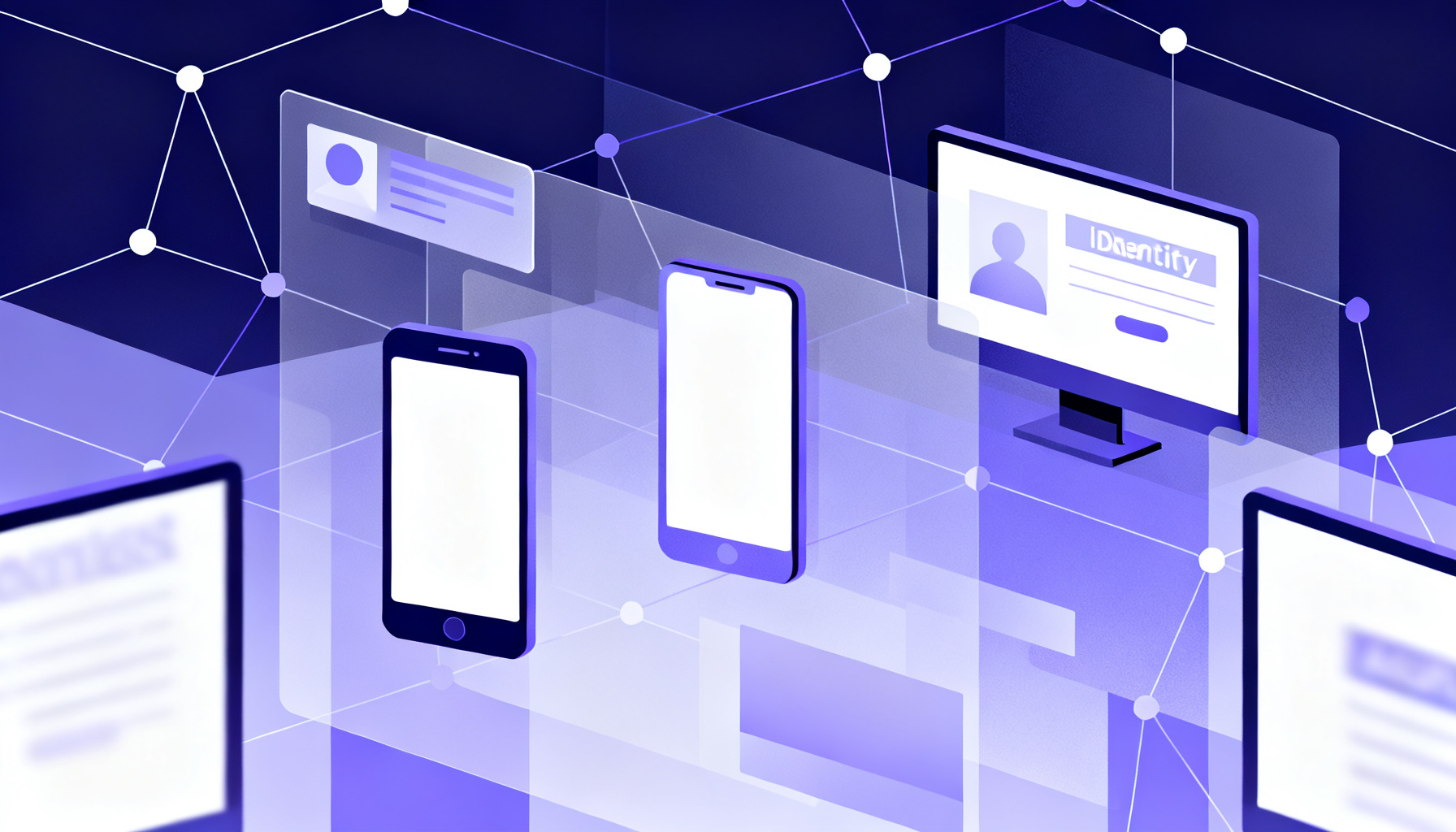
Multi-Factor Authentication (MFA) integration with Identity and Access Management (IAM) systems is a foundational security strategy that enhances authentication processes by requiring users to present multiple verification factors before granting access to resources. IAM systems serve as the backbone for managing digital identities, access permissions, and enforcing security policies across enterprise environments. Incorporating MFA within these frameworks ensures that identity verification is robust, minimizing the risk of unauthorized access even if primary credentials are compromised.
At a technical level, IAM platforms—such as Microsoft Azure AD, Okta, or AWS IAM—are designed to support MFA as an additional layer in the authentication workflow. When a user attempts to authenticate, the IAM system first validates the primary credential, typically a username and password. Upon successful primary authentication, the system triggers an MFA challenge, which can involve various factors such as SMS or app-based one-time passwords (OTP), biometric verification, or hardware tokens.
This integration is commonly implemented using standardized protocols like Security Assertion Markup Language (SAML), OpenID Connect (OIDC), or OAuth 2.0. These protocols facilitate secure communication between the IAM provider and MFA services, enabling seamless transmission of authentication requests and responses. For example, after the initial login, the IAM system can invoke an MFA provider’s API to send an OTP to the user’s registered phone number or generate a push notification for approval. Services like the Google SMS OTP Phone Number Verification Service or Telegram SMS OTP Phone Number Verification Service can be integrated via APIs to deliver these one-time codes efficiently and reliably.
From a practical perspective, administrators configure MFA policies within the IAM console to specify when and how MFA should be enforced. This can include conditional access rules that trigger MFA based on user roles, device compliance status, geographic location, or risk assessment scores. For instance, a high-risk login attempt from an unrecognized device or unusual location might automatically require MFA verification, whereas low-risk scenarios may bypass it to optimize user experience.
In addition, the IAM system maintains a user directory with registered MFA factors linked to each identity. This directory ensures that during authentication, the system knows which MFA methods are available and trusted for each user. Commonly supported MFA factors include:
- SMS or voice call OTPs sent to verified phone numbers
- Time-based One-Time Passwords (TOTP) generated by authenticator apps
- Push-based notifications requiring user approval
- Biometric factors such as fingerprint or facial recognition
- Hardware security keys compliant with FIDO standards
The integration also supports fallback and recovery mechanisms. Should a user lose access to their primary MFA device, administrators can enable alternative verification methods or temporary access codes to maintain account availability without compromising security.
To streamline MFA integration, leverage IAM providers that offer native support for popular MFA methods or provide well-documented APIs. This reduces development overhead and ensures compatibility with services like SMS OTP verification, as seen in the SMSVerifier API documentation.
Monitoring and logging are critical components of the integrated MFA and IAM environment. IAM systems collect detailed authentication logs, including MFA challenge outcomes, timestamps, and device information. These logs enable security teams to audit access attempts, detect suspicious patterns, and respond promptly to potential threats.
For developers and security architects, implementing MFA in IAM involves configuring the authentication flow to include MFA triggers, interfacing with external MFA providers via APIs, and managing user MFA status within identity stores. Many IAM platforms provide SDKs and plugins that facilitate this integration, allowing for quick deployment of MFA capabilities with minimal custom coding.
To conclude, the technical integration of MFA with IAM systems represents a crucial advancement in securing digital identities. It ensures that access control policies are enforced not only based on who the user claims to be but also on additional verification factors that significantly reduce the risk of credential compromise. For organizations looking to enhance their security posture, adopting MFA within their IAM strategy is an indispensable step.
Common MFA Deployment Architectures and Real-World Implementation Scenarios

Multi-Factor Authentication (MFA) is a critical security layer that organizations implement to protect user identities and sensitive data. Choosing the right architecture for MFA deployment depends on business needs, infrastructure complexity, regulatory requirements, and user experience goals. This section explores the most common MFA deployment architectures—cloud-based, on-premises, and hybrid models—along with practical scenarios illustrating their real-world applications.
Cloud-Based MFA Deployment
Cloud-based MFA is a popular choice for organizations seeking scalability, ease of management, and rapid deployment. In this architecture, the MFA service provider hosts the authentication infrastructure on their cloud platform. Users authenticate via the internet, and the service handles verification factors such as SMS OTPs, push notifications, or biometric prompts.
Typical use cases include SaaS applications, remote workforce access, and mobile app authentication. For example, companies integrating Google SMS OTP verification or WhatsApp OTP rely on cloud APIs to send secure messages globally without maintaining telephony infrastructure.
Minimal setup time, automatic updates, high availability, and broad geographic coverage for OTP delivery.
However, cloud MFA depends on reliable internet connectivity and involves trusting third-party providers with sensitive authentication data. Organizations with strict compliance requirements may need additional controls or choose alternative architectures.
On-Premises MFA Deployment
On-premises MFA involves hosting all authentication components within the organization's own data centers. This architecture grants full control over hardware, software, and data flow, making it suitable for industries with stringent data privacy mandates such as finance, healthcare, or government.
In this model, the organization manages the MFA server, integrates it with internal identity providers (IdPs), and connects to telephony gateways or hardware tokens for delivering secondary factors. For instance, a bank may use on-premises MFA integrated with its Active Directory to authenticate employees accessing sensitive applications.
On-premises deployments require significant upfront investment, ongoing maintenance, and dedicated security expertise.
Despite these challenges, on-premises MFA ensures data residency and can operate in isolated network environments without internet dependence.
Hybrid MFA Deployment
Hybrid MFA combines elements of cloud and on-premises architectures to balance flexibility with control. Organizations may deploy core authentication servers on-premises while leveraging cloud services for OTP delivery or backup authentication methods.
A common scenario is when an enterprise uses on-premises MFA for internal employee access but enables cloud-based MFA for remote or third-party user authentication. This approach supports complex environments where legacy systems coexist with modern cloud applications.
Hybrid deployments can optimize costs and resilience by dynamically routing authentication requests based on user location, device, or risk profile.
For example, integrating Telegram SMS OTP APIs into a hybrid MFA solution can provide seamless OTP delivery while maintaining internal control over primary authentication workflows.
Typical Real-World MFA Scenarios
- Enterprise Remote Access: Employees working remotely authenticate via VPN gateways using cloud-based MFA with SMS or app-based tokens, ensuring secure access without complex on-premises expansions.
- Customer-Facing Applications: Banks and e-commerce platforms implement cloud MFA services with SMS and voice OTPs to verify customer identities during login or transaction approvals, leveraging global virtual phone numbers for regional reach.
- Regulated Environments: Healthcare providers deploy on-premises MFA integrated with biometric scanners and hardware tokens to comply with HIPAA and other data protection laws.
- Startups and SMEs: Smaller organizations often adopt fully cloud-based MFA due to low setup cost and ease of integration, using APIs documented in API documentation and testing tools like the API playground.
Choosing the Right MFA Architecture
When selecting an MFA deployment model, consider the following factors:
- Security and Compliance: Does your industry require strict data residency or audit controls?
- Scalability: Will your user base grow quickly or fluctuate seasonally?
- Infrastructure: Do you have existing identity management systems to integrate with?
- User Experience: What authentication methods are convenient and accessible for your users?
- Costs: Analyze total cost of ownership including licensing, hardware, and maintenance.
For organizations looking to implement MFA with SMS OTP verification, exploring services with regional virtual numbers such as USA virtual numbers or India virtual numbers can enhance message delivery success and user reach.
Security Challenges and Known Attack Vectors Against Multi-Factor Authentication

Multi-Factor Authentication (MFA) significantly strengthens account security by requiring users to verify their identity through multiple proofs, typically combining something they know (password), something they have (a device or token), or something they are (biometrics). Despite its robust design, MFA is not impervious to sophisticated security challenges and attack vectors that adversaries have developed to bypass or undermine its protections. Understanding these vulnerabilities is crucial for both end users and security professionals to implement more resilient defenses.
Phishing Attacks Targeting MFA
Phishing remains one of the most prevalent methods attackers use to circumvent MFA. Unlike simple password theft, modern phishing campaigns often deploy real-time interception techniques to capture both the primary credentials and the secondary authentication factors.
In a typical MFA phishing attack, the attacker sets up a fraudulent login portal resembling the legitimate service. When a victim attempts to authenticate, the attacker simultaneously relays the credentials and one-time passcode (OTP) or push notification to the real service, thereby gaining access. This attack exploits human factors and the time-sensitive nature of OTPs.
To reduce phishing risks, services often combine MFA with anti-phishing measures such as device fingerprinting, contextual risk analysis, and user education on verifying URLs and communication authenticity.
Man-in-the-Middle (MitM) Attacks
Man-in-the-Middle attacks involve an adversary intercepting the communication between the user and the authentication service. This interception can happen in various ways, including compromised networks or malicious proxies.
In MFA scenarios, MitM attacks can be particularly effective if the attacker can relay the authentication token or OTP in real-time. For example, if an attacker injects themselves between a user and a Google SMS OTP verification service, they may capture the SMS code and use it to authenticate fraudulently.
Using app-based authenticators or hardware tokens instead of SMS-based MFA significantly reduces MitM risks because these methods do not rely on communication channels vulnerable to interception.
SIM Swapping and Phone Number Porting Attacks
SIM swapping is a critical vulnerability in SMS-based MFA. Attackers socially engineer mobile carriers or exploit insider access to transfer a victim’s phone number to a SIM card under the attacker’s control. Once successful, the attacker receives all SMS messages, including MFA codes.
This attack vector effectively nullifies the possession factor in SMS MFA. As a mitigation, some services incorporate additional verification layers or use virtual numbers from providers with enhanced security controls, such as those offered in USA virtual number or UK virtual number solutions, limiting the risk of unauthorized porting.
SMS-based MFA should not be the sole authentication factor for high-security applications due to the inherent vulnerabilities in telecommunication infrastructure exploited by SIM swapping.
Replay and Brute Force Attacks
Replay attacks involve reusing a previously captured authentication token or code to gain unauthorized access. MFA systems mitigate these by enforcing strict expiration times on OTPs and maintaining nonce values to prevent reuse.
Brute force attacks against MFA tokens are generally impractical due to the limited time window and large code space (e.g., 6-digit OTPs). However, weak implementations without rate limiting can be vulnerable.
Mitigation Strategies and Best Practices
To enhance MFA security, organizations should adopt multi-layered strategies:
- Use Stronger MFA Factors: Prefer app-based authenticators, hardware security keys (like FIDO2), or biometrics over SMS-based methods.
- Continuous Monitoring and Anomaly Detection: Employ risk-based authentication that evaluates device reputation, geolocation, and behavior patterns.
- User Education: Train users to recognize phishing attempts and verify authentication requests carefully.
- Secure Integration: When implementing MFA via APIs, such as those described in our API documentation, ensure secure coding practices and encrypted communication.
Best Practices for Designing and Implementing Robust MFA Systems
Multi-factor authentication (MFA) is a critical security layer that significantly reduces the risk of unauthorized access by requiring users to present multiple independent credentials. However, the effectiveness of MFA depends heavily on how well it is designed and implemented. This section explores the best practices for building robust MFA systems that balance security, usability, and regulatory compliance across technical and operational dimensions.
1. Choose Strong and Diverse Authentication Factors
The foundation of any MFA system is the selection of authentication factors. The three classic categories are: something you know (password or PIN), something you have (a hardware token or a smartphone app), and something you are (biometric data like fingerprints or facial recognition). To maximize security:
- Combine at least two distinct factor types to mitigate the risk of compromise in a single category.
- Avoid relying solely on SMS-based OTPs due to vulnerabilities like SIM swapping and interception. Instead, consider app-based authenticators or hardware keys.
- Leverage modern standards such as FIDO2/WebAuthn for passwordless and phishing-resistant authentication.
For practical implementation, integrating SMS OTP services from providers like Google SMS OTP or Telegram SMS OTP can offer a fallback channel, but always pair them with stronger factors.
2. Prioritize Usability Without Compromising Security
Robust MFA systems must be user-friendly to encourage adoption and reduce friction. Key usability considerations include:
- Implement adaptive or risk-based authentication, which challenges users with MFA only when anomalous behavior or high-risk access is detected. This reduces unnecessary prompts.
- Provide multiple authentication options so users can select methods that fit their context—such as biometric, authenticator apps, or hardware tokens.
- Ensure clear, accessible instructions and support channels during enrollment and login processes.
Utilize SMS OTP verification as a secondary or backup method. Services like those found in the SMSVerifier platform offer scalable OTP delivery with global virtual numbers, enhancing reliability without sacrificing user experience.
3. Implement Secure Enrollment and Recovery Procedures
The initial MFA enrollment and account recovery processes are critical attack vectors. To secure these stages:
- Verify user identity rigorously before allowing MFA setup, using trusted methods like government-issued IDs or in-person verification if appropriate.
- Limit recovery options to secure channels and require MFA verification for recovery actions to prevent social engineering attacks.
- Log and monitor enrollment and recovery attempts for suspicious activity.
4. Integrate MFA Seamlessly with Existing Infrastructure
Technical integration is essential for operational efficiency and security consistency:
- Use standardized protocols such as OAuth 2.0, OpenID Connect, and SAML to integrate MFA with identity providers and applications.
- Employ APIs and SDKs from reliable MFA service providers to accelerate deployment and reduce development risk. For example, check out the SMSVerifier API documentation for OTP integration.
- Ensure compatibility with mobile, desktop, and web platforms to accommodate diverse user environments.
5. Continuously Monitor, Audit, and Update MFA Systems
Security is an ongoing process. To maintain robustness over time:
- Implement real-time monitoring and alerting for authentication anomalies and potential breaches.
- Conduct periodic audits to assess MFA effectiveness and compliance with regulations such as GDPR, HIPAA, or PCI DSS.
- Update authentication mechanisms proactively to address emerging threats and vulnerabilities.
Neglecting regular updates or ignoring user feedback can lead to MFA fatigue, where users seek insecure workarounds. Balance security with convenience to maintain system integrity.
6. Educate Users and Administrators
Human factors are often the weakest link in security. Effective MFA deployment includes:
- Providing clear training materials explaining why MFA is necessary and how to use it correctly.
- Offering guidance on recognizing phishing attempts and social engineering tactics.
- Training administrators to configure and manage MFA systems securely and respond to incidents promptly.
Summary
Designing and implementing a robust MFA system demands a holistic approach that integrates strong, diverse authentication factors with user-centric design, secure operational workflows, and ongoing vigilance. Leveraging reliable SMS OTP services alongside app-based authenticators and biometric options can create a resilient authentication ecosystem. For developers and enterprises, exploring comprehensive solutions and APIs available at SMSVerifier's platform can accelerate secure MFA adoption while maintaining compliance and scalability.
Emerging Trends and Future Directions in Multi-Factor Authentication Technology

Multi-Factor Authentication (MFA) has undergone significant evolution since its inception, and its future is being shaped by innovative technologies that enhance both security and user experience. As cyber threats grow increasingly sophisticated, MFA solutions must adapt beyond traditional factors such as passwords and SMS OTPs to more intelligent, frictionless, and context-aware systems. Below, we explore some of the most promising advancements driving the next generation of MFA.
Passwordless MFA: Redefining User Authentication
Passwordless authentication is rapidly becoming a cornerstone of MFA’s future, aiming to eliminate the vulnerabilities and user frustrations associated with passwords. Instead of relying on what a user knows, passwordless MFA leverages what the user has (such as a hardware security key or a mobile authenticator app) and who the user is (biometrics like fingerprint or facial recognition). This approach not only reduces the risk of credential theft but also streamlines the login process.
Technologies such as WebAuthn and FIDO2 standards enable secure, passwordless authentication by using cryptographic key pairs stored on trusted devices. Many enterprises are integrating these standards to provide seamless access without compromising security. For example, users can authenticate by simply touching a fingerprint sensor on their smartphone or hardware token, removing the need for SMS OTPs or email codes.
Implementing passwordless MFA can significantly reduce phishing risks and credential stuffing attacks, as there are no passwords to steal or reuse.
Adaptive and Context-Aware Authentication
Adaptive authentication enhances traditional MFA by incorporating risk-based analytics that evaluate contextual factors in real time. These factors may include device reputation, geolocation, network characteristics, time of access, and user behavior patterns. By dynamically adjusting authentication requirements based on risk, adaptive MFA minimizes unnecessary friction for legitimate users while tightening security when anomalies are detected.
For instance, a user logging in from a recognized device within their usual geographic region might only need a single authentication factor. However, if the same user attempts access from an unfamiliar country or a new device, the system can require additional verification steps such as biometric confirmation or a one-time password sent via SMS or apps like WhatsApp or Telegram. This context-aware flexibility balances usability and security effectively.
Businesses can leverage adaptive MFA to optimize customer journeys while maintaining robust protection, especially when integrating services like WhatsApp SMS OTP verification for seamless second-factor delivery.
AI-Driven Risk Analysis and Behavioral Biometrics
Artificial Intelligence (AI) and machine learning are transforming MFA by enabling continuous authentication and sophisticated risk analysis. AI models analyze behavioral biometrics—such as typing rhythm, mouse movements, and navigation habits—to build unique user profiles that help detect fraudulent activity.
Unlike traditional MFA that authenticates only at login, AI-driven systems can monitor user behavior throughout a session to identify anomalies indicative of account takeover or insider threats. This continuous verification layer adds a powerful dimension to security, reducing reliance on static authentication factors.
Moreover, AI can process vast amounts of data from multiple sources to predict and preempt potential attacks, adjusting authentication policies dynamically. Integration with virtual number services from regions including USA, India, and Germany further enhances global MFA reach and reliability.
Integration with Emerging Technologies
The future of MFA also involves leveraging emerging technologies such as blockchain, decentralized identity (DID), and biometric wearables. Blockchain-based identity frameworks promise enhanced privacy and tamper-proof authentication records, empowering users with greater control over their credentials.
Wearable devices equipped with biometric sensors can serve as convenient authentication factors, enabling quick and secure access without interrupting workflow. Combined with phone number verification APIs and SDKs, these technologies can create multi-layered security architectures suited for diverse applications.
Practical Considerations for Businesses
Organizations planning to adopt advanced MFA solutions should consider interoperability, user privacy, and ease of deployment. Choosing providers that offer comprehensive APIs and documentation, such as those found on our API docs and API playground, can accelerate integration and customization.
Moreover, offering multiple MFA options—including passwordless methods, adaptive challenges, and traditional OTPs via SMS or app-based authenticators—caters to diverse user preferences and device capabilities. This multi-pronged approach enhances security without compromising accessibility.
For businesses looking to upgrade MFA, exploring services that provide global virtual numbers and flexible OTP delivery methods can improve user reach and verification success rates.
In summary, the future of MFA lies in intelligent, user-centric systems that leverage cutting-edge technologies to provide secure yet effortless authentication. By embracing passwordless paradigms, adaptive risk analysis, AI-powered behavioral insights, and emerging identity frameworks, organizations can stay ahead of evolving threats while delivering superior user experiences.
Frequently asked questions
What are the main benefits of using multi-factor authentication?
How does MFA differ from two-factor authentication (2FA)?
Can MFA prevent phishing attacks completely?
What types of devices are used for MFA tokens?
Is biometric authentication always secure for MFA?
How do MFA protocols like FIDO enhance security?
Can MFA be integrated with existing identity management systems?
What are common challenges when deploying MFA in organizations?
Are passwordless MFA methods more secure than traditional MFA?
How often should MFA methods be updated or reviewed?
What is adaptive authentication in the context of MFA?
Can MFA be bypassed by attackers?
What role does cryptography play in MFA?
Is MFA mandatory for compliance with security standards?
Get started with SMSVerifier
Buy your first virtual phone number in under 60 seconds — pay as you go from $0.20 per SMS.
Create free account