Two-factor authentication (2FA) adds a critical second layer of security by requiring two forms of verification before granting access. It significantly reduces unauthorized access risks and is essential for protecting sensitive data.
What Is Two-Factor Authentication and Why It Matters

Two-Factor Authentication (2FA) is a security process that requires users to provide two different types of verification before gaining access to an account or system. Unlike traditional single-factor authentication, which typically relies solely on a password, 2FA adds an additional layer of protection by combining something you know (like a password) with something you have (such as a mobile device) or something you are (biometric data).
At its core, 2FA is designed to reduce the risk of unauthorized access by making it significantly harder for attackers to compromise accounts. Even if a password is stolen or guessed, the second factor acts as a barrier that attackers must overcome, which greatly improves overall security.
Two-Factor Authentication requires two distinct verification methods from independent categories: knowledge, possession, or inherence.
From a technical standpoint, the two factors typically fall into these categories:
- Knowledge: Something the user knows, such as a password or PIN.
- Possession: Something the user has, like a smartphone app generating one-time codes, hardware tokens, or SMS messages sent to a verified phone number.
- Inherence: Something the user is, including biometric identifiers like fingerprints, facial recognition, or voice recognition.
When a user attempts to log in, the system first verifies the password (knowledge factor). Then, it prompts for the second factor, such as a code sent via SMS or generated by an authenticator app, or a biometric scan. Only after successfully validating both factors is access granted.
Using SMS-based codes combined with a secure phone number verification service can enhance 2FA reliability and reduce risks associated with SIM swapping or message interception. Services like Google SMS OTP verification or Telegram SMS OTP verification provide robust options to implement possession-based authentication.
The practical importance of 2FA cannot be overstated. Passwords alone are vulnerable to phishing, brute-force attacks, credential stuffing, and data breaches. Adding a second factor dramatically reduces the likelihood that an attacker can access your accounts, as they would need to compromise two separate authentication elements simultaneously.
For businesses and individuals alike, this means enhanced protection of sensitive data, financial information, and personal identities. Many online services now mandate or strongly recommend 2FA, recognizing its critical role in modern cybersecurity.
Implementing 2FA also aligns with compliance requirements in many industries, helping organizations meet regulatory standards for data security and privacy.
2FA methods vary in strength and convenience. Hardware tokens and biometric factors usually offer higher security than SMS-based codes but may require more infrastructure or user adoption considerations.
In conclusion, Two-Factor Authentication is a fundamental security mechanism that strengthens access control by requiring two independent proofs of identity. Whether you are securing your personal email, a corporate account, or integrating 2FA into your own applications via APIs documented at SMSVerifier API docs, understanding and adopting 2FA is essential to safeguarding digital assets in today’s threat landscape.
Exploring the Most Common Types of Two-Factor Authentication
Two-Factor Authentication (2FA) significantly strengthens security by requiring two distinct forms of verification before granting access. This layered approach reduces the risk of unauthorized access even if one factor, like a password, is compromised. Understanding the most common 2FA methods helps businesses and users choose the best fit for their security needs and convenience.
1. SMS-Based Authentication Codes
SMS codes are among the most widely used 2FA methods. When a user attempts to log in, a unique one-time password (OTP) is sent via SMS to their registered mobile phone number. The user then enters this code to complete the authentication process.
Technically, SMS-based 2FA leverages the phone network to deliver time-sensitive OTPs. This method is easy to implement and familiar to users, making it a popular choice for many online services. For example, platforms offering virtual phone number services, like USA virtual numbers or India virtual numbers, can facilitate SMS OTP delivery globally.
SMS 2FA is convenient but can be vulnerable to SIM swapping or interception attacks. Combining it with other verification methods strengthens overall security.
2. Authenticator Apps
Authenticator apps generate time-based, one-time passcodes (TOTP) that refresh every 30-60 seconds. Popular apps like Google Authenticator, Microsoft Authenticator, and Authy provide a code locally on the user’s device without needing an internet connection or SMS delivery.
This method enhances security by eliminating risks associated with SMS interception. It requires users to install an app and link it to their account. The dynamic nature of TOTP codes means even if a code is seen by an attacker, it quickly becomes invalid.
For developers integrating 2FA, leveraging services such as the Google SMS OTP verification service alongside authenticator apps can provide layered security options for users.
3. Hardware Tokens
Hardware tokens are physical devices that generate OTPs or connect via USB/NFC to authenticate users. Examples include YubiKey and RSA SecurID. These tokens offer robust security since they are separate from the user’s computer or smartphone and cannot be easily duplicated.
Technically, hardware tokens may use challenge-response protocols or generate TOTPs synchronized with authentication servers. They are widely used in high-security environments such as corporate networks and government systems.
4. Biometric Authentication
Biometrics use unique physical characteristics like fingerprints, facial recognition, or iris scans as a second factor. This method is increasingly common on smartphones and laptops, where sensors are built-in for quick and user-friendly verification.
From a technical perspective, biometric data is converted into digital templates that are matched against stored profiles during authentication. Since biometrics are inherently tied to the individual, they provide a strong layer of security, though privacy concerns and false positives/negatives must be managed carefully.
5. Push Notification Authentication
Push-based 2FA sends a notification to the user’s registered mobile device when a login attempt occurs. The user simply approves or denies the request through the app, streamlining the authentication process without manually entering codes.
This method combines convenience with security by verifying possession of the device and user intent simultaneously. Many modern identity providers support push authentication, and it can be integrated into apps or services to enhance user experience.
When integrating push notifications for 2FA, ensure secure communication channels and fallback options like SMS or authenticator apps in case of connectivity issues.
Choosing the Right 2FA Method
Each 2FA method has strengths and trade-offs. SMS codes offer simplicity and broad reach but are less secure than authenticator apps or hardware tokens. Biometric methods deliver quick verification but require compatible hardware and careful privacy handling. Push notifications balance ease of use with security but depend on mobile device connectivity.
Organizations often adopt a multi-method approach to accommodate diverse user preferences and threat models. For instance, combining SMS OTP with authenticator apps or hardware tokens can offer layered protection suitable for sensitive applications.
For developers and businesses seeking to implement 2FA, exploring services detailed in our services and API documentation can provide flexible options to integrate SMS, push, and other verification methods into their platforms seamlessly.
How Two-Factor Authentication Works: A Technical Breakdown
Two-Factor Authentication (2FA) enhances security by requiring users to provide two distinct forms of identification before granting access. Typically, this involves something the user knows (like a password) and something the user possesses (such as a token or a phone). Understanding the technical workings of 2FA involves exploring token generation, verification protocols, time-based algorithms, and the communication channels used to deliver these tokens.
Token Generation: The Heart of 2FA
The core of many 2FA systems is the generation of a one-time token, often called a One-Time Password (OTP). These tokens are generated using cryptographic algorithms that ensure they are unique and valid only for a short time window. Two primary methods are used for token generation:
- Time-based One-Time Password (TOTP): This method generates tokens based on the current timestamp and a shared secret key. The token changes every 30 or 60 seconds, making it highly secure against replay attacks.
- HMAC-based One-Time Password (HOTP): This algorithm generates tokens based on a counter value that increments each time a token is requested. It is less common but useful in certain hardware token scenarios.
TOTP relies on synchronized clocks between the authentication server and the client device. The shared secret key, combined with a hash function, generates a token that both sides can verify independently.
Verification Protocols: Validating the Token
Once a user submits their OTP, the authentication server must verify its validity. This process involves:
- Retrieving the shared secret key associated with the user.
- Recomputing the expected OTP using the same algorithm (TOTP or HOTP) and parameters.
- Comparing the recomputed OTP with the submitted one within an acceptable time window.
This verification must be efficient and secure to prevent brute force or replay attacks. Many services implement rate limiting and lockouts for repeated failed attempts to enhance security.
Communication Channels for Token Delivery
Tokens can be delivered through various communication channels, each with its own security and usability considerations:
- SMS-based Delivery: The most common method, where tokens are sent as text messages to the user’s phone number. While convenient, SMS is vulnerable to SIM swapping and interception attacks.
- Authenticator Apps: Apps like Google Authenticator or Authy generate TOTPs locally on the user’s device, eliminating the need for network transmission and reducing exposure to interception.
- Push Notifications: Some services send authentication requests via push notifications, allowing users to approve or deny login attempts with a single tap.
- Hardware Tokens: Physical devices generate tokens offline, providing high security but less convenience.
For developers integrating 2FA, using SMS OTP services like Google SMS OTP or Telegram SMS OTP can streamline token delivery while leveraging trusted platforms.
Time Synchronization and Security Considerations
Time synchronization is critical in TOTP implementations. Both the client and server must maintain closely aligned clocks to ensure token validity. Minor discrepancies can be accommodated by allowing a small time window (e.g., ±1 time step) during verification.
Security best practices also include:
- Securing the shared secret keys with encryption and careful access controls.
- Implementing fallback mechanisms, such as backup codes or alternative verification channels, in case the primary method fails.
- Monitoring and logging authentication attempts to detect suspicious activity.
Practical Implementation Example
Here is a simplified overview of how a typical TOTP-based 2FA process works:
- Step 1 — RegistrationUser sets up 2FA by scanning a QR code containing the shared secret key into their authenticator app.
- Step 2 — Token GenerationThe app generates a new OTP every 30 seconds based on the secret key and current time.
- Step 3 — AuthenticationUser enters the OTP along with their password when logging in.
- Step 4 — VerificationServer computes the expected OTP and compares it to the user-submitted token to authenticate access.
For businesses and developers interested in integrating robust 2FA solutions, exploring services and APIs designed for phone number verification and OTP delivery can simplify implementation. SMSVerifier offers comprehensive APIs and virtual numbers for multiple countries, including USA and India, ensuring reliable token delivery worldwide.
Step-by-Step Guide to Setting Up Two-Factor Authentication on Your Accounts
Two-Factor Authentication (2FA) significantly enhances the security of your online accounts by requiring a second form of verification beyond just a password. This guide walks you through enabling 2FA on popular platforms using three common methods: authenticator apps, SMS codes, and hardware tokens. Whether you’re a beginner or looking to deepen your security practices, these practical steps will help you set up 2FA effectively.
- Step 1 — Choose Your 2FA MethodDecide which 2FA method suits your needs. Authenticator apps like Google Authenticator or Authy generate time-based codes and work offline, providing strong security. SMS-based 2FA sends verification codes to your phone, offering convenience but with some security trade-offs. Hardware tokens, such as YubiKey, provide physical device authentication and are the most secure but may require additional purchase.
- Step 2 — Access Account Security SettingsLog in to your online account and navigate to the security or privacy settings. Look for options labeled “Two-Factor Authentication,” “2-Step Verification,” or “Multi-Factor Authentication.” Most major platforms like Google, Facebook, and Twitter provide clear instructions and dedicated sections for 2FA setup.
- Step 3 — Enable 2FA and Select Your MethodActivate 2FA and select your preferred verification method. For authenticator apps, you’ll typically be shown a QR code to scan. For SMS, you’ll enter your phone number to receive codes. For hardware tokens, you’ll be prompted to register the device by inserting or tapping it as instructed.
- Step 4 — Configure Authenticator AppsIf using an authenticator app, open the app and scan the QR code presented by your account’s 2FA setup page. The app will generate a 6-digit code that refreshes every 30 seconds. Enter the current code back into the website to verify and complete setup. This process ensures your app and account are synced.
- Step 5 — Verify SMS or Hardware TokenFor SMS, you will receive a text message with a verification code. Enter this code on the setup screen to confirm your phone number. For hardware tokens, follow the prompts to authenticate using your device. This step confirms that the second factor is correctly linked to your account.
- Step 6 — Save Backup Codes and Recovery OptionsMost services provide backup codes or alternative recovery methods in case you lose access to your 2FA device. Store these codes securely offline or in a password manager. This precaution helps prevent lockout from your own accounts, ensuring you can regain access safely.
- Step 7 — Test Your 2FA SetupLog out and attempt to sign back in to your account. After entering your password, you should be prompted to provide your second factor—either a code from your authenticator app, an SMS code, or hardware token confirmation. Successful authentication confirms your 2FA is working properly.
For services that support it, prefer authenticator apps or hardware tokens over SMS-based 2FA. SMS can be vulnerable to SIM swapping attacks, while apps and tokens provide stronger protection. Additionally, consider using virtual phone numbers for SMS-based verification when setting up accounts through services like Google SMS OTP phone number verification to enhance privacy and manage multiple verifications efficiently.
Below are brief instructions for enabling 2FA on some popular platforms:
Google Account
Go to your Google Security Settings, click “2-Step Verification,” and follow the prompts. You can choose between Google Authenticator, SMS codes, or security keys. Google also supports backup codes and device prompts.
Navigate to “Settings & Privacy” > “Security and Login” > “Use two-factor authentication.” Choose your preferred method: authentication app (e.g., Google Authenticator), text message, or security key. Facebook provides recovery codes to keep safe.
Under “Settings and privacy” > “Security and account access” > “Security” > “Two-factor authentication,” select your 2FA method. Twitter supports authenticator apps, SMS, and security keys, so pick the option that fits your security needs.
Always keep your backup codes or recovery options secure and accessible. Losing access to your 2FA device without backup methods can lock you out of your account permanently, requiring lengthy account recovery processes.
Implementing 2FA is a critical step to protect your digital identity and sensitive information. By following this guide and choosing the right verification methods, you can significantly reduce the risk of unauthorized access. For developers or businesses looking to integrate SMS-based 2FA into their applications, consider exploring SMS verification services through our API documentation and API playground to create seamless user experiences.
Security Benefits and Real-World Impact of Two-Factor Authentication

Two-Factor Authentication (2FA) significantly enhances the security posture of online accounts and systems by adding an extra layer of verification beyond just a password. This additional step drastically reduces the risk of unauthorized access resulting from common attack vectors such as phishing, credential stuffing, and brute force attacks.
At a basic level, 2FA requires users to provide two distinct forms of identification before granting access. Typically, this involves something the user knows (a password) and something the user has (a one-time code sent via SMS or generated by an authenticator app). This multifactor approach ensures that even if an attacker obtains a user’s password, they cannot easily breach the account without the second factor.
Passwords alone are vulnerable to theft through phishing scams, malware, or data breaches. 2FA mitigates these risks by requiring a dynamic verification code that changes regularly and is typically delivered through a separate channel, such as SMS or an authentication app.
From a technical perspective, 2FA dramatically decreases the attack surface. For instance, credential stuffing attacks, which rely on reused or leaked passwords, become ineffective because possession of the second factor is necessary to complete the login. Similarly, phishing attempts that trick users into revealing passwords are thwarted since the attacker cannot replicate the second authentication factor in real time.
Practical implementation of 2FA can vary, including SMS-based OTP (one-time password), push notifications, hardware tokens, or biometric verification. SMS OTP remains widely used due to its simplicity and broad compatibility, supported by services such as Google SMS OTP phone number verification and Telegram SMS OTP phone number verification. These services facilitate seamless integration of SMS 2FA into applications, enhancing security without compromising user experience.
Mitigation of Phishing Attacks
Phishing attacks often rely on stealing user credentials. With 2FA, even if credentials are compromised, attackers cannot access accounts without the second factor, which is typically time-sensitive and device-specific.
Protection Against Credential Theft
Since 2FA requires a second form of identity verification, stolen or leaked passwords alone are insufficient to gain unauthorized access, reducing the success rate of credential theft.
Preventing Unauthorized Access
2FA ensures that account access requires both knowledge and possession factors, making it considerably harder for unauthorized users to bypass security controls.
Real-world case studies highlight the impact of 2FA adoption. Organizations that implemented 2FA observed a marked decrease in account takeovers and related fraud incidents. For example, financial institutions that require 2FA for online banking have reported significantly lower rates of unauthorized transactions. Similarly, tech companies that enforced 2FA for employee accounts reduced the risk of internal breaches and compromised credentials.
Security statistics reinforce these benefits. Studies have shown that accounts protected with 2FA are over 90% less likely to be compromised. This is because the dynamic nature of the second factor, such as a time-based OTP sent via SMS or generated by an authenticator app, adds a moving target for attackers.
For enhanced security, combine SMS-based 2FA with app-based authenticators or hardware tokens, especially for high-value accounts. Additionally, leveraging phone number verification services like SMSVerifier can improve the reliability and security of OTP delivery.
While SMS-based 2FA is widely adopted, it is important to understand its limitations, such as susceptibility to SIM swapping attacks. To mitigate this, many organizations offer alternative 2FA methods or encourage multi-channel authentication strategies. This layered approach ensures robust security across different threat scenarios.
In summary, 2FA is a critical security control that substantially reduces the risk of account compromise by addressing vulnerabilities inherent in password-only authentication. Its real-world impact is evident in improved defense against phishing, credential theft, and unauthorized access attempts. Integrating 2FA into your security framework, supported by reliable verification services and best practices, is a proven strategy to safeguard digital identities and sensitive information.
Common Challenges and Limitations of Two-Factor Authentication

Two-factor authentication (2FA) is widely regarded as an essential security layer beyond traditional passwords. By requiring a second verification factor, it significantly reduces the risk of unauthorized access. However, despite its advantages, 2FA comes with a set of challenges and limitations that can impact usability, security, and practicality in certain scenarios. Understanding these factors is crucial for both users and organizations implementing 2FA solutions.
Usability Challenges and User Friction
One of the most common issues faced by users is the additional step 2FA introduces during login, which can be perceived as inconvenient or time-consuming. For less tech-savvy users, configuring and using 2FA methods like authenticator apps or hardware tokens can be confusing, leading to frustration or abandonment of the security feature altogether. The reliance on mobile devices for receiving SMS or push notifications also introduces dependency on cellular coverage and device availability.
SMS-based 2FA, while popular, can suffer from delays or failures in message delivery, especially in regions with poor network infrastructure. This can lock users out or cause repeated login attempts.
Moreover, when users switch devices or lose access to their second factor (e.g., lost phone), recovery processes can be cumbersome. Many services offer backup codes or alternate verification options, but managing and securely storing these can be challenging.
Vulnerabilities and Security Limitations
Although 2FA significantly enhances security, it is not impenetrable. Certain attack vectors can bypass or undermine 2FA protections:
- SIM Swapping: Attackers impersonate victims to mobile carriers and transfer their phone numbers to new SIM cards, intercepting SMS codes. This risk highlights why SMS-based 2FA, despite its convenience, is less secure than app-based tokens or hardware keys.
- Phishing and Man-in-the-Middle Attacks: Sophisticated phishing schemes can trick users into providing both their password and 2FA code in real time, allowing attackers to gain access. Some attackers use proxy tools to relay credentials and bypass 2FA prompts.
- Malware and Device Compromise: If an attacker controls a user’s device, they may intercept authentication codes or approval requests, rendering 2FA ineffective.
Relying solely on SMS-based 2FA can expose users to SIM swap attacks. Consider stronger alternatives like authenticator apps or hardware security keys, especially for sensitive accounts.
Fallback Risks and Recovery Scenarios
When 2FA is enabled, losing access to the second factor can create a significant barrier to account recovery. Some services implement fallback mechanisms such as email verification, security questions, or customer support intervention. However, these can introduce vulnerabilities if poorly designed or exploited by attackers.
For businesses managing large user bases, balancing strict security with user-friendly recovery options is critical. Automated recovery solutions integrated with phone number verification services—such as [Google SMS OTP phone number verification service](/google-sms-otp-phone-number-verification-service)—can streamline this process while maintaining security.
Inconvenience in Certain Use Cases and Environments
There are practical scenarios where 2FA may be cumbersome or impractical:
- Shared or Public Devices: Entering 2FA codes on shared computers may expose codes to shoulder surfing or keyloggers.
- Offline or Limited Connectivity: Users without reliable internet or cellular service may struggle to receive codes or push notifications.
- High-Frequency Logins: For users who frequently access accounts multiple times a day, repeated 2FA prompts can degrade user experience.
To reduce friction, many services allow users to mark devices as trusted, limiting 2FA prompts on recognized hardware while maintaining security.
Balancing Security and Usability
Despite these challenges, two-factor authentication remains a critical security measure. The key is selecting and implementing 2FA methods that align with the user base and threat model. For example, combining app-based authenticators with secure SMS verification or hardware tokens can provide layered protection. Leveraging robust verification APIs and services, such as those found in the SMSVerifier API documentation, can help organizations customize 2FA flows to minimize user friction while maximizing security.
Ultimately, educating users about 2FA’s benefits and proper usage, alongside offering multiple authentication options, can mitigate many of the common challenges and limitations.
Best Practices for Maximizing Your Two-Factor Authentication Security
Two-factor authentication (2FA) significantly strengthens account security by requiring users to provide two forms of verification before gaining access. However, the effectiveness of 2FA depends heavily on how it is implemented and maintained. This section outlines essential best practices to maximize your 2FA security, combining practical steps with technical insights to keep your digital accounts safe.
Prefer Authenticator Apps Over SMS for 2FA
While SMS-based 2FA is widely used due to its convenience, it is vulnerable to interception techniques such as SIM swapping and SMS spoofing. Authenticator apps generate time-based one-time passwords (TOTPs) on your device, which are not transmitted over mobile networks, drastically reducing the risk of interception.
Apps like Google Authenticator, Microsoft Authenticator, and Authy generate codes locally, providing a secure second factor without relying on mobile carrier security. This makes them a preferred choice for sensitive accounts.
For businesses integrating 2FA, services like Google SMS OTP verification can be used in combination with authenticator apps to offer flexible options, but prioritizing app-based 2FA enhances security substantially.
Combine 2FA With Strong, Unique Passwords
Two-factor authentication adds a critical layer beyond passwords, but it should never be a substitute for strong password hygiene. Using complex, unique passwords for every account prevents attackers from exploiting reused credentials even if they bypass 2FA on weaker accounts.
Use password managers to generate and store complex passwords. This reduces the temptation to reuse passwords and simplifies managing your login credentials alongside 2FA.
Remember that 2FA is most effective when paired with a robust password policy. This dual approach ensures that even if one factor is compromised, the other continues to protect your account.
Regularly Update Your Credentials and 2FA Settings
Security is not a set-it-and-forget-it solution. Regularly reviewing and updating your passwords and 2FA configurations is crucial to maintaining strong defenses. Periodically changing passwords, especially after any suspected breach, reduces the window of opportunity for attackers.
Similarly, audit your 2FA methods to ensure they remain current and uncompromised. Remove access for lost or unused devices and update authentication apps to the latest versions to benefit from security patches.
Failing to update or revoke 2FA access on old devices can leave your accounts vulnerable. Always keep track of where your 2FA tokens are active and promptly disable those no longer in use.
Leverage Backup and Recovery Options Wisely
Many 2FA systems provide backup codes or alternative verification methods for account recovery. While these are essential for regaining access if you lose your authentication device, they can also be a weak point if not stored securely.
Store backup codes in encrypted password managers or secure physical locations rather than unsecured digital notes or email. Avoid sharing recovery options through untrusted channels.
Use Multi-Channel Verification for Critical Accounts
For highly sensitive accounts, consider using multi-channel verification strategies that combine different 2FA methods such as authenticator apps, hardware tokens, and SMS or email OTPs. This layered approach complicates attackers’ efforts to bypass your defenses.
Businesses can integrate multi-channel 2FA by exploring options available in the SMSVerifier services portfolio, which includes phone number verification via SMS, WhatsApp, and Telegram, allowing flexible and secure verification workflows.
Educate Yourself and Your Team on 2FA Security
Security is as much about awareness as technology. Regularly educate yourself and your team about phishing attacks and social engineering tactics that attempt to bypass 2FA. Encourage vigilance and skepticism about unsolicited requests for authentication codes.
Summary of Best Practices
- Step 1 — Choose Strong 2FA MethodsPrefer authenticator apps or hardware tokens over SMS-based codes for enhanced security.
- Step 2 — Use Strong, Unique PasswordsCombine 2FA with complex passwords managed via a password manager.
- Step 3 — Regularly Update CredentialsChange passwords and audit 2FA devices periodically to maintain security hygiene.
- Step 4 — Secure Backup OptionsStore recovery codes safely and avoid sharing them through insecure channels.
- Step 5 — Educate UsersTrain yourself and your team to recognize phishing and social engineering threats.
By following these best practices, you can significantly enhance the security of your two-factor authentication system, protecting your accounts against evolving cyber threats. For developers and businesses looking to implement or upgrade 2FA solutions, exploring the SMSVerifier API documentation and the interactive API playground can provide practical tools and examples to streamline integration and maximize security.
Comparing Two-Factor Authentication with Multi-Factor Authentication
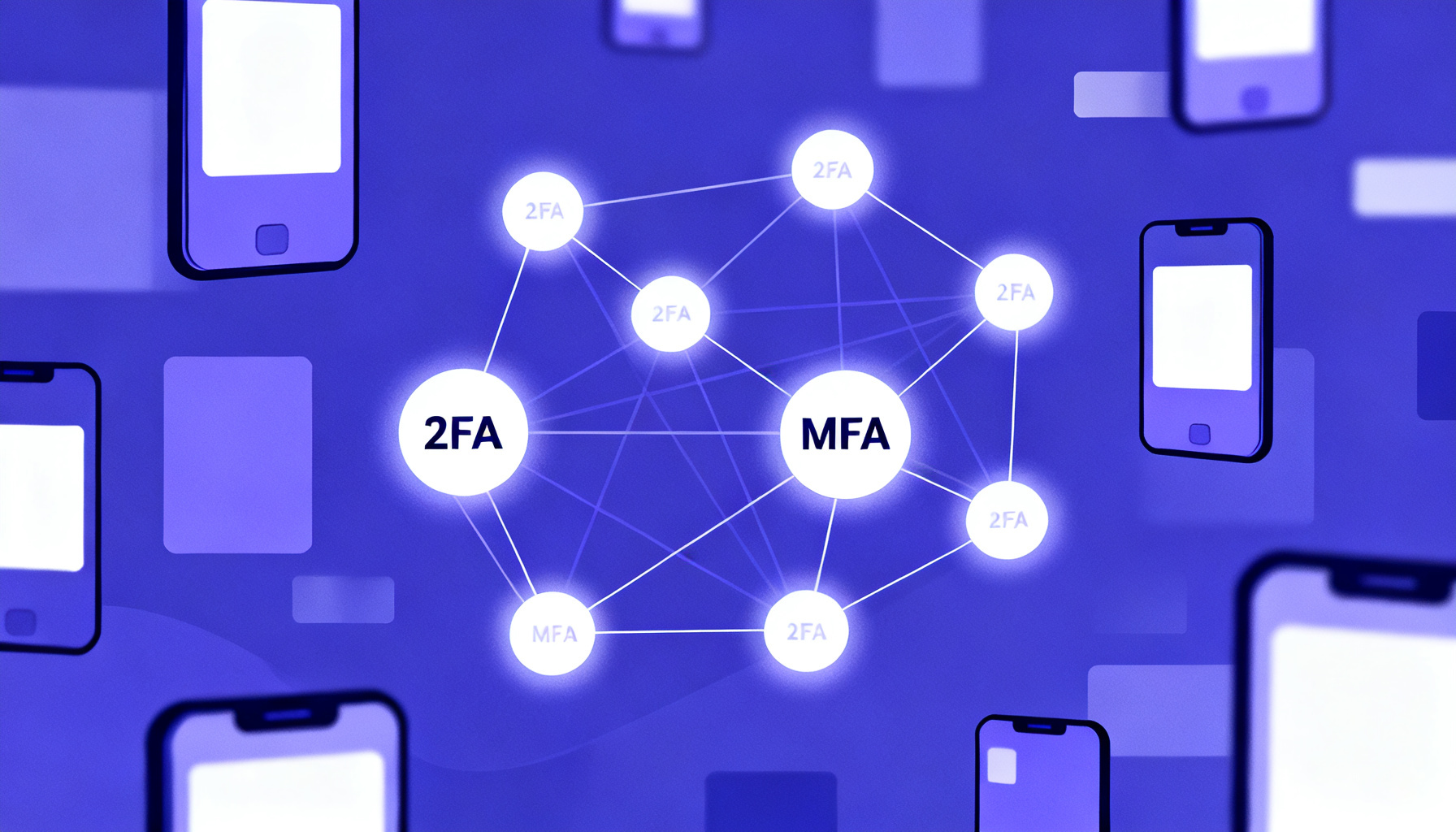
Two-Factor Authentication (2FA) and Multi-Factor Authentication (MFA) are both critical tools in securing digital identities and access, but they are not identical. Understanding the distinctions and overlaps between them is essential to selecting the right security approach for your personal or organizational needs.
At its core, 2FA requires exactly two different categories of credentials to verify a user’s identity. These categories generally fall into three types: something you know (like a password or PIN), something you have (such as a smartphone or hardware token), and something you are (biometric factors like fingerprints or facial recognition). When two of these factors are combined, for example, a password plus a one-time code sent via SMS, it constitutes two-factor authentication.
MFA, on the other hand, is a broader concept that involves two or more factors from these categories, but not limited to just two. This means MFA could include three, four, or even more authentication factors, adding layers of security beyond 2FA. For instance, MFA might require a password, a biometric scan, and a hardware token all at once.
2FA is a subset of MFA that specifically uses two factors, while MFA can use two or more factors, providing flexibility for stronger security measures.
From a technical perspective, the expansion from 2FA to MFA offers enhanced protection against sophisticated threats. Attackers who might bypass one or even two factors may find it exponentially harder to overcome multiple independent verification steps. This is particularly relevant in environments where sensitive information or critical infrastructure is involved.
Practically, 2FA is often sufficient for most consumer applications such as email accounts, social media, and online banking. Its balance of security and usability makes it widely adopted. Many popular services integrate 2FA through SMS OTP verification or authenticator apps, which you can explore further in our Google SMS OTP verification service and WhatsApp SMS OTP verification service offerings.
However, organizations dealing with highly sensitive data, regulatory compliance, or critical business operations might require MFA to meet stricter security standards. Examples include government agencies, financial institutions, and healthcare providers. MFA implementations can combine multiple biometrics, hardware security keys, and contextual information like geolocation or device recognition to create a robust authentication framework.
When designing authentication flows, consider user experience alongside security. MFA can increase friction, so tailor the number and types of factors to the risk level of the application.
Another important consideration is the method of delivering authentication factors. SMS-based OTPs, while common in 2FA, have vulnerabilities such as SIM swapping and interception. Alternatives like app-based authenticators or hardware tokens used in MFA provide enhanced security but may require additional user education and infrastructure.
In summary, the choice between two-factor and multi-factor authentication should be driven by the security requirements of your environment. 2FA provides a strong baseline for most scenarios, while MFA offers customizable, layered security for higher-risk situations. For developers and businesses looking to integrate these protections seamlessly, our API documentation and API playground offer tools to implement both 2FA and MFA solutions effectively.
Advanced Two-Factor Authentication Technologies and Emerging Trends

Two-factor authentication (2FA) has evolved far beyond simple SMS codes or authenticator apps. Today’s advanced 2FA technologies leverage cutting-edge methods including biometrics, decentralized protocols, adaptive risk analysis, and passwordless frameworks. These innovations not only enhance security but also improve user convenience, addressing common friction points in authentication processes.
At a basic level, traditional 2FA combines “something you know” (password) with “something you have” (a phone or token). However, advanced 2FA integrates “something you are” — biometrics — or dynamic contextual factors, shifting towards smarter, more seamless verification.
Biometric Two-Factor Authentication
Biometric 2FA uses unique physical characteristics such as fingerprints, facial recognition, or voice patterns. These identifiers are difficult to replicate or steal, providing a robust second factor. For example, many smartphones now support fingerprint or facial unlock combined with a password or PIN, making unauthorized access significantly harder.
Decentralized Authentication Systems
Emerging decentralized authentication leverages blockchain or distributed ledger technology to avoid centralized points of failure. Instead of storing credentials on a single server, user authentication data is distributed, reducing risks of large-scale breaches. This approach also supports user sovereignty over identity data, aligning with privacy regulations.
Adaptive Risk-Based 2FA
Adaptive 2FA dynamically adjusts authentication requirements based on risk assessment. Factors like device reputation, location, time of access, and behavior patterns determine whether a second factor is necessary or if additional verification steps should be triggered. This balances security with usability, minimizing unnecessary interruptions for low-risk access.
On a technical level, biometric 2FA typically involves capturing biometric data locally on a user’s device and using cryptographic techniques such as secure enclaves or trusted execution environments to verify identity without exposing raw biometric templates. This ensures privacy and security by preventing biometric data leaks.
Decentralized authentication protocols often use public-private key cryptography combined with blockchain to create verifiable credentials. Users can authenticate by signing challenges with private keys stored securely on their devices, while relying parties validate signatures against decentralized ledgers. This method eliminates dependence on SMS or app-based OTPs, which can be vulnerable to SIM swapping or phishing.
Integrating adaptive risk-based 2FA into your authentication flow can be done via APIs that analyze access context in real time. This allows you to enforce stricter verification only when anomalies are detected, improving both security and user experience. Explore our API documentation for seamless implementation options.
Practically, these advanced 2FA methods are increasingly adopted by financial institutions, enterprise software, and consumer platforms prioritizing security without compromising ease of use. Passwordless authentication, often combining biometrics with device-based cryptographic keys, is gaining traction as the future standard. It eradicates the need for passwords altogether, reducing attack surfaces tied to credential theft.
For services relying on SMS OTP as a second factor, innovations like encrypted SMS delivery or integrating biometric verification alongside SMS can bolster security. Providers such as Google SMS OTP verification and Telegram SMS OTP verification are exploring hybrid models that combine traditional OTPs with biometric or behavioral signals.
Looking ahead, expect wider adoption of passwordless authentication standards like WebAuthn and FIDO2, which enable secure, phishing-resistant login experiences using hardware authenticators or built-in device biometrics. These protocols are supported by major browsers and platforms, simplifying deployment for developers and enhancing protection for users.
In conclusion, the evolution of two-factor authentication is moving towards smarter, more user-centric security models. By embracing biometric 2FA, decentralized identity frameworks, and adaptive risk-based mechanisms, organizations can significantly reduce fraud risks while delivering seamless authentication journeys. For developers and businesses interested in exploring these advanced options, comprehensive resources and services are available to integrate state-of-the-art 2FA solutions.
Troubleshooting Common Two-Factor Authentication Issues and How to Fix Them

Two-factor authentication (2FA) significantly enhances your account security by requiring a second form of verification beyond just a password. However, users frequently encounter issues that can disrupt this process, such as lost devices, synchronization errors, delayed codes, or challenges in account recovery. Understanding these common problems and their solutions can help maintain seamless access and protect your accounts effectively.
Lost or Inaccessible Authentication Devices
Losing your device that generates 2FA codes—such as a smartphone running an authenticator app or the phone receiving SMS codes—can instantly lock you out of your accounts. Here’s how to handle this situation:
- Backup Codes: Most services provide backup or recovery codes when you set up 2FA. These one-time codes allow you to log in if your primary method is unavailable. Always store these codes securely offline or in a password manager.
- Alternative Verification Methods: Some platforms support multiple 2FA methods (e.g., SMS, authenticator apps, hardware tokens). If one method fails, switch to another. For instance, if your authenticator app device is lost, try receiving verification codes via SMS if enabled.
- Contact Support: When backup codes and alternative methods aren’t available, contact the service’s support team for account recovery. They may require identity verification and additional steps to restore your access.
Register multiple 2FA methods where possible and keep backup codes in a secure, accessible place to avoid lockouts.
Synchronization Errors with Time-Based One-Time Passwords (TOTP)
Authenticator apps like Google Authenticator or SMS-based tokens generate time-sensitive codes that must be synchronized accurately with the service’s server. If your device’s clock is out of sync, codes may be rejected.
- Check Device Time Settings: Ensure your smartphone or token device is set to update time automatically via the network or internet. Manual time adjustments can cause discrepancies.
- Resync the Authenticator: Some apps allow manual resynchronization by scanning a new QR code or entering a setup key. This resets the time window alignment.
- Use Reliable Phone Number Verification Services: For SMS-based 2FA, using a trusted SMS OTP phone number verification service can reduce delays and synchronization problems. Consider services like Google SMS OTP verification or Telegram SMS OTP verification for enhanced reliability.
Incorrect device time is one of the most common causes of 2FA code rejection. Always verify your device clock settings before troubleshooting further.
Delayed or Missing Authentication Codes
Receiving 2FA codes via SMS can sometimes be delayed or fail entirely due to network issues, carrier restrictions, or incorrect phone number formats. Here’s how to address this:
- Verify Phone Number Format: Ensure your phone number is entered in the international format with the correct country code, especially when using virtual or international numbers such as USA virtual numbers or India virtual numbers.
- Check Network Connectivity: Poor cellular or internet connectivity can delay SMS delivery. Try moving to an area with better signal or switching to Wi-Fi if the service supports it.
- Whitelist SMS Sender: Some mobile carriers or devices block messages from unknown numbers. Adding the sender to your contacts or whitelist can help.
- Use Dedicated Verification Services: Platforms like SMSVerifier offer reliable SMS OTP delivery with optimized routing to minimize delays, making them an excellent choice for critical 2FA implementations.
Account Recovery Options and Best Practices
Despite all precautions, users may still face account lockouts. Planning ahead with robust recovery options is crucial:
- Set Up Multiple Recovery Channels: Link your account to a secondary email, phone number, or trusted contacts that can assist in recovery.
- Enable Authenticator App Backups: Some apps support encrypted cloud backups or allow transferring 2FA credentials to new devices securely.
- Use Service-Specific Recovery Features: Many platforms offer customized recovery workflows. Familiarize yourself with their documentation and support pages, such as those available in the API docs for developers integrating 2FA.
Summary: Step-by-Step Troubleshooting Workflow
- Step 1 — Verify Device and NetworkEnsure your device time is correct and your network connection is stable.
- Step 2 — Confirm Phone Number and 2FA MethodDouble-check your phone number format and the 2FA method enabled on your account.
- Step 3 — Use Backup Codes or Alternative MethodsIf codes are delayed or rejected, try backup codes or switch to another verification channel.
- Step 4 — Contact Support if NeededReach out to the service provider with proof of identity for account recovery assistance.
By understanding these common issues and applying practical fixes, you can maintain uninterrupted access to your accounts while benefiting from the enhanced security that two-factor authentication provides. For businesses and developers, integrating reliable services such as SMSVerifier’s phone number verification can streamline 2FA implementation and reduce user friction significantly.
Implementing Two-Factor Authentication in Enterprise and Business Environments

Two-factor authentication (2FA) has become a fundamental security measure for enterprises and businesses aiming to safeguard sensitive data and critical systems. Unlike consumer contexts where 2FA is often optional, in corporate environments, its implementation requires a strategic approach that aligns with existing identity management frameworks, regulatory compliance, and user experience considerations. This section explores practical deployment strategies, integration techniques, compliance mandates, and essential user training to ensure a successful 2FA rollout.
Strategic Deployment of 2FA in Enterprises
Deploying 2FA across an enterprise involves more than just adding an extra login step. It requires a phased approach that balances security needs with operational efficiency. Typically, organizations start by identifying high-risk systems and privileged accounts that demand immediate protection. Gradually, 2FA can be expanded to cover all employee access points, including VPNs, cloud services, and internal applications.
Enterprises often leverage centralized authentication services such as Single Sign-On (SSO) platforms combined with Multi-Factor Authentication (MFA) to streamline access and reduce password fatigue. Integration with widely used identity providers like Microsoft Azure AD, Okta, or Google Workspace ensures cohesive user management and policy enforcement.
Integrating 2FA with existing identity management systems simplifies user provisioning and de-provisioning, essential for handling employee onboarding and offboarding securely.
Integration with Identity and Access Management (IAM) Systems
Effective 2FA implementation hinges on seamless integration with the enterprise’s IAM infrastructure. This integration enables consistent enforcement of authentication policies and centralized logging for audit trails. Modern IAM solutions support standards such as OAuth 2.0, SAML, and OpenID Connect, which facilitate smooth communication between authentication servers and service providers.
For businesses looking to incorporate SMS-based OTP verification, services like the Google SMS OTP Phone Number Verification Service or Telegram SMS OTP Phone Number Verification Service provide APIs that can be integrated into existing IAM workflows. These APIs enable automated generation, delivery, and validation of one-time passwords, enhancing security without compromising usability.
Use API-driven SMS OTP services that offer global virtual numbers, such as the USA Virtual Number or India Virtual Number options, to ensure reliable OTP delivery regardless of user location.
Compliance and Regulatory Considerations
Many industries face strict regulatory requirements that mandate multi-factor authentication to protect sensitive information. Frameworks such as GDPR, HIPAA, PCI-DSS, and SOX specify controls for user authentication that often include 2FA as a critical component.
Enterprises must ensure their 2FA solutions comply with these regulations by maintaining detailed logs of authentication events, protecting user credential data with encryption, and periodically reviewing access policies. Additionally, the choice of authentication factors should align with compliance guidelines—for example, avoiding SMS-only 2FA in contexts where SIM swapping risks are high, and instead adopting hardware tokens or authenticator apps as alternatives.
Relying solely on SMS-based 2FA without additional safeguards can expose organizations to interception and social engineering attacks. It’s advisable to combine SMS OTP with app-based or biometric factors for enhanced security.
User Training and Adoption Best Practices
Successful 2FA deployment depends heavily on user acceptance and understanding. Enterprises should invest in comprehensive training programs that explain the importance of 2FA, how it works, and the steps users need to follow. Clear communication reduces resistance and support requests, ensuring smoother adoption.
Training should cover topics such as recognizing phishing attempts targeting OTPs, managing backup authentication methods, and what to do if users lose access to their secondary devices. Leveraging interactive tutorials, FAQs, and helpdesk resources can facilitate ongoing user support.
Summary of Key Implementation Steps
- Step 1 — Assess Risk and ScopeIdentify critical systems and user groups requiring 2FA protection.
- Step 2 — Select Appropriate 2FA MethodsChoose factors balancing security, usability, and compliance, such as app-based OTP, SMS OTP, or hardware tokens.
- Step 3 — Integrate with IAMConnect 2FA solutions to existing identity providers and authentication flows.
- Step 4 — Pilot and Gather FeedbackTest with select user groups, refine processes, and resolve issues.
- Step 5 — Rollout and Train UsersDeploy enterprise-wide and provide comprehensive user education.
- Step 6 — Monitor and MaintainContinuously monitor authentication logs, update policies, and adapt to emerging threats.
By following these best practices, enterprises can implement robust two-factor authentication systems that protect valuable assets, comply with regulatory demands, and foster user confidence. For detailed technical guidance on integrating SMS OTP services into your 2FA workflows, explore our API documentation and API playground to get started quickly and securely.
Legal and Privacy Considerations Surrounding Two-Factor Authentication
Two-factor authentication (2FA) is widely recognized as an effective security layer, but implementing it involves navigating a complex landscape of legal and privacy considerations. Organizations must ensure their 2FA solutions comply with relevant regulations and safeguard user data without compromising privacy. This section explores the key legal frameworks and privacy issues surrounding 2FA, providing both a foundational understanding and practical guidance for businesses and developers.
Regulatory Compliance and 2FA
Many jurisdictions require or strongly recommend 2FA as part of cybersecurity best practices, especially in sectors handling sensitive information such as finance, healthcare, and telecommunications. Regulations like the General Data Protection Regulation (GDPR) in the European Union and the California Consumer Privacy Act (CCPA) in the United States impose strict rules on how personal data is collected, processed, and stored.
For example, GDPR mandates that organizations implement "appropriate technical and organizational measures" to protect personal data, which often includes multi-factor authentication to prevent unauthorized access. Similarly, standards such as the Payment Card Industry Data Security Standard (PCI DSS) require strong authentication methods to protect cardholder data.
Implementing 2FA can help organizations meet compliance requirements by enhancing account security and reducing the risk of data breaches, but it must be done in a way that respects data protection laws.
Privacy Concerns with 2FA Methods
While 2FA strengthens security, it often involves processing personal data such as phone numbers, email addresses, or biometric information. This raises privacy concerns, particularly when using SMS or phone call-based verification, which can expose users to risks like SIM swapping or interception.
To mitigate these risks, organizations should minimize data collection and retention, obtain clear user consent, and provide transparency about how verification data is used and stored. For instance, when integrating phone number verification services—such as those offered by SMSVerifier—it's crucial to ensure that the service provider complies with relevant privacy regulations and follows best practices in data security.
Consider leveraging app-based authenticators or hardware tokens as alternatives to SMS-based 2FA to reduce exposure to phone number-related privacy risks.
Impact of 2FA on User Data Security
From a technical perspective, 2FA introduces an additional barrier that significantly reduces the likelihood of unauthorized access resulting from compromised credentials. However, this added security layer must be balanced against potential vulnerabilities introduced by the 2FA mechanism itself.
For example, SMS OTP (One-Time Password) methods are vulnerable to interception or SIM swap attacks, which could lead to unauthorized access despite 2FA. Therefore, organizations should assess the security characteristics of their chosen 2FA methods and consider options like time-based one-time passwords (TOTP) or push notifications through secure apps.
Moreover, the secure handling of authentication data is essential. This includes encrypting OTPs in transit, protecting stored verification logs, and regularly auditing access to authentication systems. Integrating 2FA through reliable APIs—such as SMSVerifier’s API documentation—can help streamline secure implementation and maintain compliance.
Neglecting privacy safeguards when implementing 2FA can lead to data breaches, regulatory penalties, and loss of user trust.
Practical Steps for Ensuring Legal and Privacy Compliance
- Step 1 — Understand Applicable LawsIdentify the data protection regulations and industry standards relevant to your organization’s location and sector.
- Step 2 — Choose Compliant 2FA MethodsSelect authentication methods that align with privacy requirements and minimize data exposure, such as app-based authenticators or encrypted SMS services.
- Step 3 — Obtain User Consent and Provide TransparencyClearly inform users about what data is collected for 2FA, how it is used, and their rights regarding that data.
- Step 4 — Implement Strong Data Security PracticesUse encryption, secure storage, and regular audits to protect authentication data from unauthorized access.
- Step 5 — Monitor and UpdateContinuously review 2FA implementation for new threats, regulatory changes, and user feedback to maintain compliance and security.
By following these steps, organizations can leverage the benefits of 2FA while respecting legal and privacy obligations, ultimately fostering stronger trust with their users.
Frequently asked questions
Is two-factor authentication necessary for all online accounts?
What are the most secure methods of two-factor authentication?
Can two-factor authentication prevent phishing attacks?
What should I do if I lose access to my two-factor authentication device?
How does two-factor authentication differ from multi-factor authentication?
Are biometric factors considered part of two-factor authentication?
Does two-factor authentication slow down the login process?
Can two-factor authentication be bypassed by hackers?
Is SMS-based two-factor authentication safe?
How do authenticator apps generate codes for two-factor authentication?
Can I use two-factor authentication on my mobile banking app?
What is adaptive two-factor authentication?
Are hardware tokens expensive for two-factor authentication?
Can two-factor authentication protect against account takeover?
Get started with SMSVerifier
Buy your first virtual phone number in under 60 seconds — pay as you go from $0.20 per SMS.
Create free account